How to Become a Rapper: Step-by-Step Guide to Starting a Rap Career
Learn how to become a rapper in 2026 with professional rap career tips, tools, and the Soundverse DNA feature.
How to Become a Rapper: Step-by-Step Guide to Starting a Rap Career
If you've ever dreamed of spitting bars on stage, collaborating with other artists, and building a hip-hop legacy, 2026 is the perfect time to start your journey. The rap industry continues to evolve, blending creativity, technology, and cultural influence. If you're wondering how to become a rapper, this guide breaks down the steps you need to launch your rap career, sharpen your skills, and make your mark as a hip-hop artist.
Why Aspiring Rappers Thrive in 2026
In the past few years, the music industry for rappers has drastically changed. From 2024 to 2025, AI music tools and streaming platforms transformed how artists distribute and create songs. In 2026, aspiring rappers can use tools like Soundverse to generate beats, lyrics, and vocal layers quickly and ethically while maintaining originality. Independent artists are breaking through without needing massive label budgets, and hip-hop remains one of the most global genres. For deeper context, check out how genre fluidity continues reshaping the boundaries between rap, R&B, pop, and hyperpop.
How to Make Rap Music with Soundverse DNA
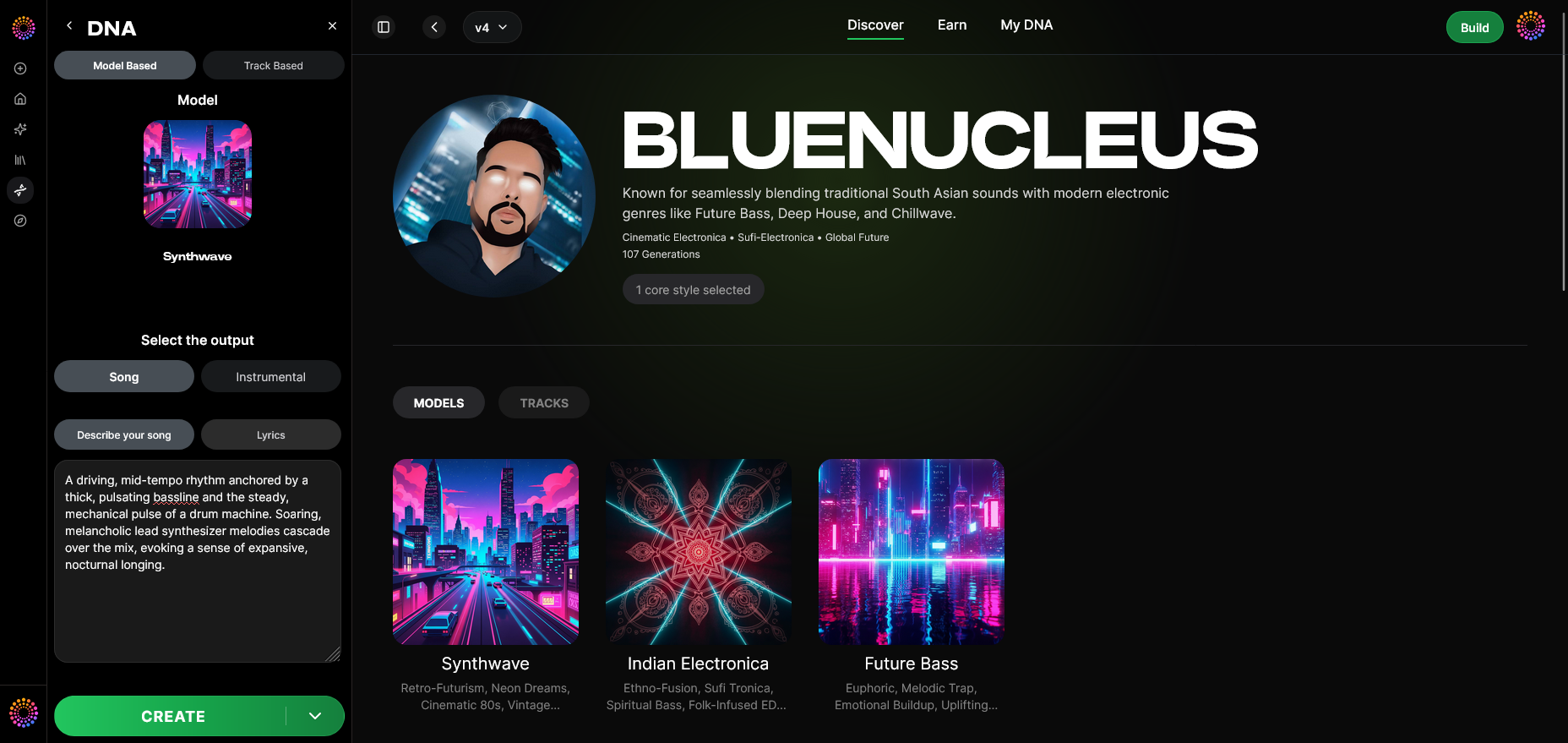
Before diving into the creative steps, let’s explore one of the most powerful tools available to new rappers in 2026: Soundverse DNA.
Soundverse DNA is an artist-trained AI music generation system that produces original music aligned with individual sonic identities. Its unique technology solves ethical issues by using licensed catalogs, ensuring your generated tracks are copyright-safe and monetizable.
What Makes Soundverse DNA Essential for Rappers
- Full DNA: Create complete songs or instrumentals inspired by your unique rap style.
- Voice DNA: Capture your vocal timbre and flow, producing consistent performances.
- DNA Marketplace: License your modeled sound so fans or collaborators can use it legally.
- Sensitivity Selector: Group your work into different eras or moods—perfect for artists evolving their sound.
- Private Mode: Enables secure co-creation sessions with other rappers or producers.
Whether you’re creating battle raps, melodic flows, or experimental hip-hop, Soundverse DNA accelerates production, helps you monetize your style, and keeps your brand sound consistent. You can also connect it with other AI tools like the AI Lyrics Writer to write verses, or the AI Song Generator to produce full tracks. To see how these features work visually, watch the Soundverse Tutorial Series - 9. How to Make Music on YouTube.
Step-by-Step Guide: How to Become a Rapper in 2026
Step 1: Overview — Understanding DNA Mode
Before you start recording, familiarize yourself with DNA Mode inside Soundverse. This section gives you context on how AI learns your sound and generates music. Understanding this helps you make informed creative choices.
Step 2: Dashboard — Manage Your Creations
On your Soundverse dashboard, you can organize your rap instrumentals, vocal DNAs, and track drafts. It acts like your creative hub—perfect for rappers developing multiple projects or experimenting with varied styles.
Step 3: Creator Profile — Build Your Artist Identity
Set up your artist profile. Add a bio, your rap influences, and your sonic direction. This profile is crucial because Soundverse uses it to align AI music generation with your identity—making sure every beat, hook, and verse reflects your authentic vibe.
Step 4: DNA Type Selection — Choose Full DNA or Voice DNA
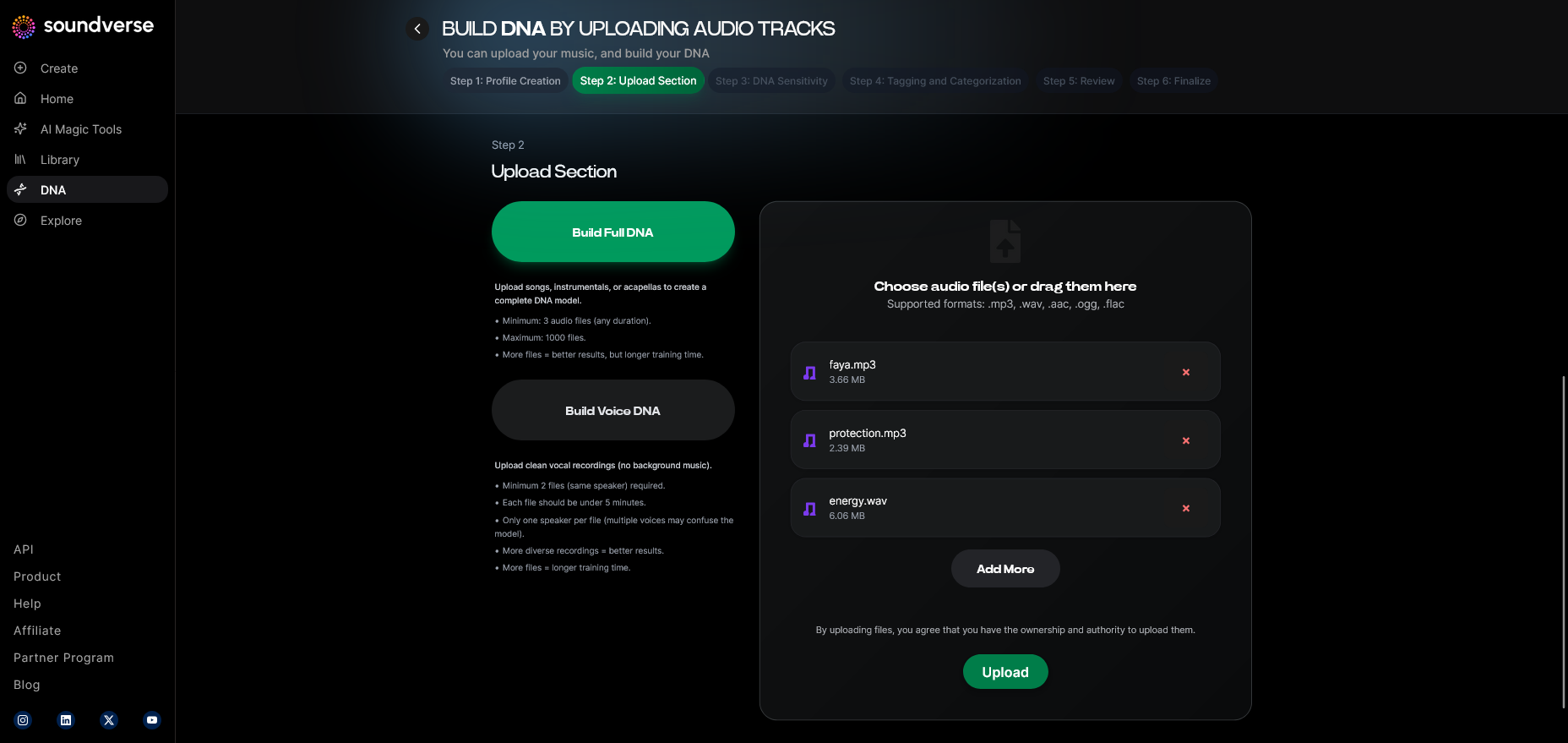
Decide whether you’re building your full musical DNA (beats + vocals) or focusing on your voice. Full DNA is ideal if you handle songwriting and production. Voice DNA is perfect for rappers improving vocal delivery while collaborating with producers or beatmakers.
Step 5: Upload Files — Bring Your Sound to Life
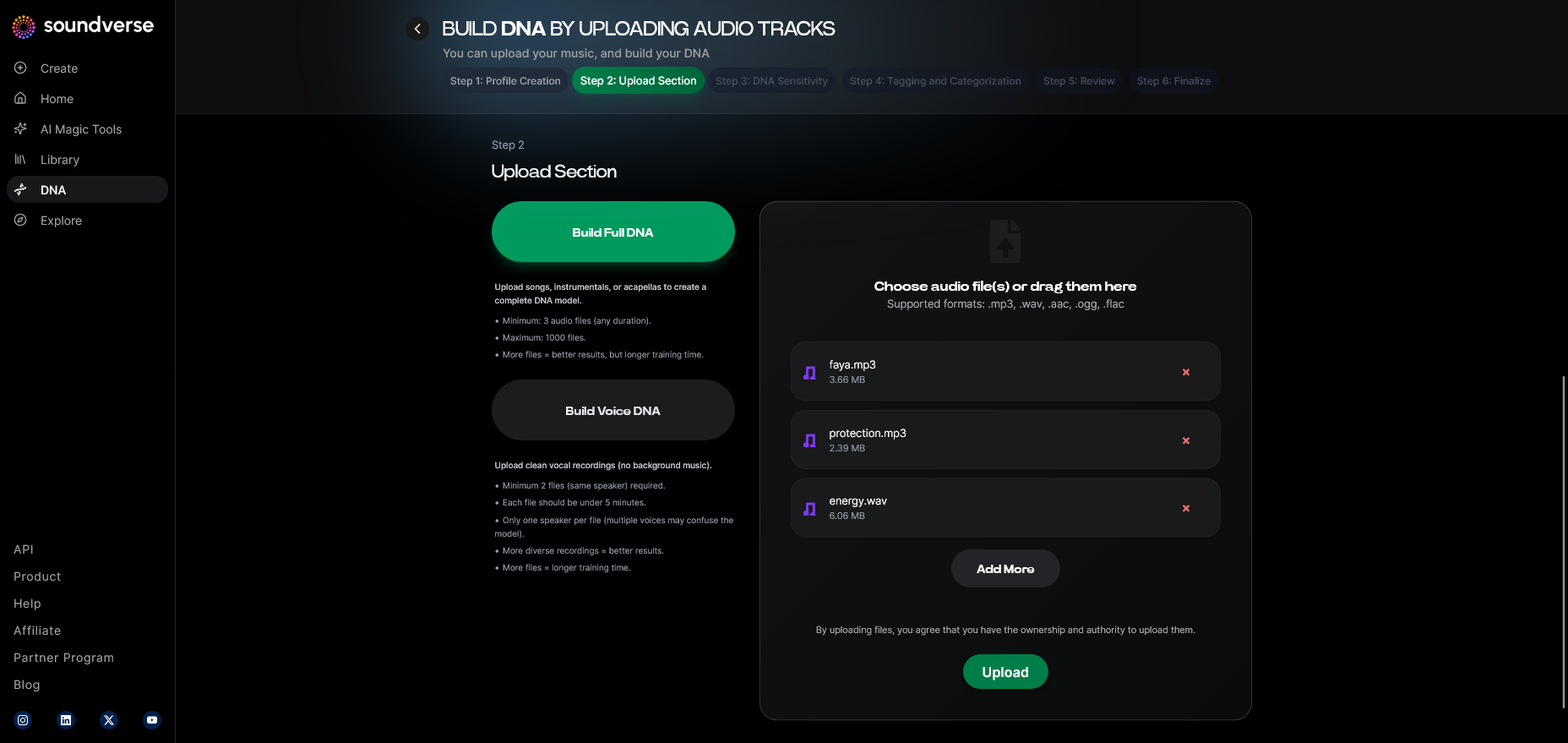
Record a few freestyle tracks or demo verses and upload them. Soundverse processes these recordings asynchronously—no live monitoring—to ensure authenticity and quality. Your uploaded material becomes the base of your future AI-powered sound.
Step 6: Sensitivity Setting — Fine-Tune the Vibe
Use the sensitivity slider to adjust how closely new outputs match your previous work. Want a fresh freestyle inspired by your early recordings? Lower the sensitivity. Want it closely aligned with your signature flow? Increase it.
Step 7: Auto Tagging — Organize Your Metadata
Soundverse automatically generates tags related to genre, BPM, and mood. This saves time and ensures your tracks remain searchable and ready for release.
Step 8: Review & Publish — Finalize Your DNA
Review your model before publishing. Once approved, Soundverse DNA becomes your personal signature sound. You can add private mode to control collaboration access or list it on the DNA Marketplace to earn royalties when fans use your style.
Step 9: Generation Panel — Create Your First Track
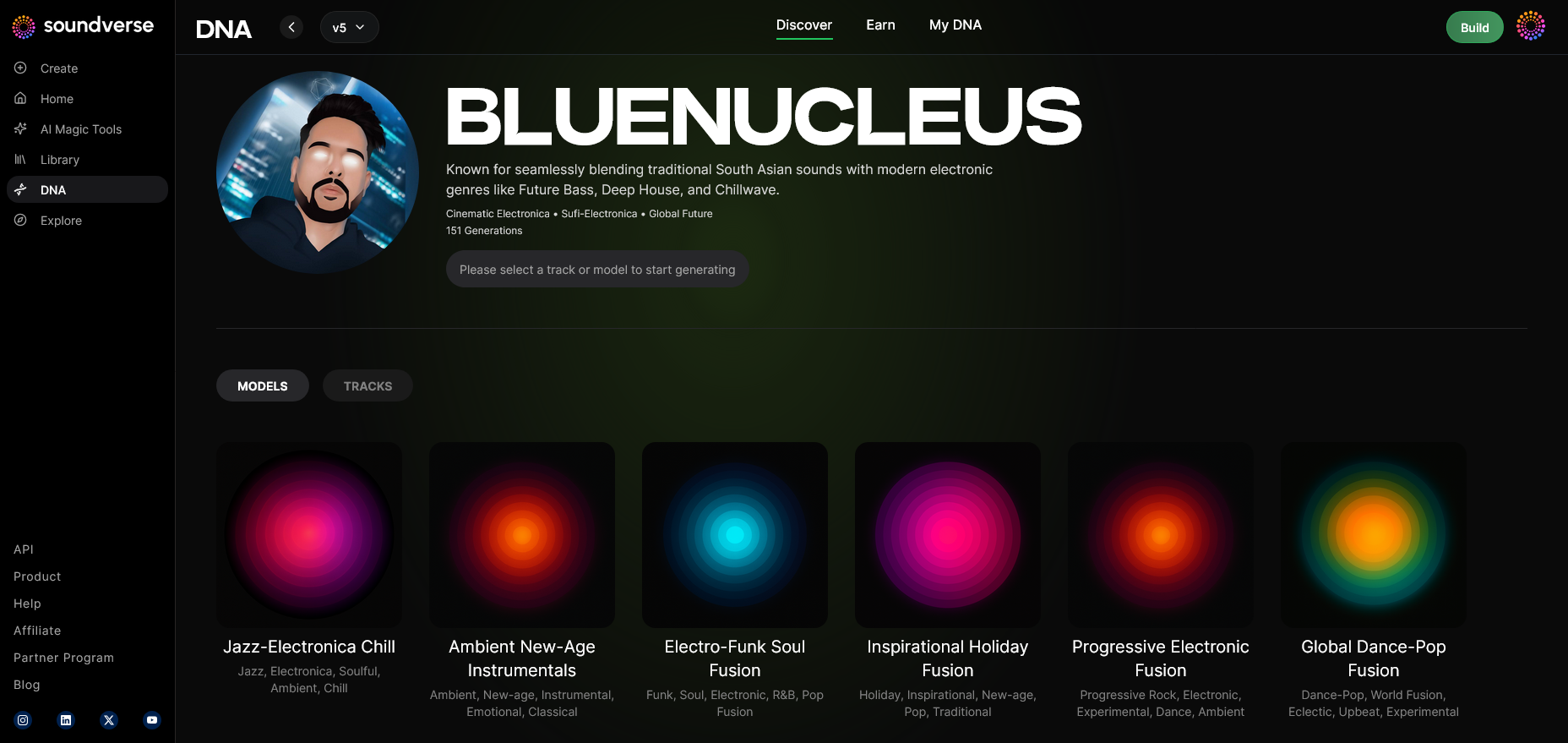
Head to the generation interface and start producing. You can select model-based generation or track-based modes. Add text prompts describing the mood—like “gritty urban street flow”—and generate an instrumental or vocal with copyright-safe results.
Step 10: Model-Based Mode — Refine with AI Precision
Switch to model-based mode to ensure that your outputs strictly follow your DNA parameters. This ensures every generated track sounds authentically yours.
Step 11: Output Type — Choose Song or Instrumental
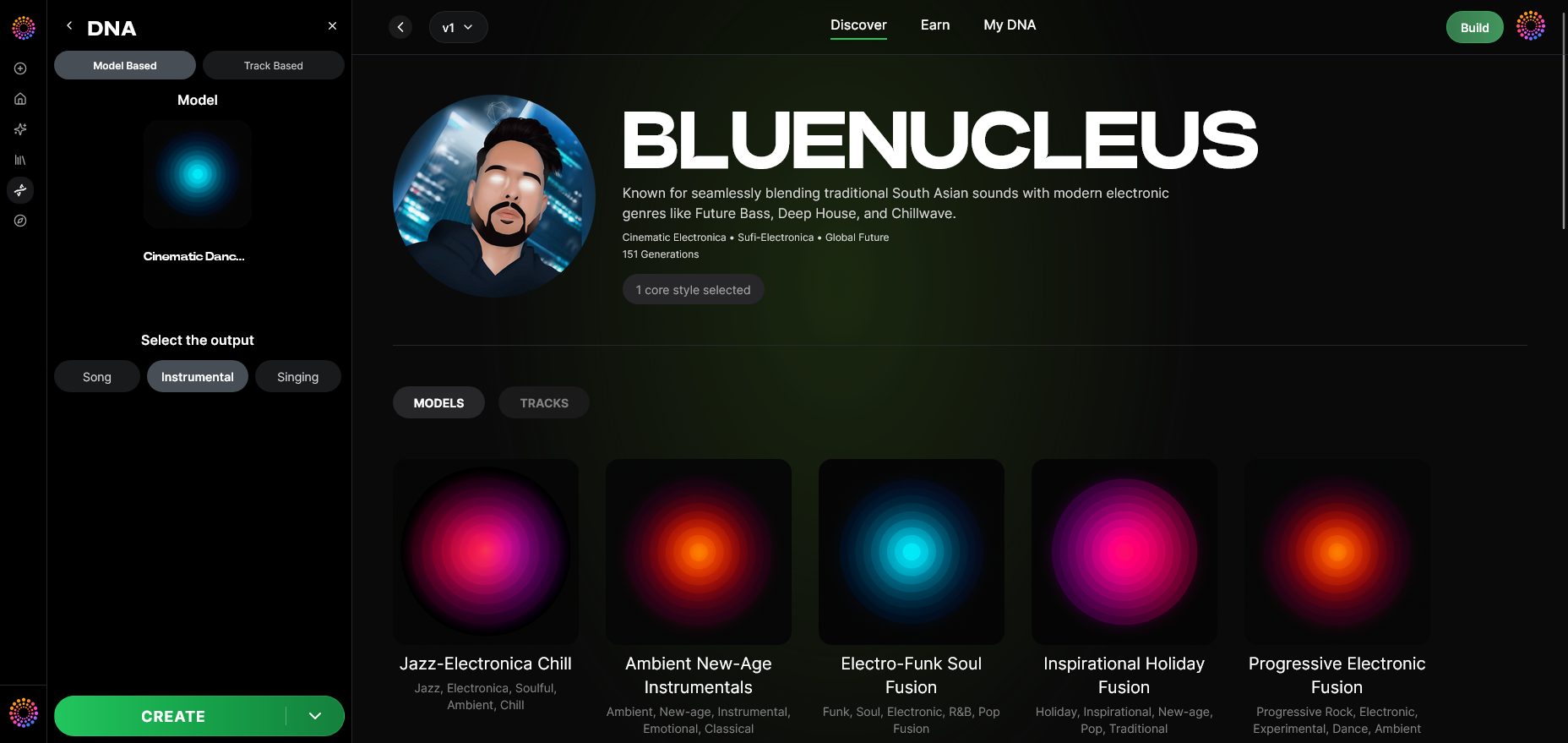
Decide whether you want AI to produce a complete rap song or an instrumental beat. Having flexible output types allows you to practice verses or drop ready-to-release singles.
Step 12: Prompt Type — Input Your Creative Direction
Enter text prompts that set lyrical or sonic focus. You might write: “street storytelling with introspective flow” or “club-ready trap vibe.” This step defines the atmosphere and rhythm of your track.
Step 13: Generation Complete — Review the Results
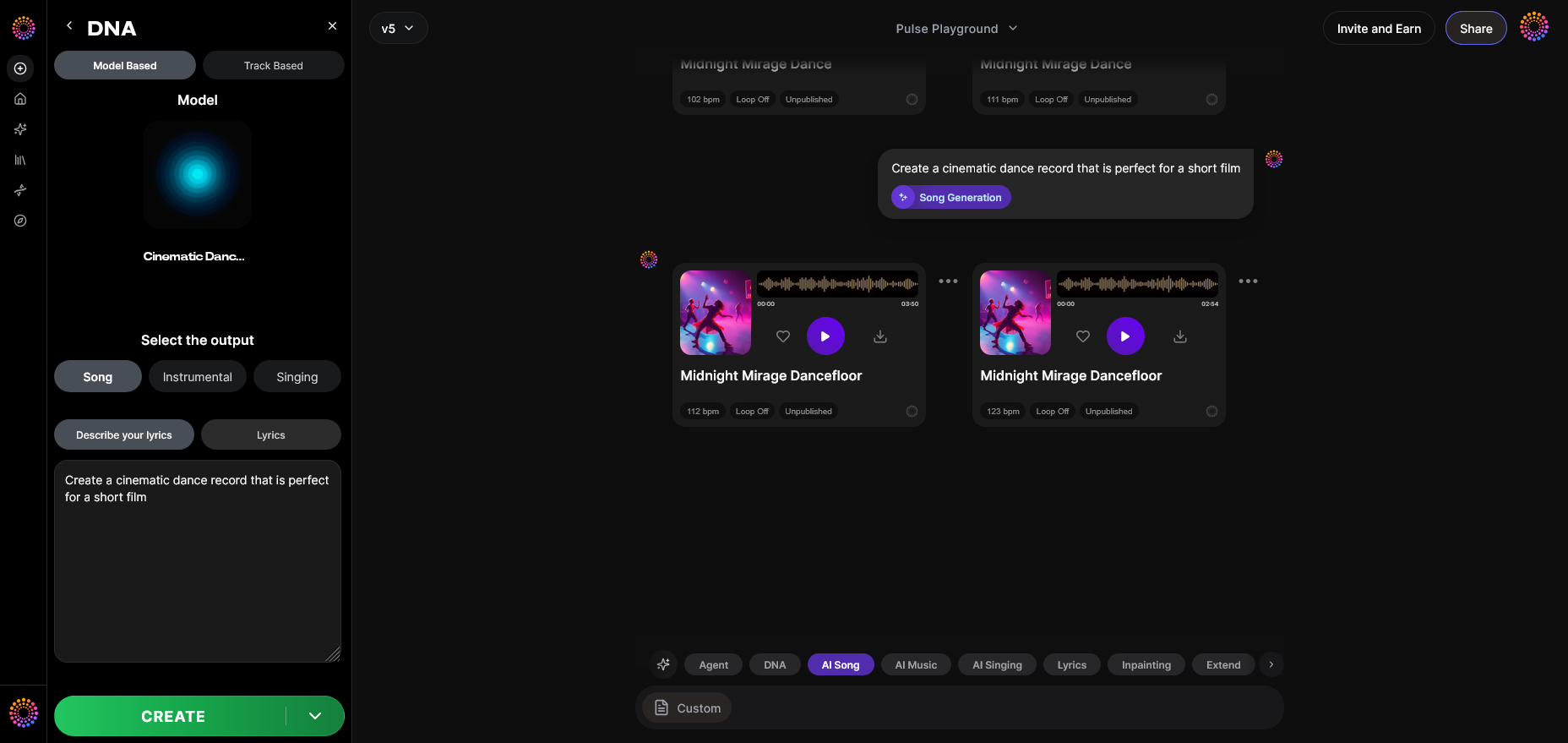
After the AI finishes processing, you’ll get your generated rap output. Listen carefully to style consistency and flow. This asynchronous review ensures accuracy and creative control.
Step 14: Export Options — Save Your Track
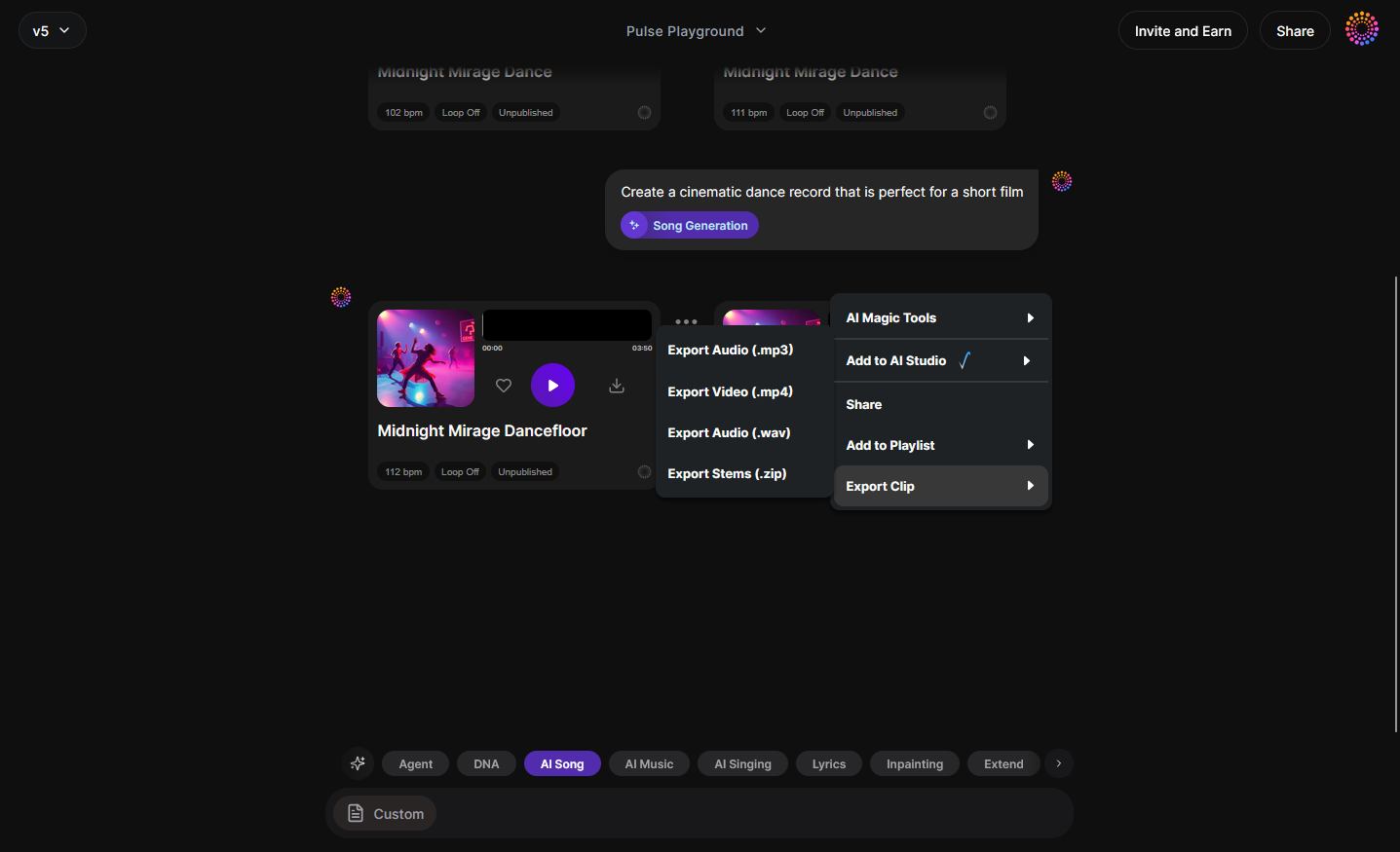
Export the track as a WAV or MP3. You can remix it later, use it for streaming, or share it with collaborators. Your exported tracks remain copyright-safe thanks to Soundverse’s licensed framework.
Step 15: Track-Based Mode — Mix Old with New
Use track-based generation to build upon existing music. Upload old freestyles, refine flow, and add modern arrangements. This lets rappers evolve older projects into fresh singles.
Step 16: Style Selection — Choose Genre Parameters
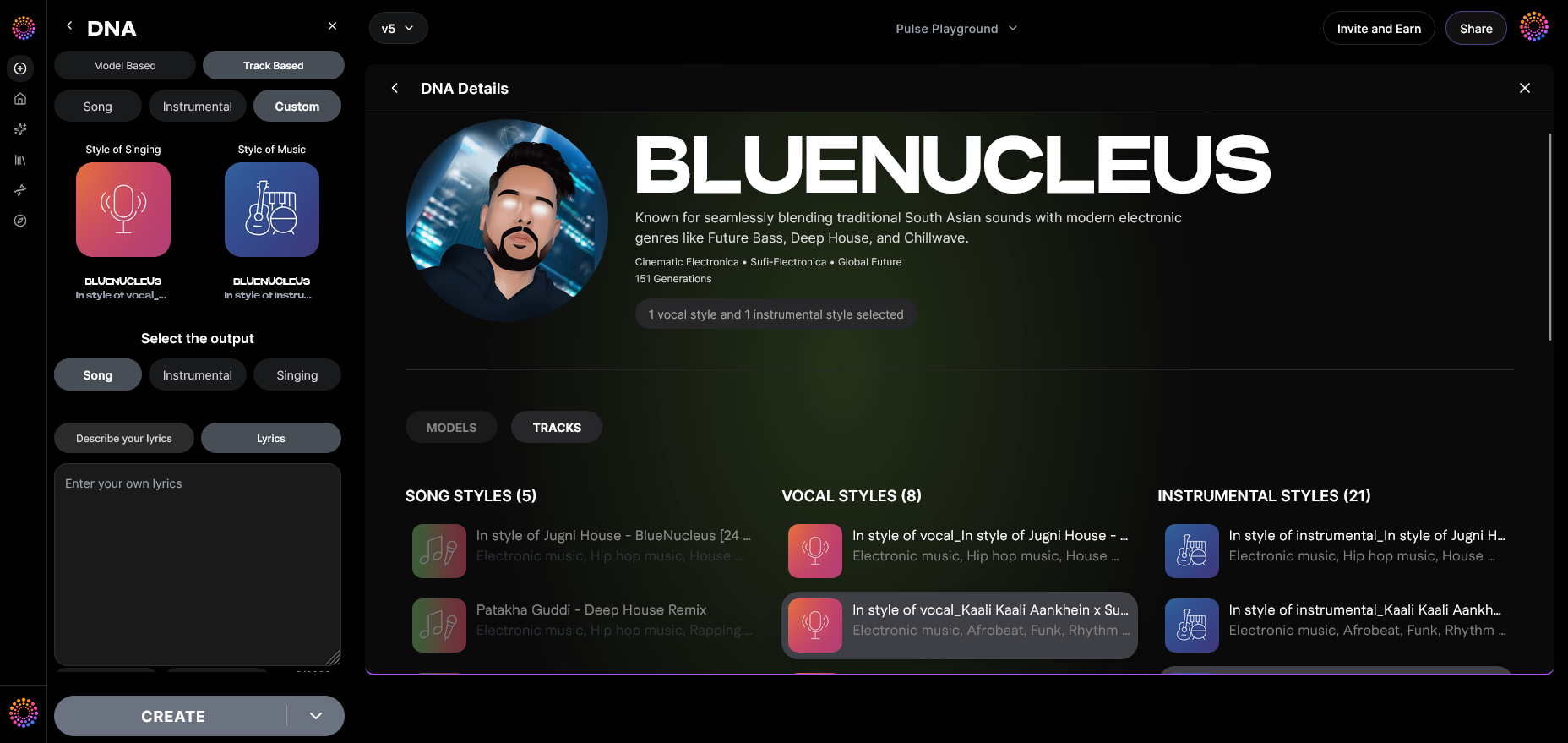
Select hip-hop subgenres—boombap, trap, drill, or experimental—and adjust energy and mood. This helps diversify your catalog and match fan preferences.
Step 17: Lyrics Input — Add Written Bars
Integrate lyrics directly using the input field or with the AI Lyrics Writer. This helps structure your verses while saving time brainstorming.
Step 18: Model-Based Singing — Generate Vocals
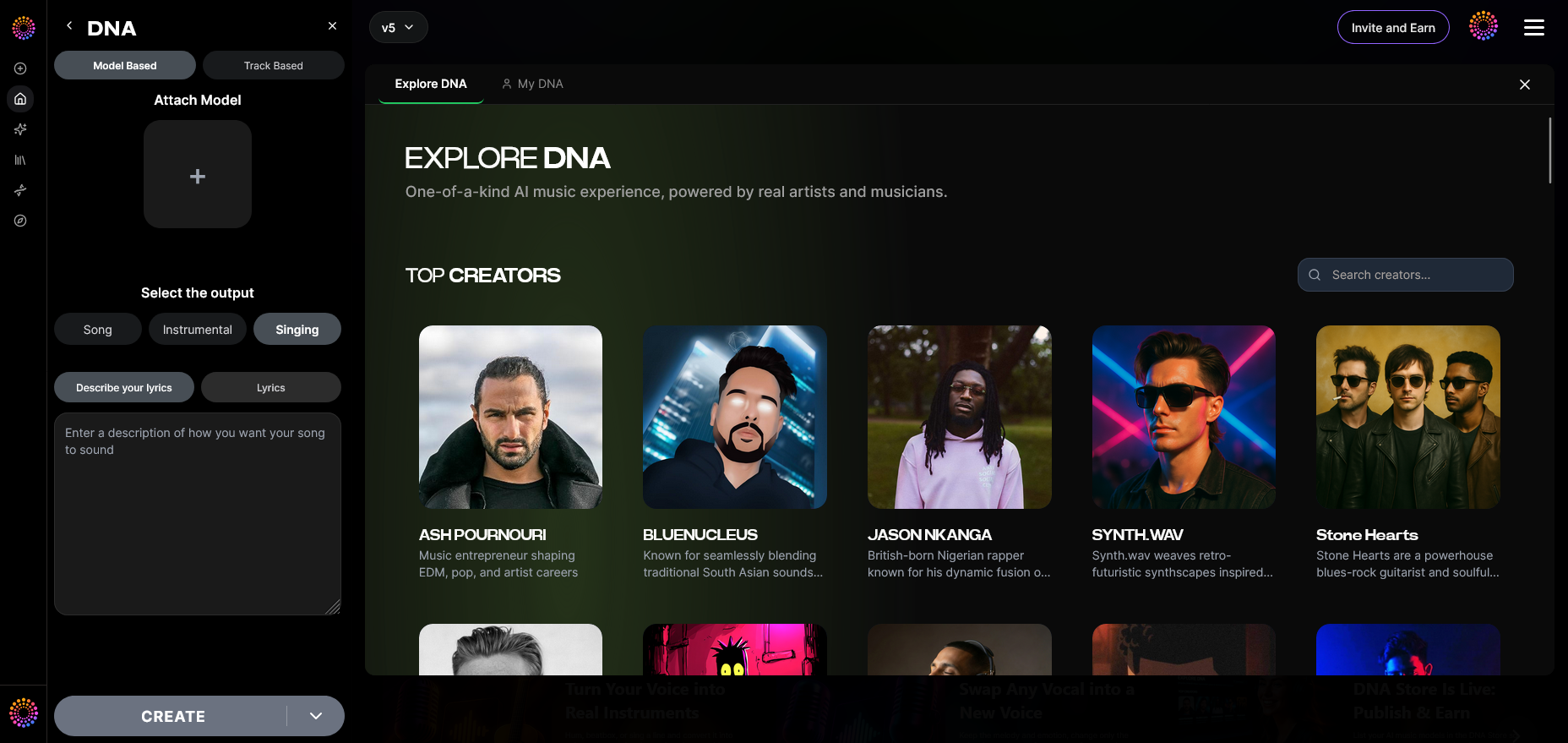
If you prefer melodic rap or auto-tuned vocals, enable model-based singing. The AI processes your vocal DNA to create harmonized performances—without copying anyone’s voice.
Step 19: Attach Model — Final Integration
Attach a pre-trained DNA model to future tracks for rapid creation. Once linked, every project maintains your unique brand sound.
Pro Tips to Start Rapping Successfully
- Study Hip-Hop History – Learn from legends and understand lyrical cadence and rhythm transitions.
- Freestyle Daily – Improve your improvisation and keep your skills sharp.
- Network Constantly – Collaborate with artists; connections often open doors in the modern music industry.
- Promote on Social Platforms – Use TikTok reels, YouTube shorts, and streaming playlists for maximum exposure.
- Leverage AI Tools – Platforms like Soundverse revolutionize production. Check out articles such as how AI-generated music is transforming the music industry to learn how to stay ahead.
Why Soundverse Is the Ultimate Assistant for Aspiring Rappers
Soundverse isn’t just software—it’s a creative partner that helps turn your ideas into professional-level tracks ethically and efficiently. Its DNA Marketplace and Private Mode ensure your voice remains authentic and secure, which matters more than ever in 2026. Combined with tools for songwriting, arrangement, and stem separation (see Soundverse introduces stem separation AI magic tool), it gives rappers unmatched flexibility. Want to learn via walkthrough? Watch our Soundverse Tutorial Series - 8. "Explore" Tab to understand how discovery and collaboration work.
If you’re ready to start rapping and unlock your full potential, explore more guides like How to Create Country Music with Soundverse AI or How to Create Jazz Music with Soundverse AI to discover how versatile Soundverse can be.
Start Creating Your First Rap Track with Soundverse AI
Turn your lyrics and ideas into professionally produced beats in minutes using Soundverse’s AI-powered music tools. No studio, no limits—just creativity unleashed.
Related Articles
- How to Create Rap Music with AI: Discover how Soundverse helps you generate authentic rap beats and flows using advanced AI music tools.
- How to Make Good Rap Lyrics: Learn proven techniques for writing powerful rap lyrics that connect with listeners and define your unique style.
- Generate AI Music with Soundverse: Text-to-Music: Explore how you can turn your written ideas into full songs instantly using Soundverse’s text-to-music magic tool.
- Soundverse Assistant: Your AI Music Co-Producer: Meet your AI-powered co-producer that helps you refine your music, create stems, and polish your rap tracks effortlessly.
Here's how to make AI Music with Soundverse
Video Guide

Here’s another long walkthrough of how to use Soundverse AI.
Text Guide
- To know more about AI Magic Tools, check here.
- To know more about Soundverse Assistant, check here.
- To know more about Arrangement Studio, check here.
Soundverse is an AI Assistant that allows content creators and music makers to create original content in a flash using Generative AI. With the help of Soundverse Assistant and AI Magic Tools, our users get an unfair advantage over other creators to create audio and music content quickly, easily and cheaply. Soundverse Assistant is your ultimate music companion. You simply speak to the assistant to get your stuff done. The more you speak to it, the more it starts understanding you and your goals. AI Magic Tools help convert your creative dreams into tangible music and audio. Use AI Magic Tools such as text to music, stem separation, or lyrics generation to realise your content dreams faster. Soundverse is here to take music production to the next level. We're not just a digital audio workstation (DAW) competing with Ableton or Logic, we're building a completely new paradigm of easy and conversational content creation.
TikTok: https://www.tiktok.com/@soundverse.ai
Twitter: https://twitter.com/soundverse_ai
Instagram: https://www.instagram.com/soundverse.ai
LinkedIn: https://www.linkedin.com/company/soundverseai
YouTube: https://www.youtube.com/@SoundverseAI
Facebook: https://www.facebook.com/profile.php?id=100095674445607
Join Soundverse for Free and make Viral AI Music

We are constantly building more product experiences. Keep checking our Blog to stay updated about them!