Are There Any Reliable Free Alternatives for Isolating Vocals From Mixed Music?
Yes, reliable free vocal remover options exist. Compare Ultimate Vocal Remover, Audacity, BandLab Splitter and Soundverse, plus tips for cleaner acapellas.
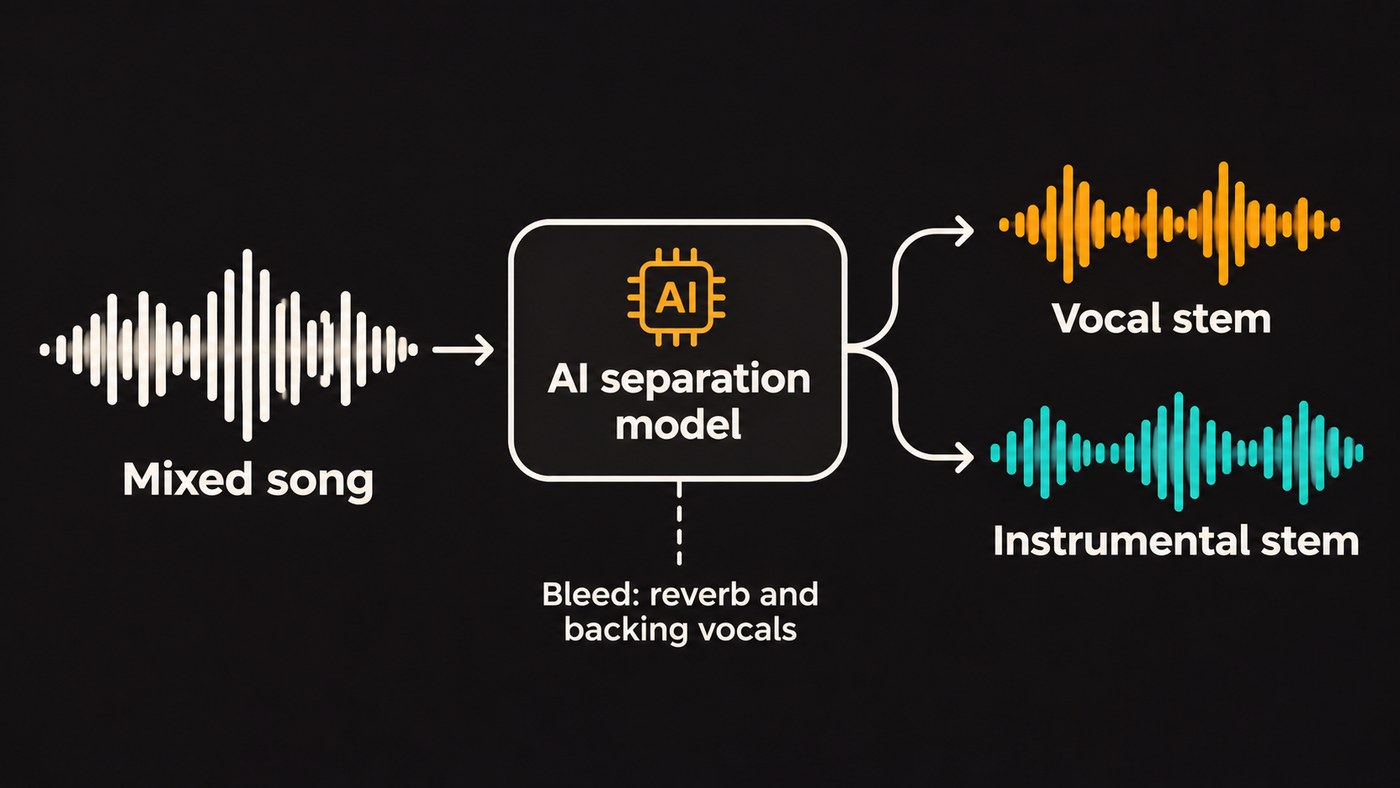
Yes, reliable free vocal remover options exist: Ultimate Vocal Remover and Audacity's OpenVINO Music Separation plugin run on your own computer at no cost, and browser tools such as BandLab Splitter and Soundverse's Stem Separator (Free plan) split a song online. Start from a lossless file, and expect some bleed on reverb-heavy mixes.
Isolating vocals from mixed music used to mean phase tricks and a lot of hope. Several free tools now run modern AI separation models, including Meta's Demucs, so a free result is often good enough for remixes, practice tracks and demos. Below is what each option does well, checked on each project's own site on 7 November 2026, and how to get a cleaner acapella from any of them.
What makes a free vocal remover reliable
Four tests are worth applying before you settle on one:
- Quality on hard material. Most tools sound fine on a sparse acoustic song. Try a dense chorus with stacked harmonies and reverb.
- No catch at export. Some free tiers let you hear a result but not download it, or only in a compressed format.
- Privacy and limits. Local tools keep unreleased songs on your machine. Web tools cap file size and length.
- Still maintained. An abandoned project can break on the next operating system update.
The free vocal removers worth trying
Ultimate Vocal Remover (UVR)
Ultimate Vocal Remover is a desktop app that bundles several families of separation models: MDX-Net, Demucs and VR Architecture. Its README is direct about cost: "This project is 100% open-source and free for anyone to use and modify as they wish." The current version is v5.6. It runs on Windows 10 or later, macOS Big Sur or later and Debian- or Arch-based Linux, on 64-bit systems only. For GPU processing the README sets an Nvidia GTX 1060 6GB as the minimum and recommends 8 GB of VRAM, and on Apple silicon Macs it supports GPU acceleration for Demucs v4 and the MDX-Net models.
Best for: anyone who wants the most control at no cost. Switching models per song is its real strength.
Audacity with the OpenVINO Music Separation plugin
Audacity is free, and Intel's OpenVINO AI plugin pack adds a Music Separation effect that splits a song into vocals and instrumental, or into vocals, drums, bass and other. Intel's plugin README says it uses Meta's Demucs v4 model, and the processing happens on your own computer. Audacity's support page notes that the feature is only available on Windows and Linux, that the 2-stem instrumental and vocal mode works well on most songs, and that the CPU setting always works but is typically slowest.
Best for: people who already edit in Audacity on Windows or Linux.
BandLab Splitter
BandLab Splitter runs in the browser and in the BandLab app. BandLab's page says basic stem separation is completely free on web and mobile, with four stems (vocals, drums, bass and others), a limit of 100 MB and 15 minutes per song, and support for MP3, M4A, WAV and FLAC. Membership adds guitar and piano stems and faster separation. We cover the limits in more detail in is BandLab Splitter free.
Best for: quick splits on a phone, or on a computer without a capable GPU.
Soundverse Stem Separator (Free plan)
The Soundverse Stem Separator splits a song into vocals and backing (2 stems) or six stems: vocals, drums, bass, guitar, piano and other. It accepts files up to 50 MB in MP3, WAV, FLAC, AAC, OGG or M4A. The Free plan covers the 2- and 6-stem splits, the pricing page lists Free downloads as MP3, and new accounts get a one-time token allowance that the Stem Separator page puts at about three splits. Output on the Free plan is for personal use.
Best for: trying separation in the same place you write and produce. The maximum split, with every part on its own and a MIDI file per stem, needs the Creator plan or higher.
Demucs and Spleeter, if you're comfortable with code
Meta's Demucs is the open-source model under several of the tools above. Version 4 uses a Hybrid Transformer design, the code is MIT-licensed, and its README reports an SDR (signal-to-distortion ratio, where higher means cleaner) of 9.00 dB on the MUSDB HQ test set. The original repository was archived on 1 January 2025, and its author keeps a fork that only takes important bug fixes. Deezer's Spleeter, an MIT-licensed Python library built on TensorFlow, offers 2-, 4- and 5-stem models.
Best for: batch jobs and scripting. If you'd rather click than type, UVR gives you Demucs inside an app.
Freemium tiers: Moises and LALAL.AI
Neither is free in the open-source sense, but both have no-cost tiers. Moises' pricing FAQ describes a free tier with a limited number of uploads each month. LALAL.AI's free Starter plan comes with a 10-minute allowance in its slower queue, which the company positions as a way to check output quality before paying. For paid options side by side, see our roundup of AI vocal removers and stem splitters.
Why the old phase-cancellation trick falls short
Before AI separation, the standard free method was to split a stereo file into two mono tracks, invert one, and let everything panned to the centre cancel out. Audacity still documents it, with a frank warning: "Removal of the vocals can often be incomplete leaving artifacts behind; this is especially true where there are backing vocals or where reverb (echo) has been applied as this spreads sound sources and makes them very hard to extract from each other."
The same page points out that the trick removes everything in the centre, which in some songs includes instruments, and leaves you with dual mono. AI models learn what a voice sounds like instead of relying on where it sits in the stereo field, which is why they handle modern mixes better. Our explainer on how AI stem separation works covers the details.
How to get a cleaner acapella from any free tool
- Start from the best source you have. WAV or FLAC beats MP3, and MP3 beats a re-encoded video rip. Soundverse's own guidance is to use your highest-quality copy, such as a WAV master.
- Use a 2-stem mode for vocals. Vocals-plus-instrumental gives the model one job. Switch to 4 or 6 stems only when you need drums or bass as well.
- Run two models on the same song. In UVR, try an MDX-Net model and a Demucs model, then keep the cleaner result for each section.
- Listen to the hardest parts first. Solo the vocal on headphones through the biggest chorus, the cymbal crashes and the reverb tails. That's where bleed shows.
- Clean up by hand. Cut or gate the gaps between phrases, add a high-pass filter (start near 100 Hz and sweep by ear) to remove leftover kick and bass, and de-ess harsh "s" sounds.
- Export both stems. The instrumental helps you check timing and rebuild a section later. If you're new to the terms, see what vocal stems are.
Already own a DAW? Check before you download anything
You may already have separation built in. Ableton's Live 12.3 release notes (25 November 2025) add built-in stem separation to Live Suite that runs locally, with four stems (vocals, drums, bass and others) and a choice of High Speed or High Quality modes. Logic Pro for Mac has Stem Splitter, which Apple's user guide covers for extracting vocal and instrumental stems. Neither is free to buy, but if you own one, there's nothing extra to pay.
Can you release music made with isolated vocals?
Separating a vocal doesn't change who owns it. If the song is yours, use the stems however you like. If it belongs to someone else, a released remix, mashup or sample needs permission from the owners of both the recording and the composition, usually a label and a publisher. Soundverse's Stem Separator page says the same about its own tool: you need the rights to anything you upload, and stems from an uploaded song stay covered by that song's rights.
Where Soundverse fits
Soundverse is an AI music platform that takes you from idea to audience, built for independent artists who release music. Separation is one step in that chain. The Stem Separator splits a track on the Free plan, and in AI Studio the stems land on new tracks below the original clip. From there you can rework them, or add one new part with the AI Stem Generator, such as drums, bass, strings or an instrumental for an a cappella.
This walkthrough tours Soundverse's Edit tools, including splitting a song into stems.
If you need one acapella from one song, UVR or BandLab may be all you need. If you want separation inside a workflow for writing and releasing your own music, that's what Soundverse is built for.
FAQ
What is the best free vocal remover?
For quality and control at no cost, Ultimate Vocal Remover, because you can try several model families on the same song. For convenience, BandLab Splitter in the browser. If you edit in Audacity on Windows or Linux, the OpenVINO plugin brings Demucs-based separation into an editor you already know.
Can I isolate vocals from a song for free online?
Yes. BandLab Splitter's basic separation is free on web and mobile, and Soundverse's Free plan covers 2- and 6-stem splits. Expect file limits (100 MB and 15 minutes per song on BandLab, 50 MB on Soundverse) and check which formats each plan lets you download.
Why does my isolated vocal still have music in it?
Bleed happens when instruments overlap the voice in frequency, or when reverb and backing vocals smear it across the mix. Start from a lossless file, try a different model, and clean the gaps between phrases by hand.
Is it legal to use a vocal I isolated from someone else's song?
Isolating a vocal gives you no rights to it. Releasing anything built on it needs permission from the owners of the recording and the composition. For a specific release, ask a music lawyer.
Sign up for Soundverse free and try the Stem Separator on a song you own. More guides on the Soundverse blog.
