Every Track, Every Stem, Every Effect - The Full Production Power of Soundverse AI Studio
The Soundverse AI Studio isn't just a place to generate music. It's a full production environment — multi-track editing, stem-level control, a complete effects engine, and an AI co-producer that executes on command. Here's what's actually under the hood.
There's a version of AI music that goes like this. You type a prompt. You get a song. You download it. You're done.
That version exists. It's useful for certain things. But it's not production. It's not the process that turns a rough idea into something finished, polished, and exactly the way you heard it in your head. It's a starting point at best and for a lot of creators, the starting point is the easy part. The hard part is everything after. The arrangement decisions. The mix. The section that isn't quite landing. The vocal that needs to sit differently in the track. The hook that's almost right but needs one more pass. The stems you need to hand off to someone else.
The export that has to be perfect for every platform it's going to. The Soundverse AI Studio is built for that part. Not just generation, the full production workflow, from first idea to final export, with every tool you need available on the same timeline the whole way through. Here's what's actually inside it.
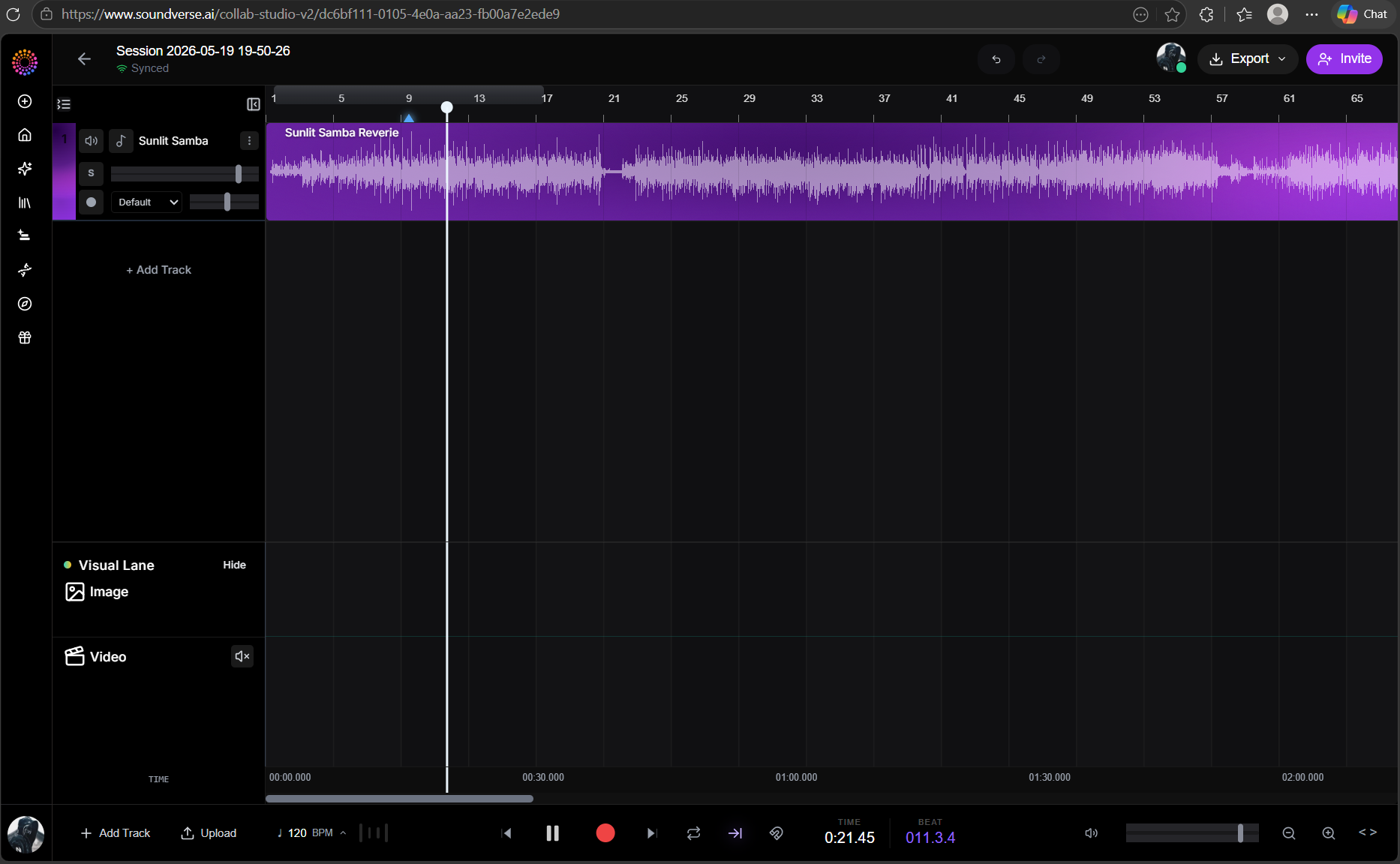
What is the AI Studio — CAVE? The AI Studio is Soundverse's Collaborative Audio Visual Environment — CAVE for short. It is a browser-based, multi-track production environment where you build music and video together on one shared timeline. No downloads. No installations. No software to update. Just open a tab and you are in a full production session with every Soundverse generative tool available natively on the canvas.
How to open it: Go to soundverse.ai/aistudio that is your direct entry point. You can also reach it from the Soundverse home screen by clicking the Studio tile. The session opens immediately and you are ready to start building.
Invite Your Team — Real-Time Collaboration CAVE is multiplayer by default. Up to 15 people can be in the same session simultaneously, each with their own cursor, their own selections, and their own panel layout, all editing the same project in real time.
How to invite collaborators: Open your session at soundverse.ai/aistudio. At the top of the Studio you will see a Share button. Click it and you will get a unique session link. Copy that link and send it to anyone you want to collaborate with. They click the link, sign into their Soundverse account, and they are in your session instantly.
Here is an example of what a shared session link looks like: soundverse.ai/collab-studio/ffbbc222-b728-45c2-b0d1-857905bbb676 Three role levels keep things organised. Owner controls the session settings and export rights. Editor can change anything on the timeline. Viewer can listen, comment, and download but cannot modify the project useful for label review, client feedback, or anyone who needs to be present without touching the work. Everyone in the session sees the same timeline in real time. When someone adds a track it appears for everyone immediately. When someone moves a region everyone sees it move.
Unlimited Tracks — Full Per-Track Control The Studio runs on a multi-track timeline with no cap on the number of tracks you can use. Each track has its own set of controls — the same vocabulary any DAW user will recognise immediately, with some additions that only make sense in an AI-native environment. Solo isolates a single track so you can hear it without everything else. Multiple solos compose: solo two tracks and you hear just those two together. Useful for checking how elements sit relative to each other without the full mix in the way.
Mute silences a track without removing it. The region stays on the timeline. The track stays in the session. You just don't hear it. Useful for A/B comparing arrangements — mute the string layer and hear if the track is stronger without it, then un-mute and compare. Volume controls per-track level in dB. Drag the dot on the level line or type a precise value. Track volumes are independent of the master gain and the effects chain, so level adjustments here don't interact with your mix processing.
Pan positions the track in the stereo field. Full left to full right, or anywhere in between. Spreading instruments across the field is one of the fastest ways to give a dense mix room to breathe.
Default instrument override is the one that doesn't exist in traditional DAWs. Change the lead instrument on any AI-generated track without re-rendering the whole song. The arrangement stays. The performance stays. Only the instrument changes. Switch a guitar lead to a violin in one click. FX opens the per-track effect chain — everything in the effects engine, addressable to this track specifically.
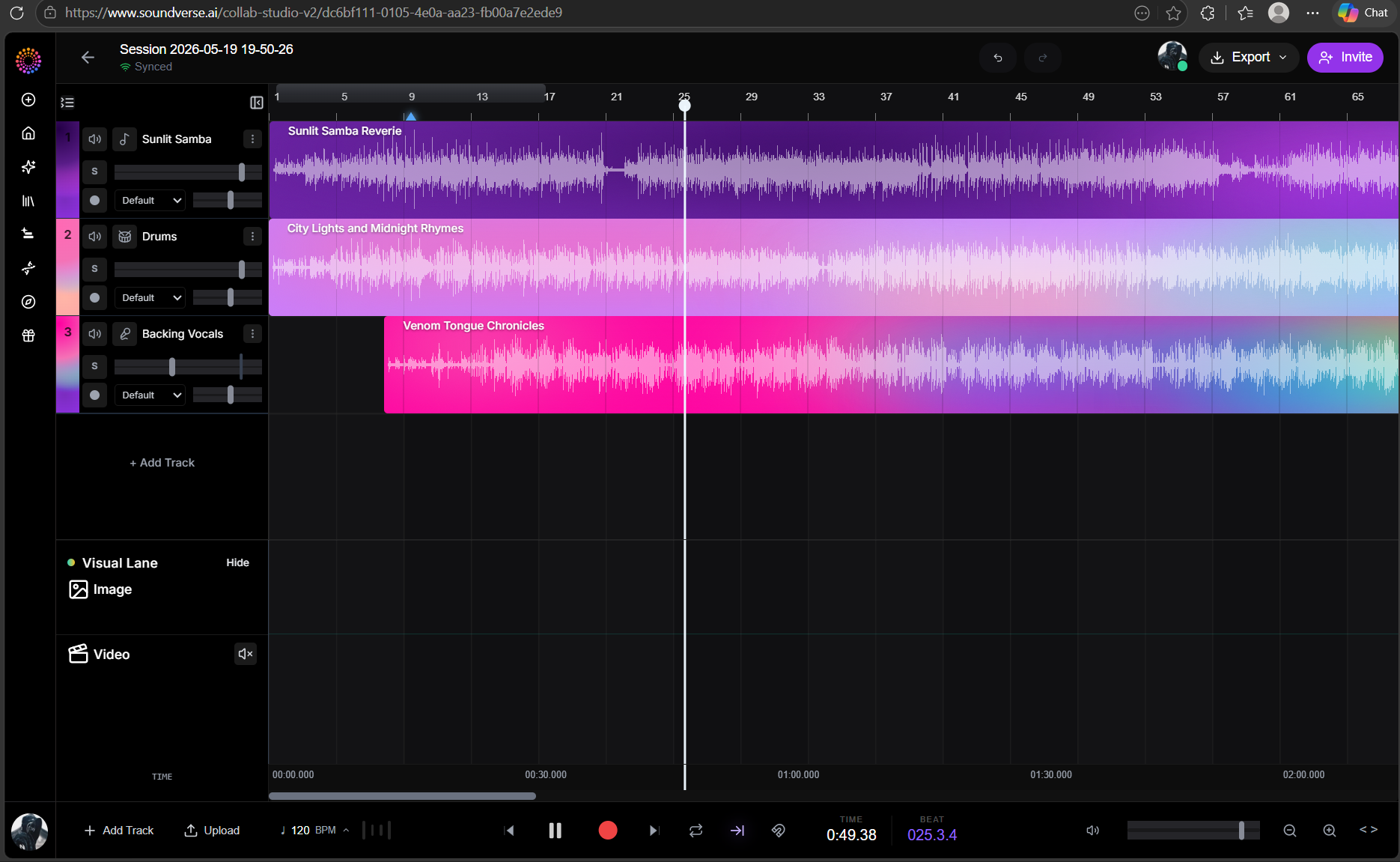
Section-Targeted Editing The Studio uses Section Analysis to identify every structural element of a track — intro, verse, chorus, bridge, solo, breakdown, drop, outro — with frame-accurate timestamps. Once those sections are identified, every edit in the Studio can be targeted to them by name.
"Add reverb only on the choruses." "Lower the guitar by 20% in everything that isn't a chorus." "Boost the hook for short-form." "Repeat the chorus twice." "Replace the second chorus with a new variation."
You don't need to know the timestamps. You don't need to select the region manually. You name the section. The Studio finds it and applies the edit there. This is the production capability that separates the AI Studio from every tool that only operates on full tracks. Real mixing and arrangement work happens at the section level and now so does the Studio's editing intelligence.
Stem-Targeted Editing Stem Separator runs whenever a stem-aware edit is requested. The Studio isolates the relevant layer, applies the edit, and recombines — without you managing the separation step. "Make the vocals louder." "Remove the drums." "Add reverb only to the guitar." "Mute the bass in the second verse." "Increase the volume of vocals on the second chorus by 1 dB."
Each of these targets a specific stem in a specific context. The Studio handles the separation, the targeted edit, and the re-merge as one operation. What you get back is the full track with that one change applied surgically — everything else untouched.
Concatenation, Layering, and Merging Beyond effects and modification, the Studio handles the structural editing that turns a collection of ideas into a finished arrangement. Concatenation places clips in sequence on the timeline. Join three sketches into one track. Append an outro. Place a new chorus after the existing one. The Studio handles transitions automatically and if you select smooth transitions, it inpaints the boundary regions for a seamless splice.
Layering places audio on top of existing audio. Add backing vocals under the choruses. Put a beat under an acapella. Blend a subtle pad behind the verses. Layering is volume-, pan-, and section-aware — you specify where it lives in the mix and which sections it appears in. Tempo and key changes work without artifacts. For vocal tracks where naive pitch-shifting would introduce the chipmunk effect, the Studio automatically isolates vocals and re-renders them at the new key using AI Singing instead of pitching the recording — for natural-sounding results.
The Bottom Line The Soundverse AI Studio is not a generator with a timeline attached. It is a full production environment: multi-track editing, stem-level control, section-targeted effects, and structural arrangement tools all in one place. The gap between a rough idea and a finished, export-ready track has never been smaller. Every tool you need is in the same place. Every edit is one click away. Open the full production environment at soundverse.ai/aistudio
Social Links: Instagram: https://www.instagram.com/soundverse.ai TikTok: https://www.tiktok.com/@soundverse.ai Twitter: https://twitter.com/soundverse_ai LinkedIn: https://www.linkedin.com/company/soundverseai Youtube: https://www.youtube.com/@SoundverseAI Facebook: https://www.facebook.com/profile.php?id=100095674445607
Join Soundverse for Free and make Viral AI Music

We are building more product experiences. Keep checking our [Blog](https://www.soundverse.ai/blog)Italic to stay updated about them!