Does Udio Have an App? Exploring the Udio App and Mobile Access in 2026
Find out if the Udio app is available for mobile and desktop, plus explore how Soundverse Agent helps you create music instantly.
Does Udio Have an App?
In 2026, one of the most commonly searched questions among AI music enthusiasts and creators is: Does Udio have an app? As generative music platforms continue to gain popularity, accessibility through a dedicated mobile or desktop app is becoming essential for both beginner and professional creators. This article explores whether the Udio app exists, how you can access the Udio platform, and why many users are turning to alternatives like Soundverse for deeper AI-powered music creation.
What is Udio?
Udio is an AI music generation platform that allows users to create songs automatically from text prompts. It gained significant traction in 2024 and 2025 as part of a wave of generative platforms that produced full songs—vocals, instrumentation, and arrangements—all powered by machine learning models. By 2026, Udio continues to be recognized for its ease of use and quick music generation output.
However, many users still wonder if Udio offers a dedicated Udio app for mobile or desktop devices.

Does Udio Have an App in 2026?
As of 2026, Udio does not offer a fully featured mobile app available through major stores such as Google Play or the Apple App Store. Instead, the Udio platform operates primarily through its web interface, which is accessible via mobile browsers. This browser-based experience provides partial mobile compatibility, allowing users to type prompts, generate music, and listen to tracks on the go.
That said, the web-based version may lack the optimization you would expect from a native Udio mobile app. This means actions such as audio uploading, exporting stems, and managing project libraries may require a desktop environment for full functionality.

Can You Download Udio?
There is currently no official Udio download package for Windows, macOS, Android, or iOS as of 2026. Users interact with Udio through its online interface instead of downloading standalone software. While some creators save music generated from Udio locally, the platform itself does not provide an offline app or downloadable executable.
If you often find yourself searching for “Udio download” or “Udio app for Android,” keep in mind that these searches typically lead back to the same browser-based experience. To streamline professional creation workflows, musicians often pair Udio’s browser version with DAWs for further editing.
How Do You Access the Udio Platform?
To use Udio, you simply need an account created on their official website. From there, you can log in and start creating songs using text prompts. The interface allows users to describe the type of track they want (e.g., “a pop song with upbeat rhythm”), and the AI generates a complete composition.
While Udio’s simplicity is appealing, many experienced producers seek more control over arrangement, structure, and sound design elements. This has led to rising interest in more versatile tools that support multi-step workflows and conversational interfaces.
Why Are Users Looking for a Udio Mobile App?
AI music creation is increasingly mobile in 2026. Modern creators record voice notes, write lyrics, and experiment with melodies while traveling. The demand for apps such as the Udio mobile app or similar platforms comes from this shift toward portable creativity.
A native app would allow:
- Instant recording and prompting via voice input.
- Seamless integration with smartphone audio files.
- Faster exports and uploads to social or streaming platforms.
- Offline editing or playback.
Without these features, browser-based tools remain functional but less responsive to modern creator workflows. That’s why dedicated, conversational assistants like Soundverse Agent are becoming increasingly popular.
Alternatives to the Udio App for AI Music Creation
If you’re waiting for a Udio mobile app release, there are several alternatives offering robust mobile support and extended creative tools:
- Soundverse – A full AI music creation suite with conversational control via its Agent assistant. You can prompt, refine, and export compositions directly. Explore comparisons in Soundverse vs Udio. For a deeper dive, watch our guide on how to make music.
- Mubert – Known for generative ambient and electronic tracks suitable for content creators. See the full alternative guide at Mubert alternatives Soundverse.
- Soundraw – Allows simple browser-based music generation; discussed at Soundraw alternative.
- Suno AI – A platform that competes directly with Udio in text-to-song generation, popular for vocal synthesis.
These tools fill the gaps Udio leaves in mobile app accessibility by offering easier integration, export, and cross-device support.
What Makes Soundverse a Strong Udio Alternative?
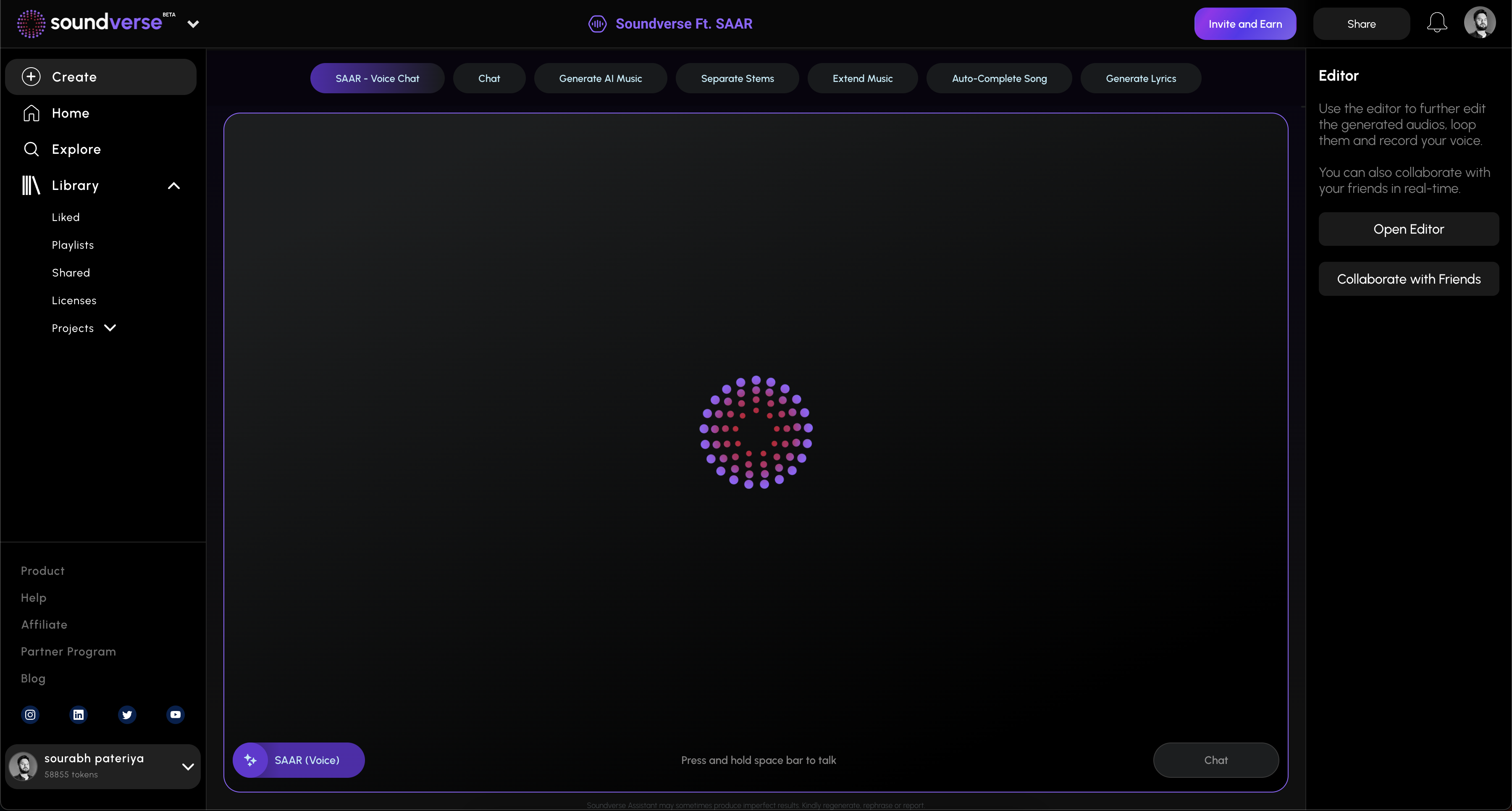
Soundverse stands out in 2026 as a next-generation AI music platform built around its intelligent assistant: Soundverse Agent. Unlike typical one-command generators, Soundverse Agent leverages contextual memory and multi-step reasoning to understand and execute complex musical tasks.
You can describe a creative goal conversationally—such as “create a pop song, then remove the drums, and extend the chorus”—and the Agent orchestrates connected tools automatically. This enables both casual and professional creators to work faster without repetitive manual input.
How to Make Music with Soundverse Agent
Now that you understand the limitations of the Udio app and mobile access, here’s how you can achieve similar or superior results using the Soundverse Agent.
Step 1: Overview
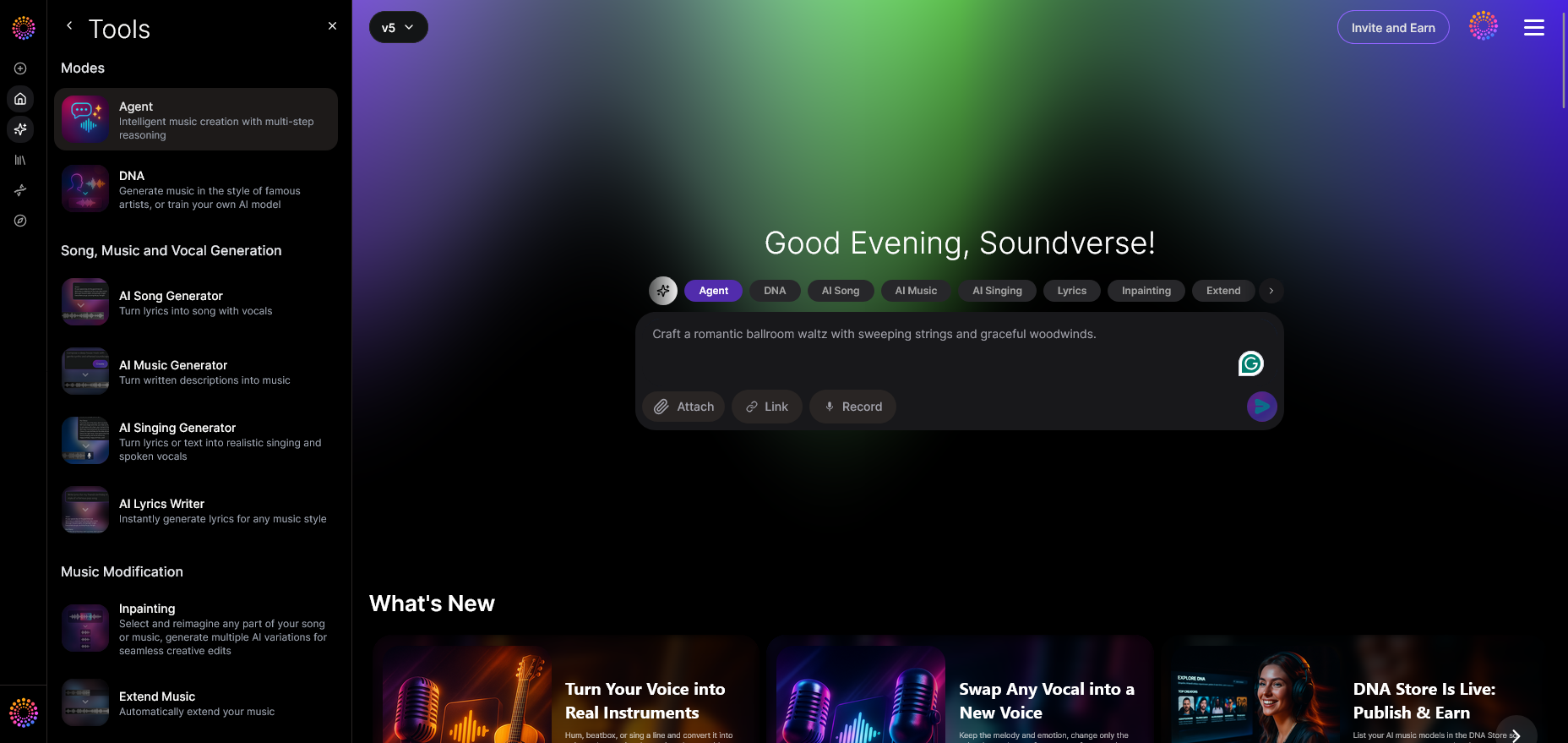
Open the Soundverse Agent interface. This is the central conversational workspace where you communicate with your AI assistant.
Step 2: Reference Audio
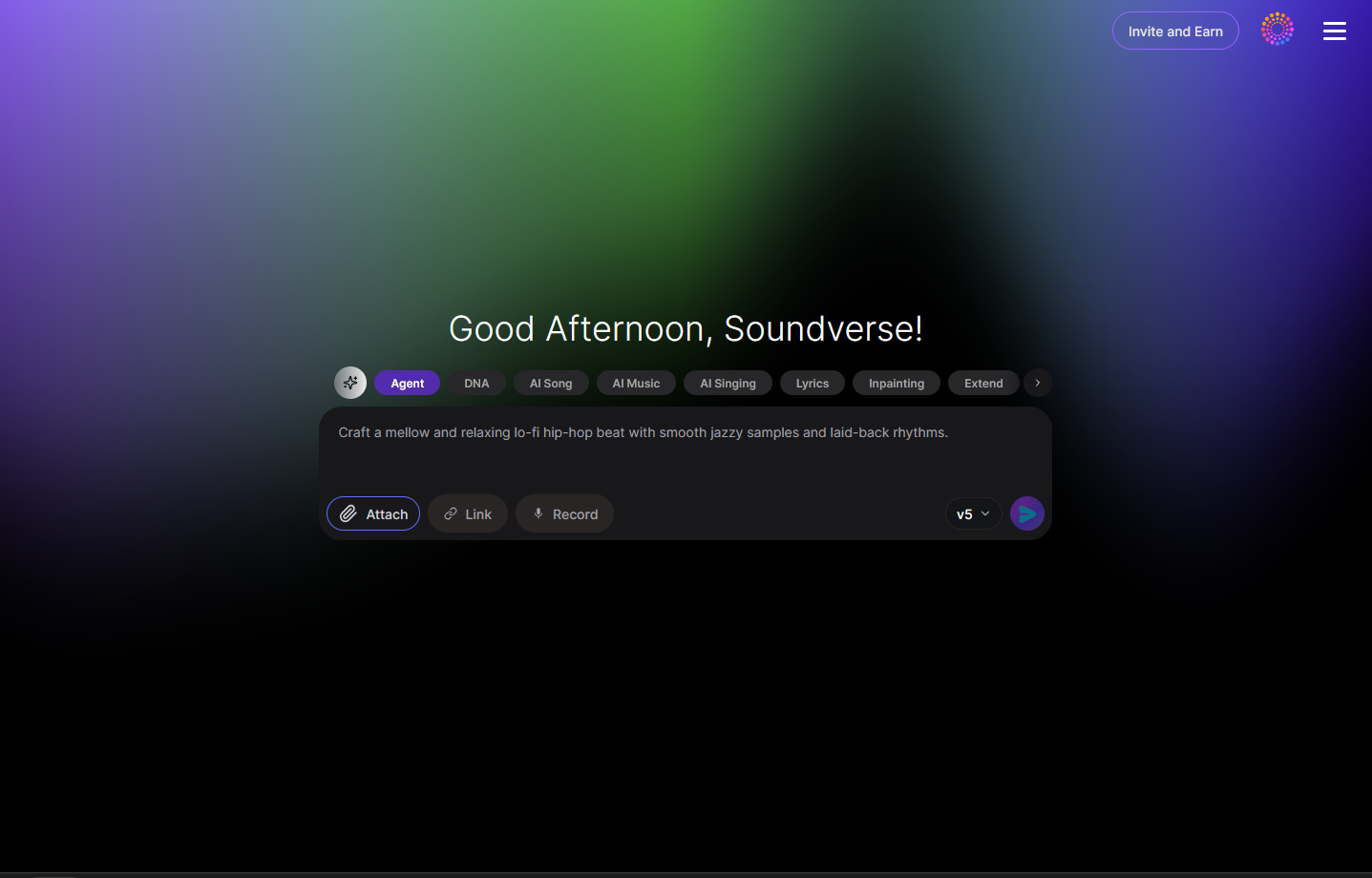
If you have an existing track or sample, attach it using the “reference audio” feature. This helps the Agent learn from tone, structure, or genre.
Step 3: Attach Button
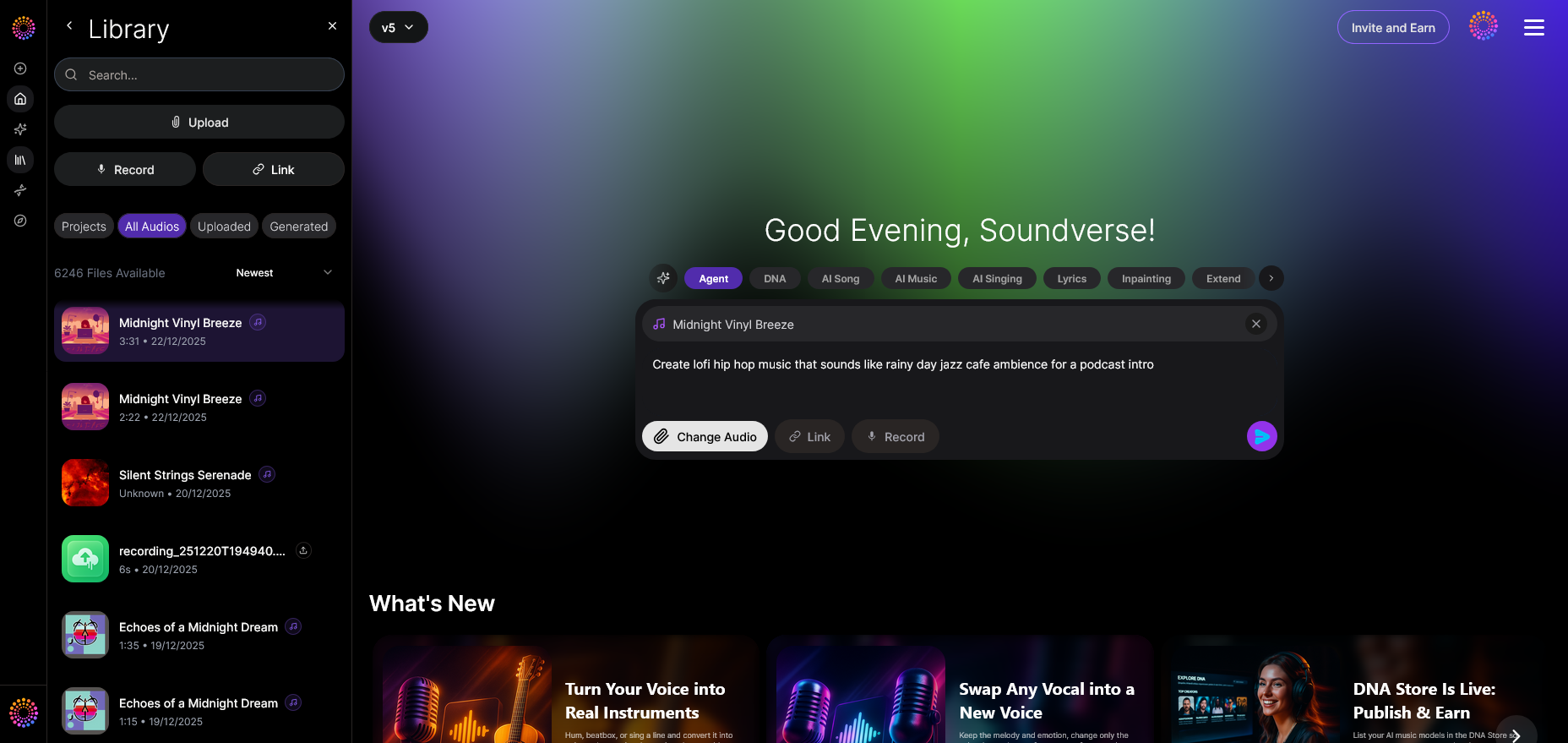
Use the file dialog to upload relevant audio or voice recordings. Recorded inputs are processed asynchronously, rather than live.
Step 4: Submit Request
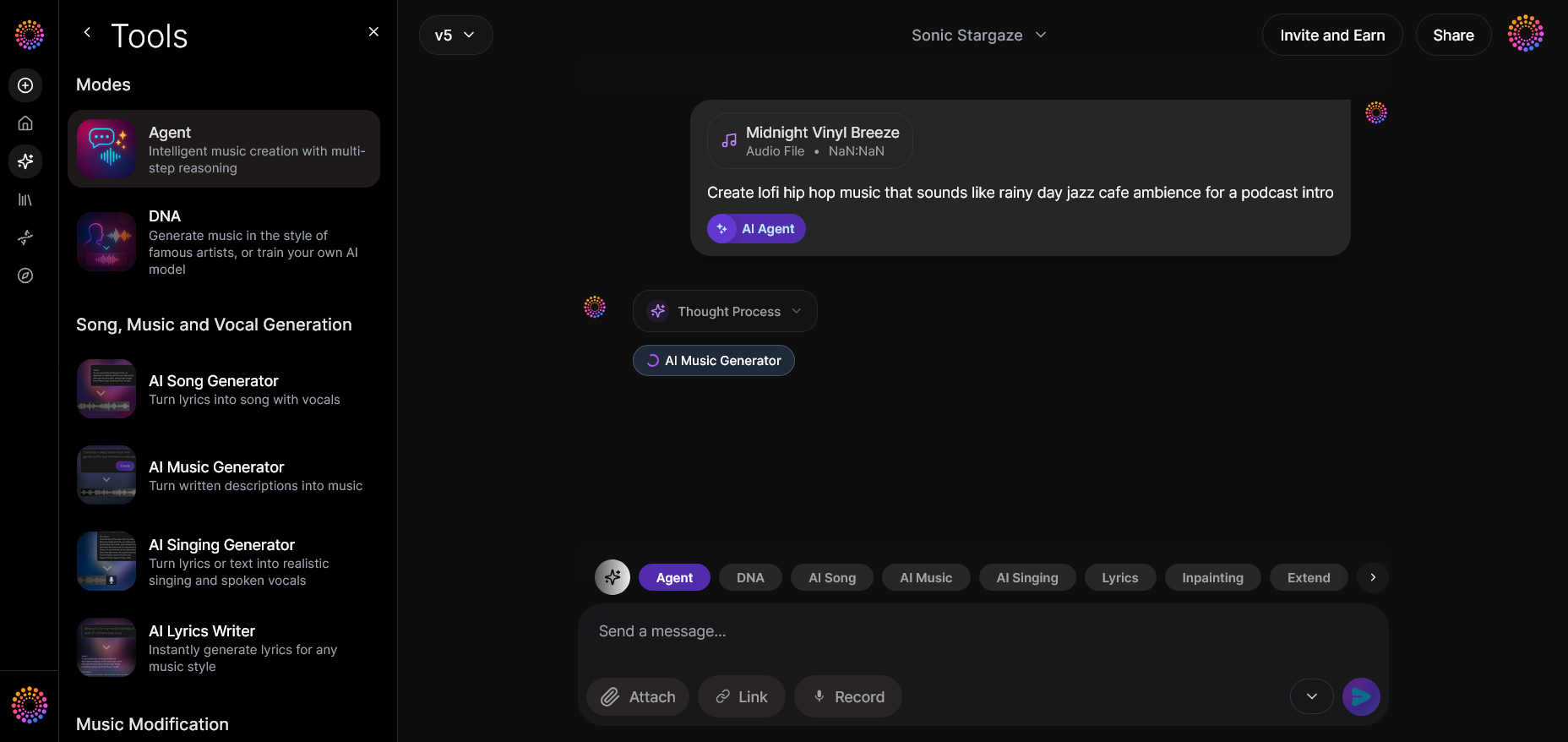
Type or speak your music prompt. For instance, you could request “create a pop song similar to my uploaded vocal style.”
Step 5: Review Output
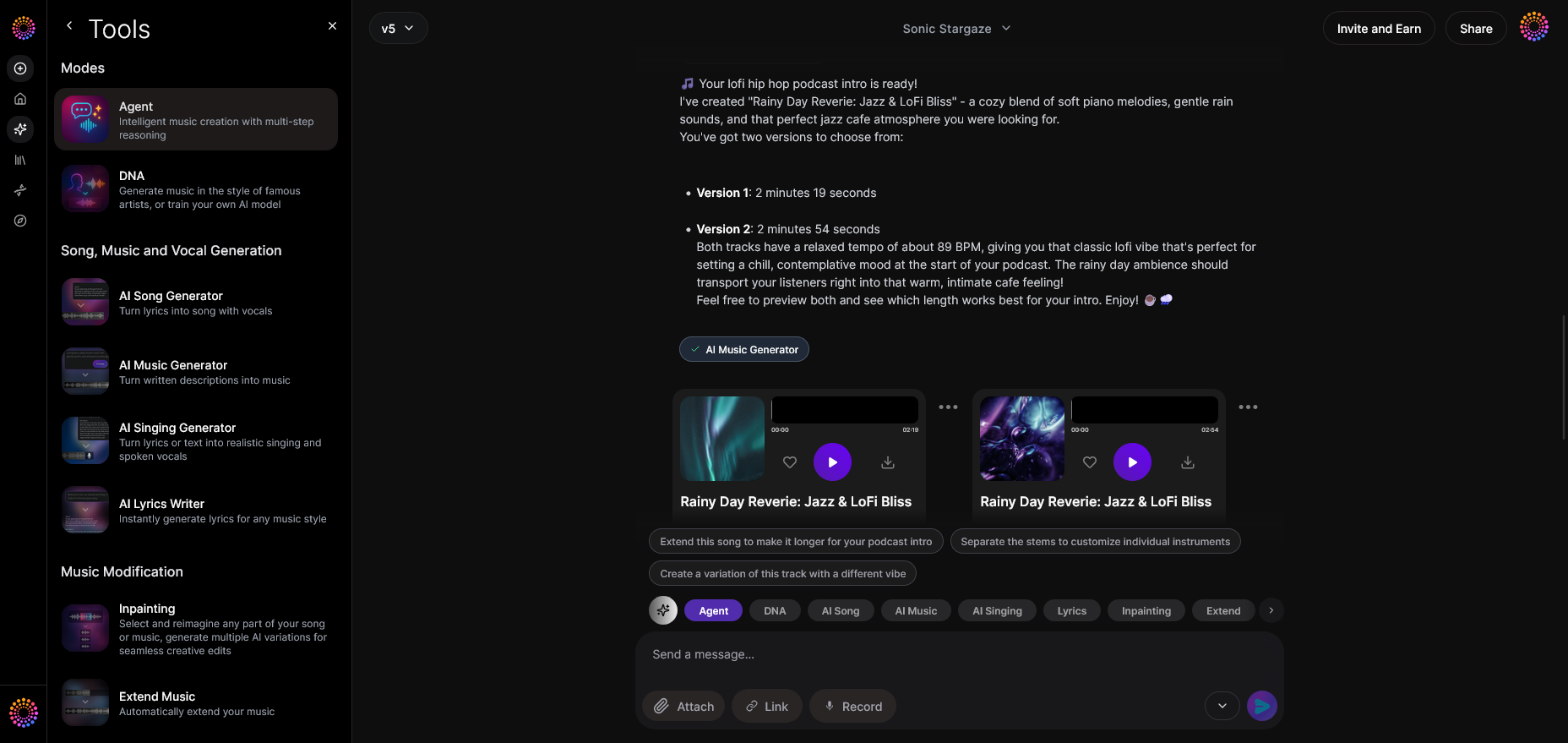
Once processed, Soundverse displays the generated audio output. You can listen, assess, and make further refinements.
Step 6: Refine Conversation
Continue the conversation by requesting changes, such as “add piano,” “extend the bridge,” or “remove drums.” The contextual memory ensures continuity.
Step 7: Advanced Controls
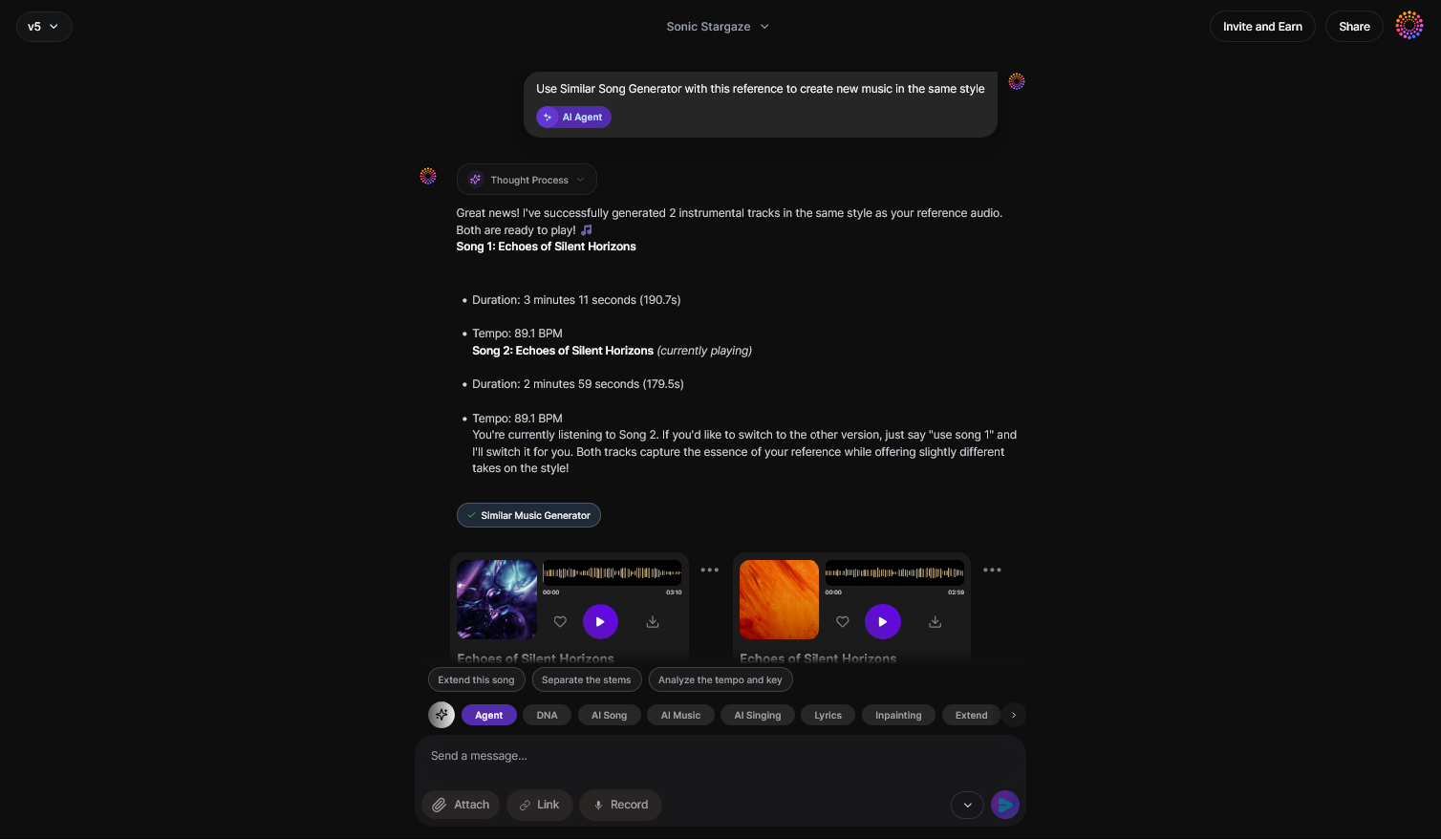
Select specific underlying tools for arrangement, stem editing, or sound design via advanced options like Arrangement Studio.
Step 8: Export Options
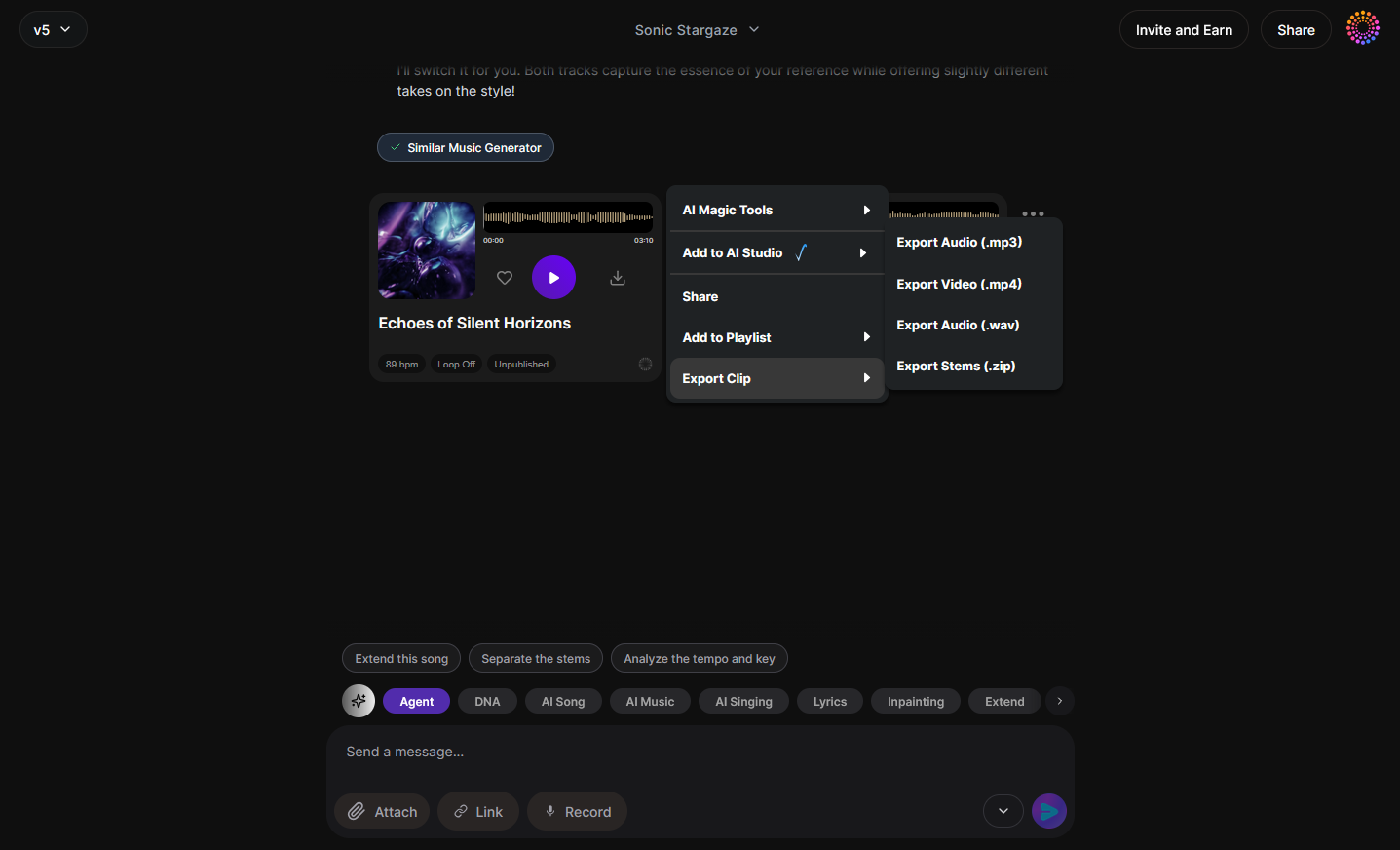
When satisfied, choose export format options to save your creation for use in DAWs, social content, or distribution.
Step 9: New Conversation
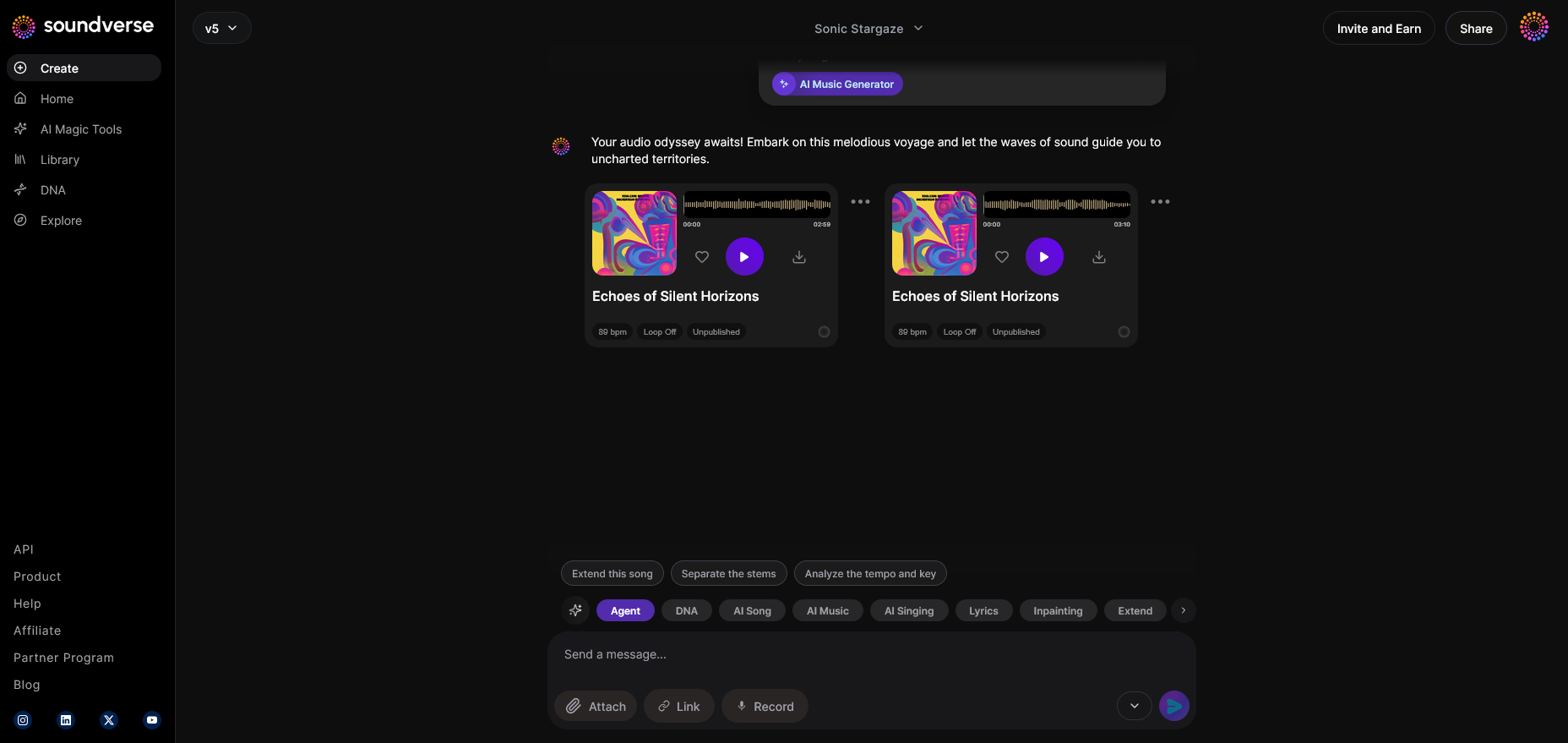
Start a fresh project using “New Conversation” if you want to explore a different genre or concept.
Each step adapts seamlessly whether you’re using Soundverse on desktop or mobile, bridging the gap left by the absence of a dedicated Udio mobile app.
Additional Learning Resources
If you’re exploring AI music creation deeper, check out these guides:
- How AI-generated music is transforming the music industry
- Generate AI music with Soundverse text-to-music
- Now generate music with filters such as genre, theme, instruments, or vibe
Start Creating Music Smarter with Soundverse
Discover the power of AI in music creation. Generate, edit, and remix tracks effortlessly with Soundverse — the ultimate creative companion for modern artists.
- Best Udio Alternative — Soundverse AI Free Sign-Up: Find out why Soundverse stands out as the best Udio app alternative for AI-powered music generation and professional sound creation.
- How to Download Songs from Soundverse and Udio: Learn the easiest way to download and manage your AI-generated tracks from both Soundverse and Udio platforms.
- Generate AI Music with Soundverse Text-to-Music: Explore how Soundverse’s text-to-music technology lets you turn creative ideas into fully produced tracks in seconds.
- Soundverse AI Revolutionizing Music Creation for New-Age Content Creators: Dive into how Soundverse is transforming digital music creation for content creators through intuitive AI tools and workflow automation.
Here's how to make AI Music with Soundverse
Video Guide

Here’s another long walkthrough of how to use Soundverse AI.
Text Guide
- To know more about AI Magic Tools, check here.
- To know more about Soundverse Assistant, check here.
- To know more about Arrangement Studio, check here.
Soundverse is an AI Assistant that allows content creators and music makers to create original content in a flash using Generative AI. With the help of Soundverse Assistant and AI Magic Tools, our users get an unfair advantage over other creators to create audio and music content quickly, easily and cheaply. Soundverse Assistant is your ultimate music companion. You simply speak to the assistant to get your stuff done. The more you speak to it, the more it starts understanding you and your goals. AI Magic Tools help convert your creative dreams into tangible music and audio. Use AI Magic Tools such as text to music, stem separation, or lyrics generation to realise your content dreams faster. Soundverse is here to take music production to the next level. We're not just a digital audio workstation (DAW) competing with Ableton or Logic, we're building a completely new paradigm of easy and conversational content creation.
TikTok: https://www.tiktok.com/@soundverse.ai
Twitter: https://twitter.com/soundverse_ai
Instagram: https://www.instagram.com/soundverse.ai
LinkedIn: https://www.linkedin.com/company/soundverseai
Youtube: https://www.youtube.com/@SoundverseAI
Facebook: https://www.facebook.com/profile.php?id=100095674445607
Join Soundverse for Free and make Viral AI Music

We are constantly building more product experiences. Keep checking our Blog to stay updated about them!