How to Make AI Music Videos for Non-Musicians and Beginners in 2026
Learn AI music video creation in 2026 using Soundverse Agent – no editing skills required.
AI Music Videos for Non-Musicians and Beginners
Creating music videos used to be an art form reserved for trained musicians and professional editors. But as of 2026, AI music video creation tools have opened the door for everyone — even those who have never produced music or edited a video before. Whether you’re a hobbyist, content creator, or social media enthusiast, making an engaging AI-powered music video is now as simple as writing a prompt.
Why AI Music Videos Are Growing Rapidly in 2026
In the past few years, the rise of generative video and music technologies has transformed how content is made. In 2024 and 2025, creators relied heavily on manual editing tools, background music libraries, and complex post-production workflows. But in 2026, AI music video creation platforms now combine audio, visuals, and automation into a single environment.
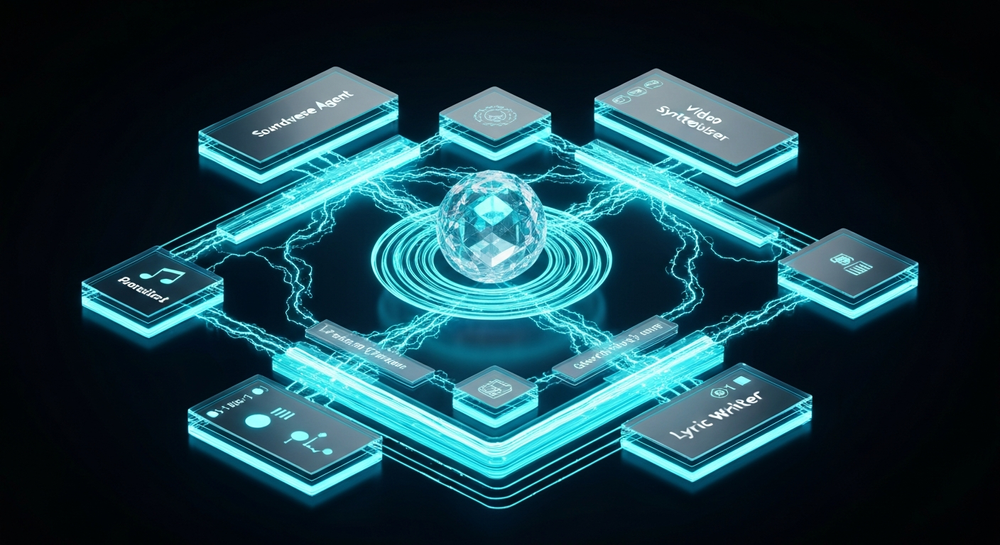
This revolution is fueled by creators who want to publish faster, require no skill video creation, and seek tools that help them express ideas visually and sonically without having to study music production or video editing. Social media audiences have evolved to expect unique, personalized audiovisual content — whether it’s short-form clips, faceless video reels, or lyric-based animations.
What Is AI Music Video Creation?
AI music video creation refers to using artificial intelligence to automatically generate both the music and visual components of a video. Instead of needing a camera, a studio, or editing expertise, users can write simple text instructions like “generate a mellow electronic song with abstract visuals” and get a complete output.
Modern AI video editors combine sound design models with visual synthesis, adjusting beats, transitions, and themes based on the musical structure. Beginners can use these tools to create:
- Animated lyric videos for new songs
- Mood-based atmospheric videos for social posts
- Visualizers synced to AI-generated instrumental tracks
- Promotional clips for podcasts or digital content
For further research, explore some of the Best AI Music Video Generators of 2026 which compare innovation across platforms like Shai Creative, Neural Frames, RunwayML, and more.
Why Non-Musicians Are Turning to AI Tools for Video Creation
Before AI, building a music video meant juggling multiple software tools — from DAWs to video editing apps. Non-musicians and newcomers were often intimidated by steep learning curves and technical jargon.
AI video editors for non-musicians simplify this entire process. They remove manual editing steps by interpreting text or voice instructions. The AI listens to your description, generates music, and aligns visuals automatically. This democratization of content means anyone can tell a story visually without worrying about production complexity.
Some creators even use automatic music video generators to create faceless content for YouTube or TikTok, where anonymity or aesthetic appeal plays a key role. You can learn more about how faceless videos are changing creator culture in Soundverse’s Creating a faceless Valentine's Day video message with free AI tools.
How to Make AI Music Videos with Soundverse Agent
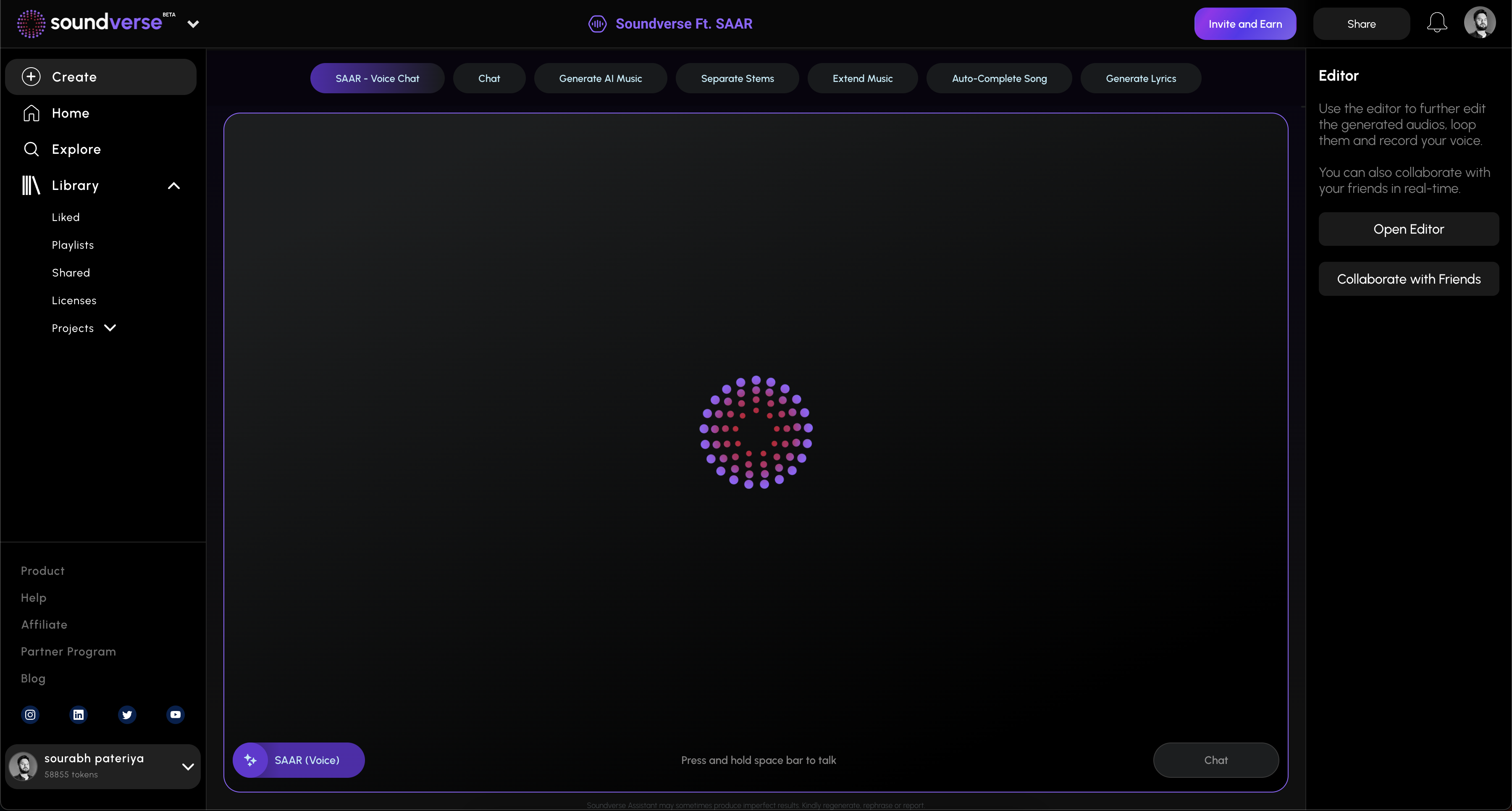
Soundverse is leading this movement with its Agent, a conversational AI music assistant designed for beginners and professionals alike. Rather than switching between multiple software tools, Agent acts as a centralized controller that understands your natural language requests — whether typed or spoken — and automatically orchestrates the underlying AI music and video workflows.
For a deeper dive, watch our guide on creating Deep House music from the Soundverse Tutorial Series.
What Makes Soundverse Agent Unique
According to the official data, Soundverse Agent can perform multi-step reasoning to interpret commands such as “create a pop song, then remove the drums and generate visuals.” It syncs music generation, editing, and arrangement using contextual memory, meaning it remembers previous requests and refines results across multiple stages.
Core Capabilities
- Multi-step tool orchestration: Agent can control and combine multiple AI tools seamlessly.
- Contextual memory: It remembers user edits and preferences in the same conversation.
- Voice input: Users can give spoken commands, reducing dependency on text prompts.
- Cross-tool workflow automation: It connects music generation, mixing, and video output workflows automatically.
Soundverse Agent integrates with other AI Magic Tools like:
- AI Music Generator: Creates instrumental music from text prompts.
- AI Song Generator: Produces full songs with AI vocals and arrangements.
- AI Lyrics Writer: Helps craft structured lyrics based on tone and genre.
For those exploring how AI revolutionizes content creation, read Soundverse AI revolutionizing music creation for new age content creators.
Step 1: Overview — Accessing the Agent Interface
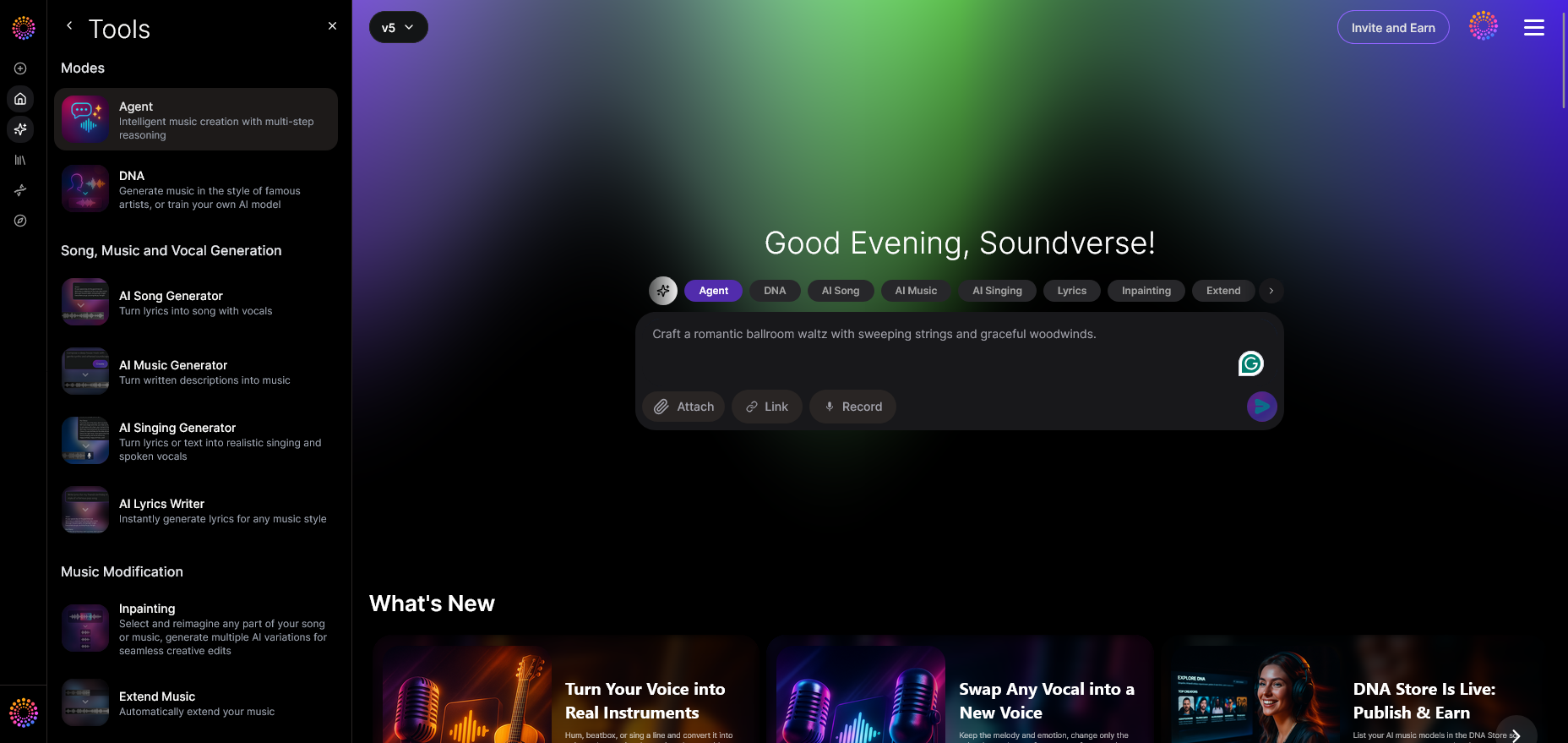
Begin by opening the Soundverse Agent interface. This is the main dashboard where you can type or speak commands like “create an upbeat pop soundtrack.” The setup doesn’t require any prior configuration. As a beginner, you only need to interact with the Agent chat window, which simplifies creative control.
Step 2: Reference Audio — Add Example Sounds or Songs
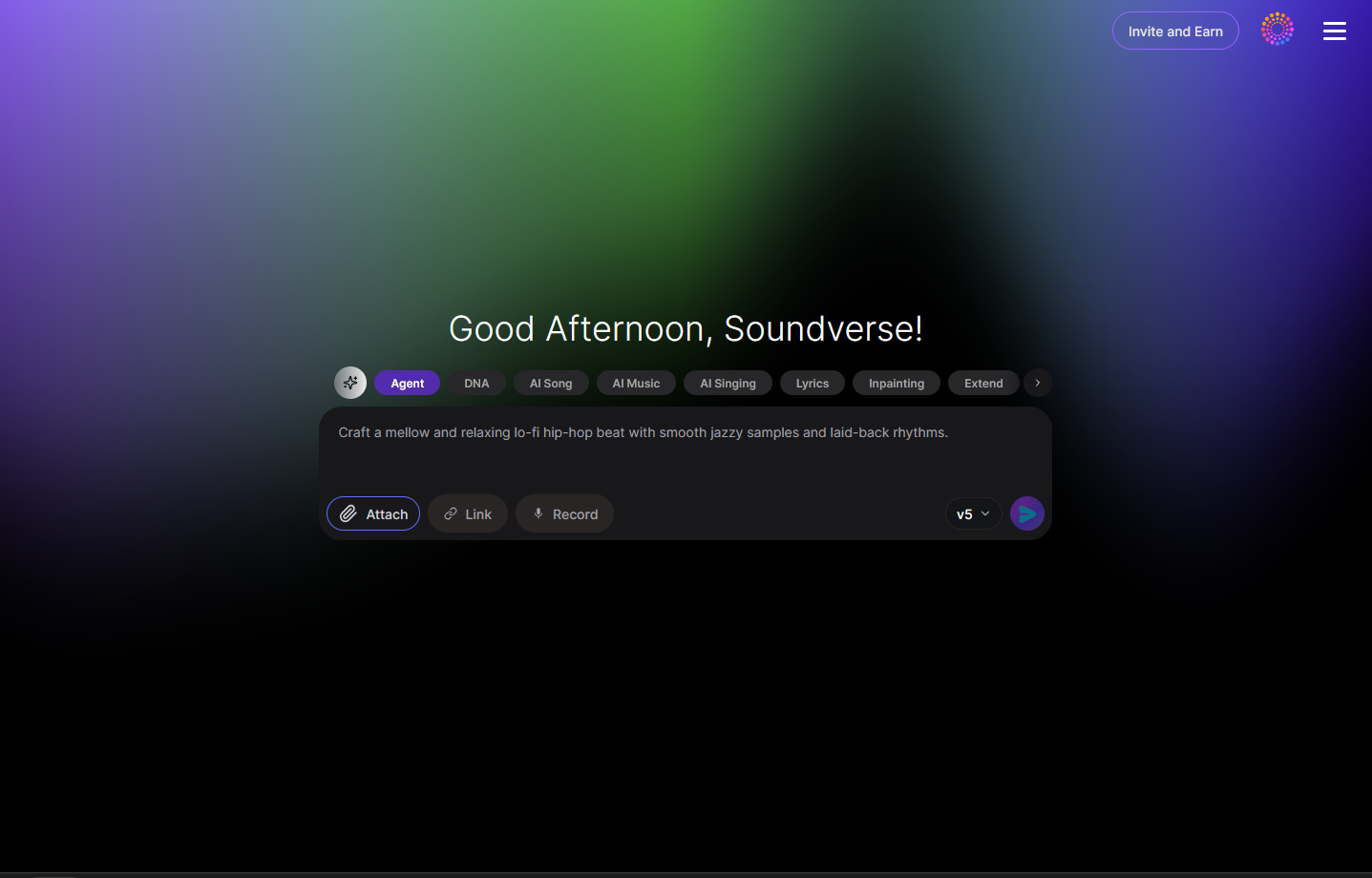
You can upload a reference track (optional) to guide your video creation. This helps the Agent understand the structure or mood you want the visuals to follow. For example, if you have a chilled ambient sample from a previous AI Music Generator session, attach it here.
Step 3: Attach Button — Upload Files or Lyrics
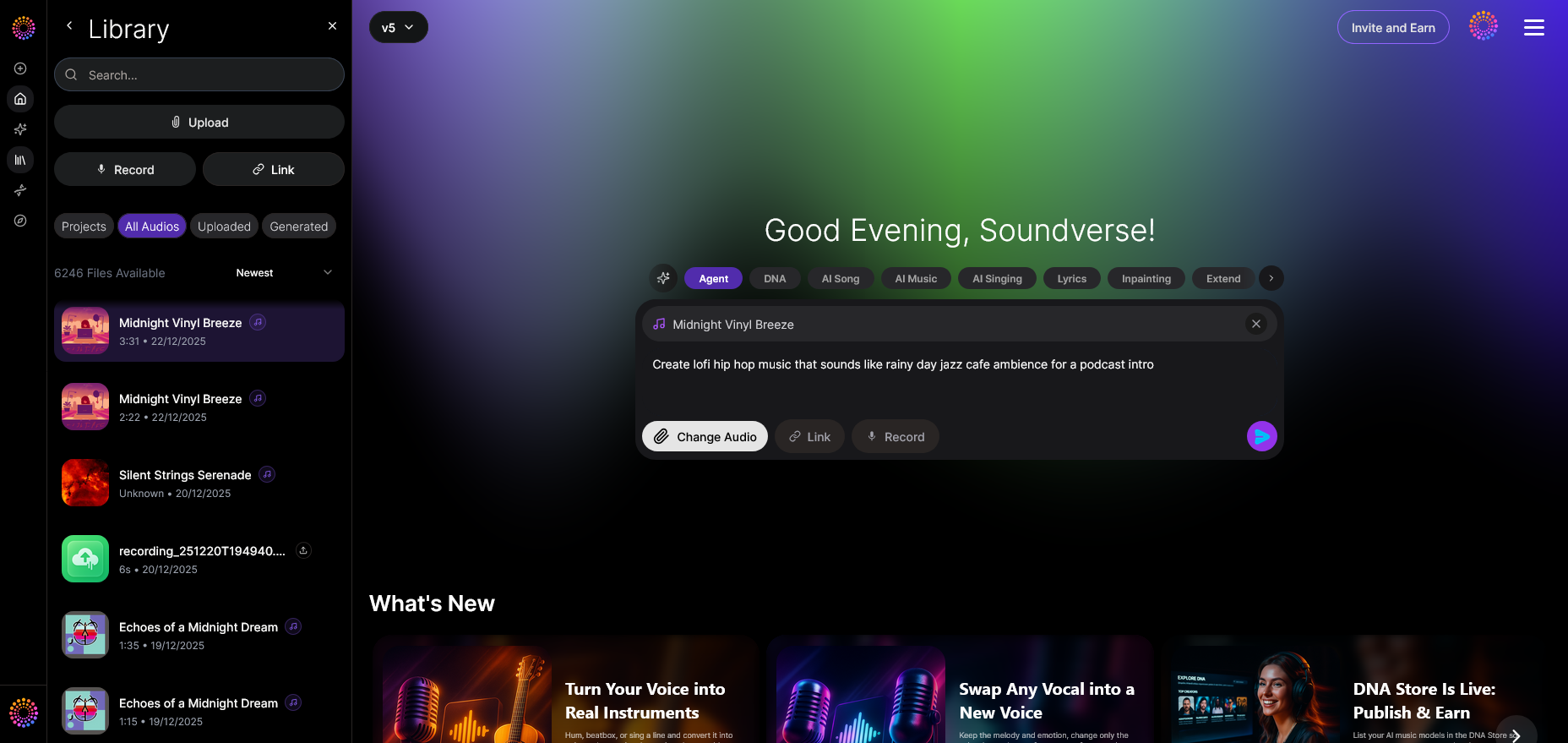
The attach dialog allows adding lyrics or sample audio files. If you use Soundverse’s AI Song Generator, you can link the output directly here to sync music with generated visuals.
Step 4: Submit Request — Send Your Creation Prompt
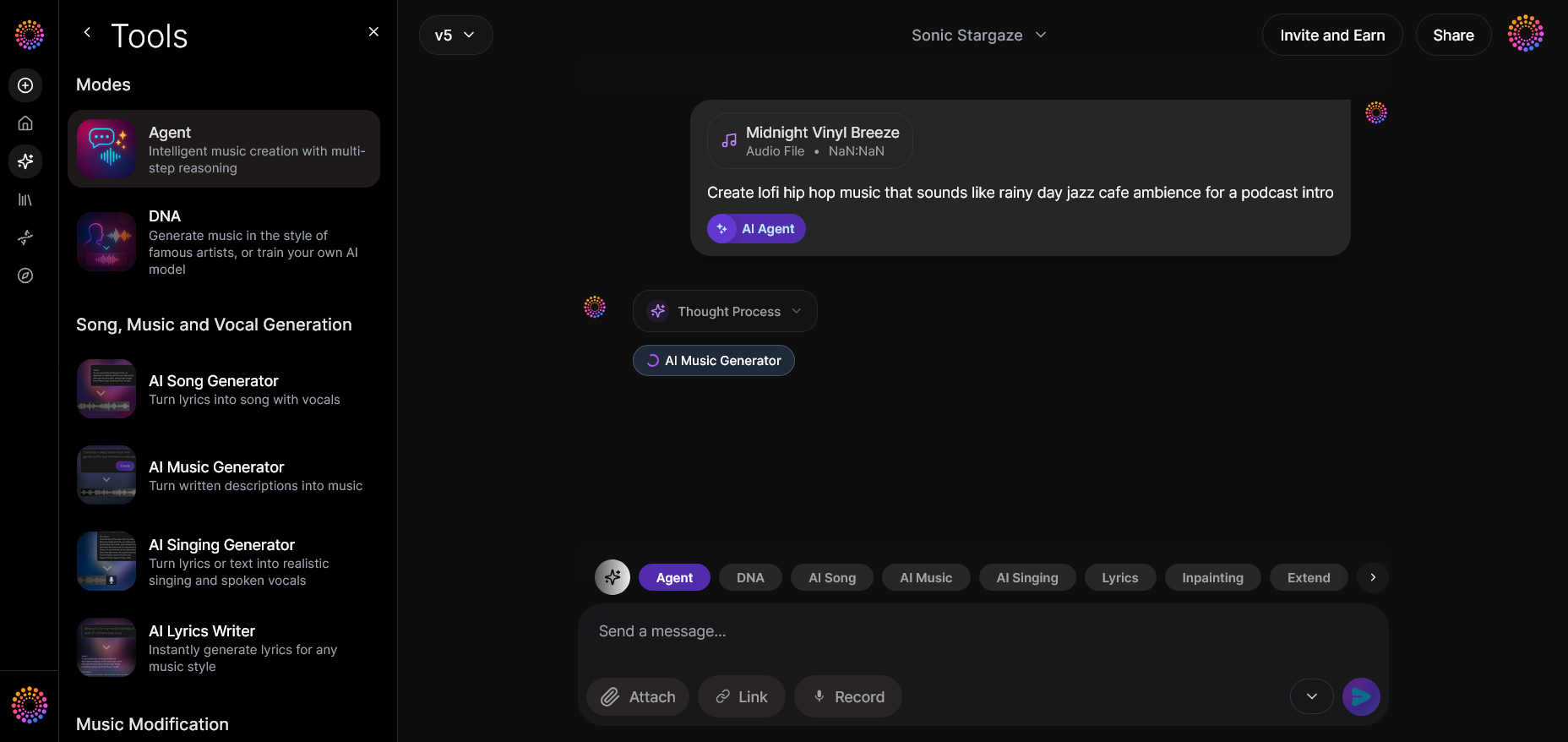
Once your materials and descriptions are ready, hit the “Submit” button. The Agent analyzes your request, orchestrates the appropriate tools, and begins generating content asynchronously. It doesn’t preview in real time — instead, it processes and returns final audio or video outputs.
Step 5: Review Output — Examine Generated Results
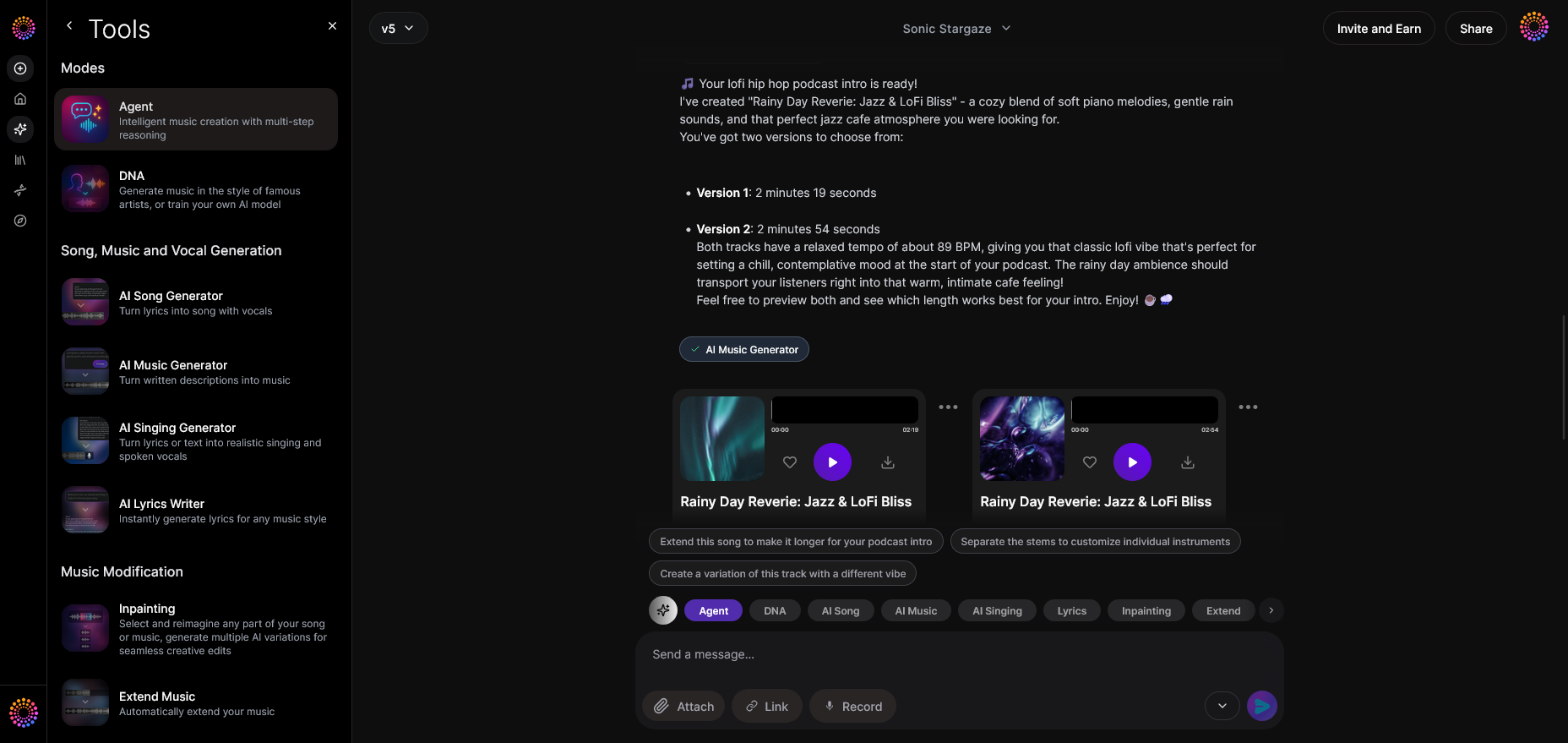
After processing, the generated video and music appear in your project window. Beginners can listen to the AI-produced track and view the accompanying video template. You can then adjust parameters or start a refinement conversation.
Step 6: Refine Conversation — Improve Your Video Iteratively
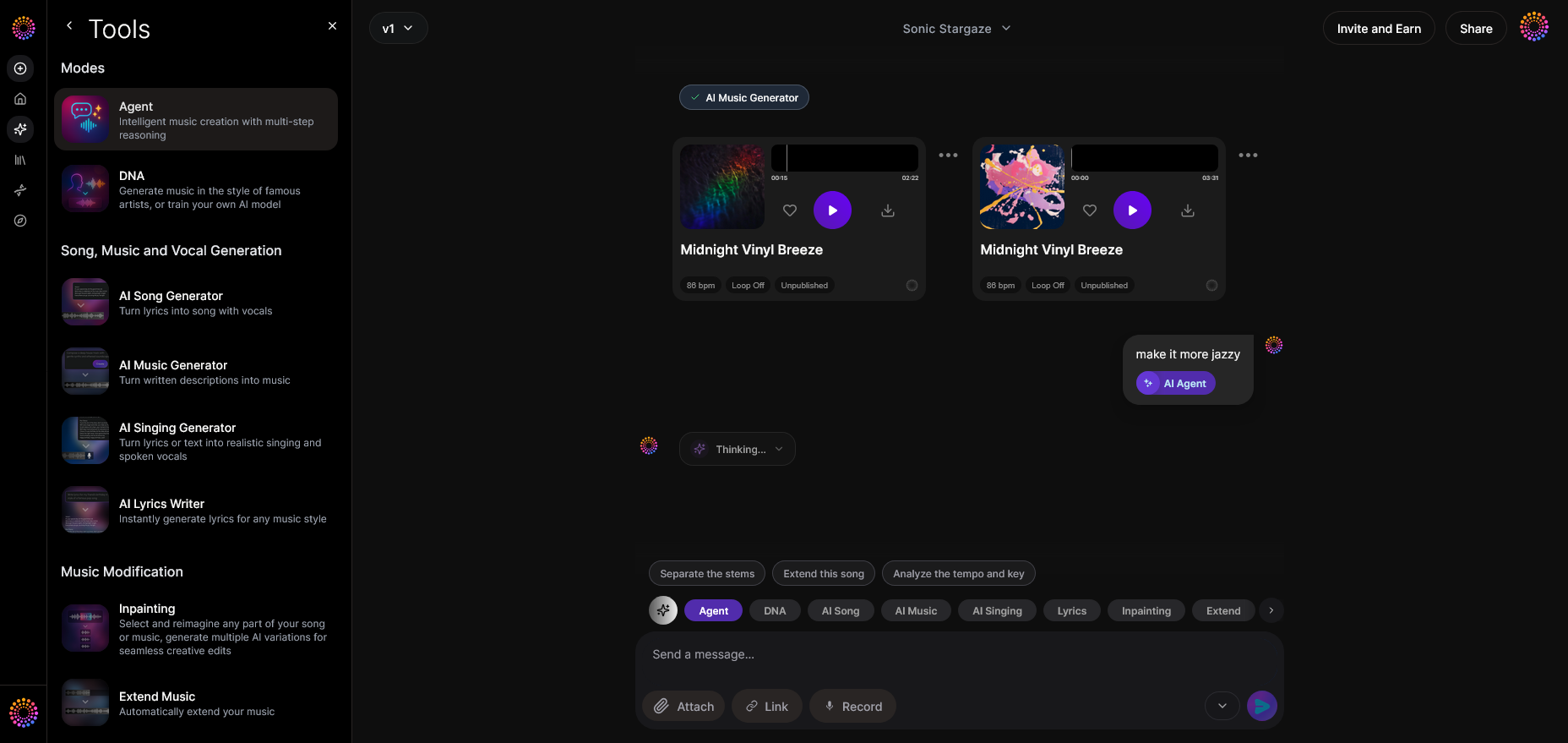
Ask follow-up questions in natural language, such as “remove percussion,” or “make visuals more cinematic.” Soundverse Agent remembers your previous steps and applies updates intelligently. This iterative approach makes it ideal for non-musicians who wouldn’t know traditional mixing or editing terminology.
Step 7: Advanced Controls — Access Pro Features
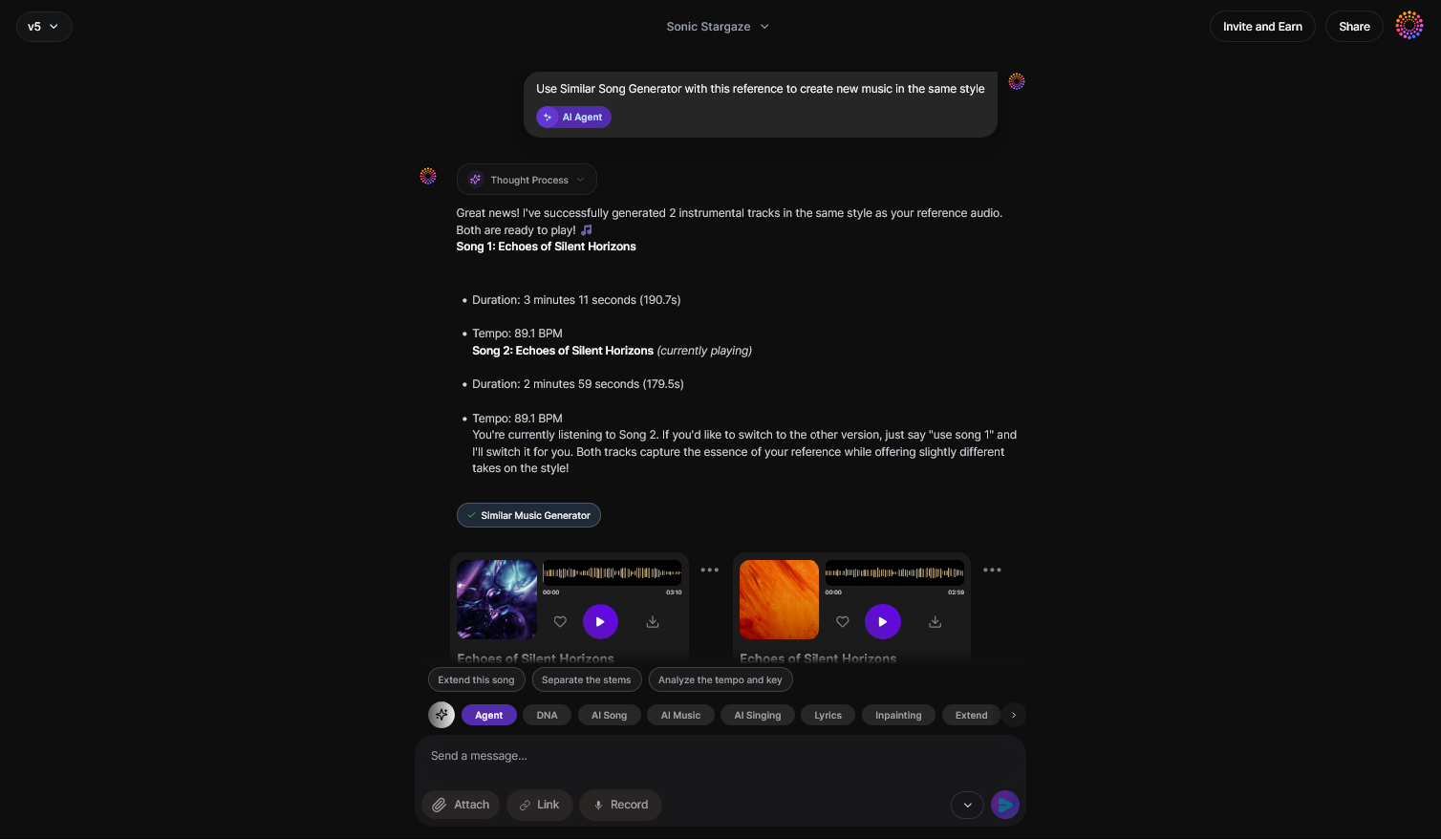
For creators ready to explore deeper workflow automation, advanced options allow combining multiple AI modules. You could instruct Agent to generate instrumental stems (see Soundverse introduces stem separation AI Magic Tool) and use them separately for different video scenes.
Step 8: Export Options — Choose File Formats
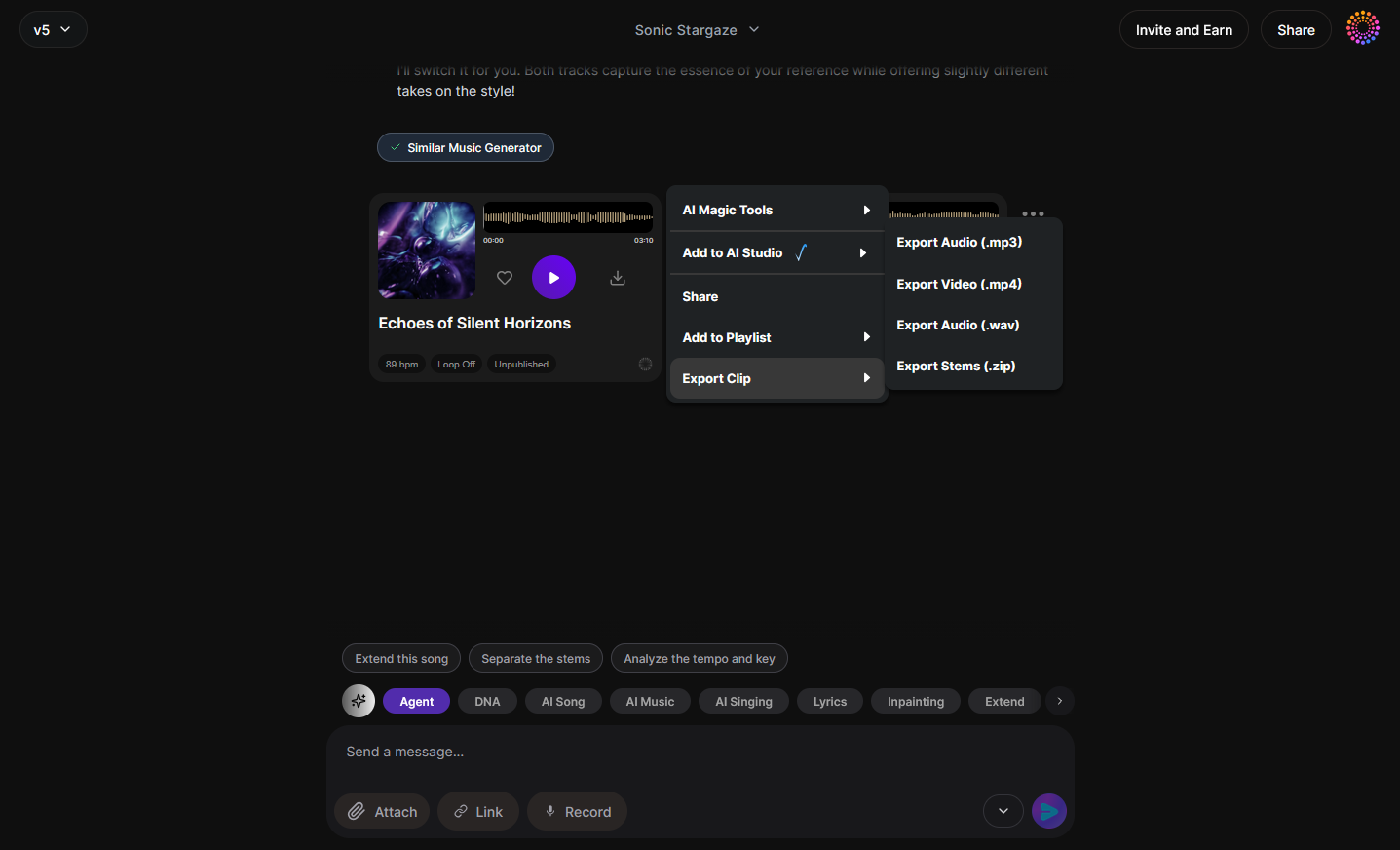
After finalizing your music video, use the export menu to select your desired format (MP4, WAV, or looped video). The asynchronous export process ensures quality rendering while maintaining synchronization between visuals and sound.
Step 9: New Conversation — Start Fresh Projects
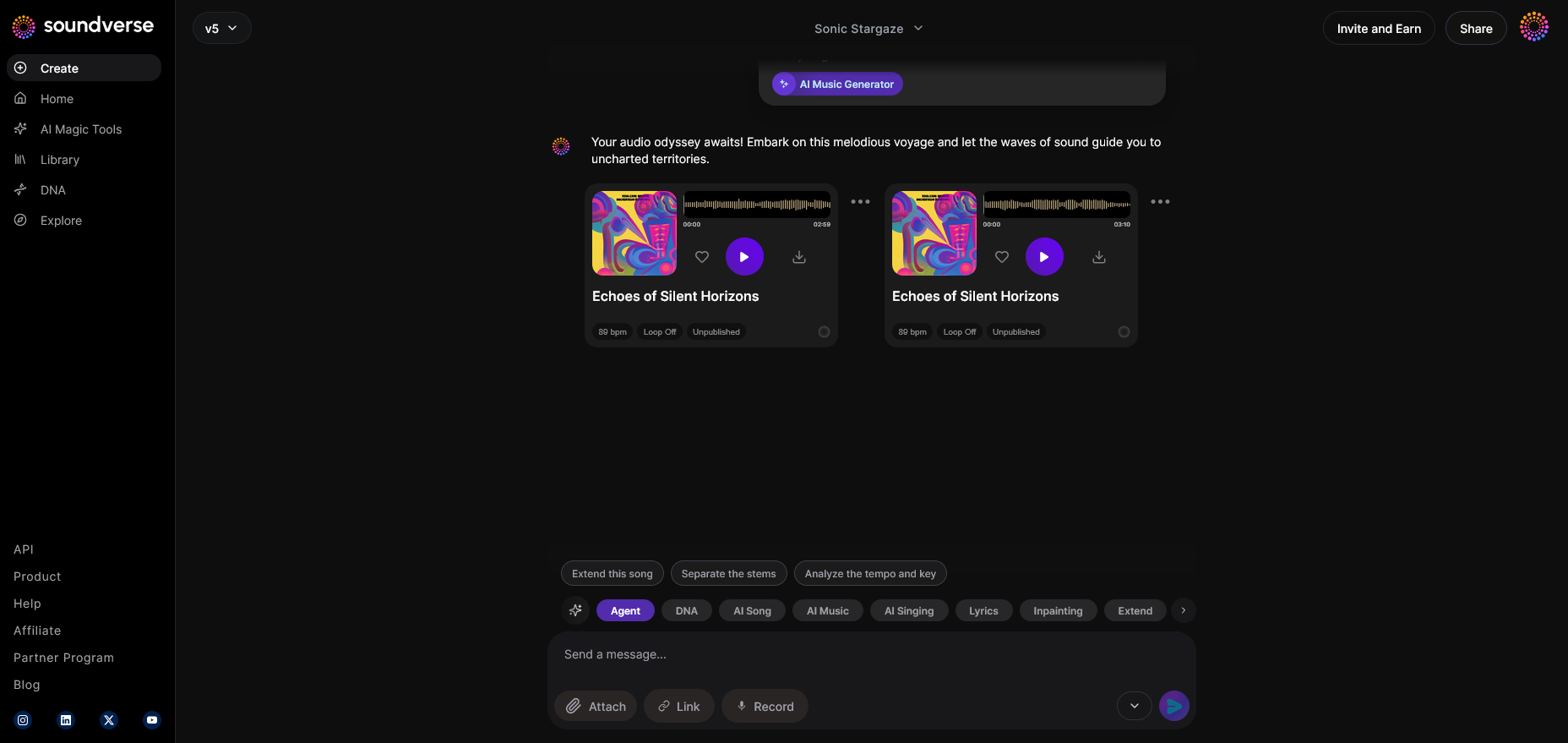
Click “New Project” whenever you want to create another video. This clears previous memory, allowing the Agent to focus on new instructions without context from older sessions.
Pro Tips for Beginners Using AI Video Editors
- Use descriptive prompts: Specify genre, vibe, and tempo in your requests.
- Add reference clips: Upload short audio or visual samples to improve accuracy.
- Iterate conversationally: Treat the AI as a collaborator — refine until satisfied.
- Explore cross-tool features: Use AI Music Generator and AI Song Generator together.
- Experiment with emotion: AI can adjust tone and rhythm to amplify storytelling.
For inspiration, visit Soundverse’s guide on how to create EDM with Soundverse AI, which demonstrates how prompt-based generation leads to unique results.
Why Soundverse Is Perfect for No Skill Video Creation
Soundverse Agent’s conversational workflow breaks down barriers that historically kept beginners from creating audiovisual content. Unlike traditional software such as Adobe Premiere Pro or Audacity, you don’t have to manage timelines or track layers. Instead, you say what you want, and the Agent translates that into executable actions.
This design philosophy embodies the 2026 trend toward automation-first creativity. AI tools for beginners are becoming the default entry point for original content. Whether you’re crafting educational videos, short social clips, or cinematic montages, music video creation is now approachable for everyone.
To further understand how AI-generated music underpins this transformation, read how AI-generated music is transforming the music industry.
Start Creating Your AI Music Video Today
Transform your ideas into engaging visuals and music with Soundverse’s intuitive AI music video creation tools—no production experience needed. Dive in and make your first AI-powered masterpiece in minutes.
Create with Soundverse
Related Articles
- Enhancing YouTube Content with Royalty-Free and Copyright-Free Music Using Soundverse AI: Discover how Soundverse can elevate your YouTube videos with original music that's safe to use and fully creative.
- Soundverse AI Revolutionizing Music Creation for New Age Content Creators: Learn how Soundverse is reshaping the way creators generate original music through advanced AI technology.
- Generate AI Music with Soundverse Text-to-Music: Explore how text prompts can be turned into complete musical tracks using Soundverse’s AI tools.
- The Role of AI Music in Film and Television: Understand how AI-generated music is shaping storytelling and visual media industries like film and TV.
Here's how to make AI Music with Soundverse
Video Guide

Here’s another long walkthrough of how to use Soundverse AI.
Text Guide
- To know more about AI Magic Tools, check here.
- To know more about Soundverse Assistant, check here.
- To know more about Arrangement Studio, check here.
Soundverse is an AI Assistant that allows content creators and music makers to create original content in a flash using Generative AI.
With the help of Soundverse Assistant and AI Magic Tools, our users get an unfair advantage over other creators to create audio and music content quickly, easily and cheaply.
Soundverse Assistant is your ultimate music companion. You simply speak to the assistant to get your stuff done. The more you speak to it, the more it starts understanding you and your goals.
AI Magic Tools help convert your creative dreams into tangible music and audio. Use AI Magic Tools such as text to music, stem separation, or lyrics generation to realise your content dreams faster.
Soundverse is here to take music production to the next level. We're not just a digital audio workstation (DAW) competing with Ableton or Logic, we're building a completely new paradigm of easy and conversational content creation.
TikTok: https://www.tiktok.com/@soundverse.ai
Twitter: https://twitter.com/soundverse_ai
Instagram: https://www.instagram.com/soundverse.ai
LinkedIn: https://www.linkedin.com/company/soundverseai
Youtube: https://www.youtube.com/@SoundverseAI
Facebook: https://www.facebook.com/profile.php?id=100095674445607
Join Soundverse for Free and make Viral AI Music

We are constantly building more product experiences. Keep checking our Blog to stay updated about them!