AI Music for Beginners: No Musical Skills Required
Learn how AI music tools in 2026 let beginners create songs effortlessly with Soundverse Agent.
AI Music for Beginners: No Musical Skills Required
Introduction
Music creation used to require years of practice, technical equipment, and music theory knowledge. But in 2026, artificial intelligence has changed that narrative entirely. Now, even those without musical training can produce studio-quality songs using AI music for beginners platforms. These intelligent systems interpret text prompts, suggest melodies, and even handle mixing — all automatically. For beginners, this new wave of technology represents the gateway to limitless creativity.
If you have ever wanted to create music but felt intimidated by instruments or software, you no longer need to worry. Modern AI music tools such as Soundverse empower anyone to generate music instantly. Whether you want to make upbeat pop tracks, cinematic instrumentals, or even background music for content, AI handles the heavy lifting.
This guide walks you through the fundamentals of no skill music creation, highlighting how Soundverse Agent simplifies the entire process. We’ll also explore key AI songwriting apps, examples of workflows, and practical tips for beginners looking to craft their first song in 2026.
Why is 2026 the Breakthrough Year for AI Music Creation?

AI-generated music is not a novelty anymore; it’s a mainstream tool for creators, educators, and brands. As we move through 2026, more than 68% of independent creators report using AI-powered tools to assist with music or sound projects. The reasons are clear: affordability, accessibility, and speed.
For years, traditional digital audio workstations (DAWs) such as Ableton and Logic Pro required musical understanding and equipment. Now, AI music tools handle those complex layers automatically. Instead of learning chords or mastering production software, you simply describe what you want. For example, typing “a chill lofi beat inspired by nature” can produce a complete track with structured rhythm, melody, and harmony.
Several platforms enabled this change between 2024–2025, and Soundverse emerged as one of the leading ecosystems driving this transition. Unlike typical one-task AIs, its flagship feature — Agent — provides a conversational workspace that understands full creative workflows.
How AI Music Tools Empower Beginners in 2026

AI systems today are more intuitive than ever. They not only create instrumentals but also remember user preferences, loop sections, and even adjust emotion or tempo when requested.
Here are the main advantages of AI music for beginners:
- No Music Training Required: You can produce full songs through natural language prompts.
- Faster Workflow: Automation replaces manual mixing or arrangement tasks.
- Affordable Access: Many AI platforms, including Soundverse, offer free or subscription-based options with pro-level results.
- Automatic Refinement: The AI can make changes like “remove drums” or “add vocals,” updating the mix instantly.
- Educational Value: Interacting with the agent teaches beginner music theory concepts passively.
For those curious about related breakthroughs, our guide on how AI-generated music is transforming the music industry provides deeper insights into the shift toward creative automation.
What are the Best AI Songwriting Apps for Beginners?
For anyone exploring beginner music making, a few app categories dominate the scene in 2026:
- AI Song Generators — Tools that create complete tracks from descriptions, combining instrumentation and vocals.
- AI Lyrics Writers — Software generating structured lyrics based on themes, emotion, or genre.
- AI Music Generators — Systems that make instrumental loops, soundscapes, or beats without lyrics.
- AI Assistants — Conversational agents such as Soundverse’s Agent, designed to tie multiple tools into one seamless workflow.
While other services exist — like Mubert, Soundraw, or Suno — their focus tends to remain on specific music generation tasks. Soundverse integrates multi-step reasoning that allows users to say commands like “create an ambient soundtrack and extend it by one minute,” which encapsulates both creativity and production control. Those seeking alternatives can also explore Soundverse’s overview of Mubert alternatives or the best Soundraw alternative guide.
How to Make AI Music for Beginners with Soundverse Agent
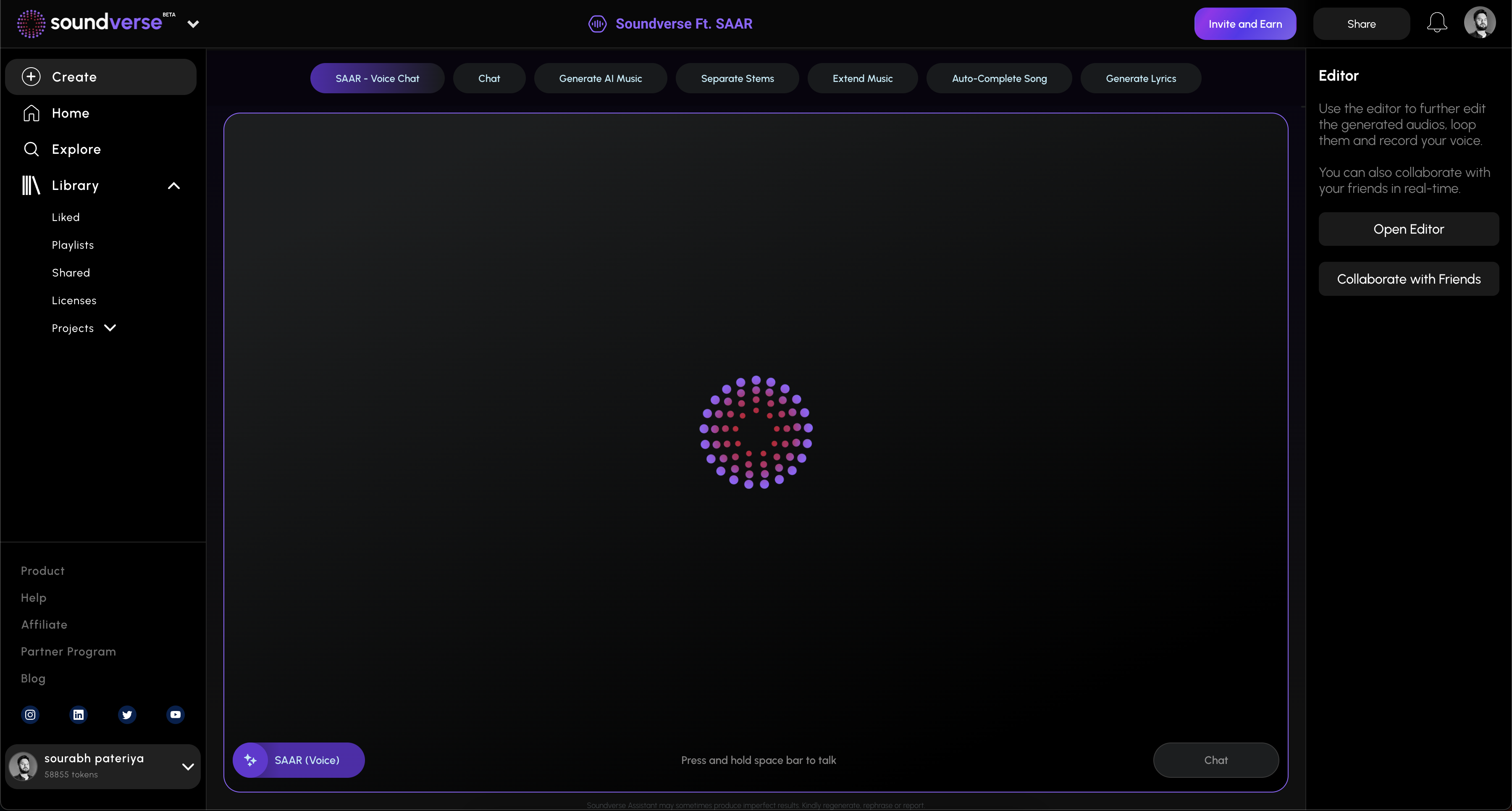
Soundverse Agent is the platform’s conversational AI music assistant — the central hub for music creation. It interprets natural-language input and coordinates tools behind the scenes. Beginners especially benefit because Agent understands phrases like, “Create a pop song with soft piano, then remove the drums.” It processes these tasks in sequence, without requiring manual input between steps.
Key Capabilities of Soundverse Agent
- Multi-step Tool Orchestration: Agent connects various Soundverse modules like the AI Lyrics Writer, AI Song Generator, and AI Music Generator.
- Contextual Memory: It remembers what you’ve created in previous messages, enabling smooth iterative refinement.
- Voice Input Support: Speak commands naturally instead of typing, ideal for quick idea capturing.
- Cross-tool Workflow Automation: It chains tools automatically — for example, generating lyrics, composing melody, and processing mixdown.
Soundverse Agent bridges beginner curiosity with professional-level execution. Let’s walk through exactly how you can use it.
Step 1: Overview
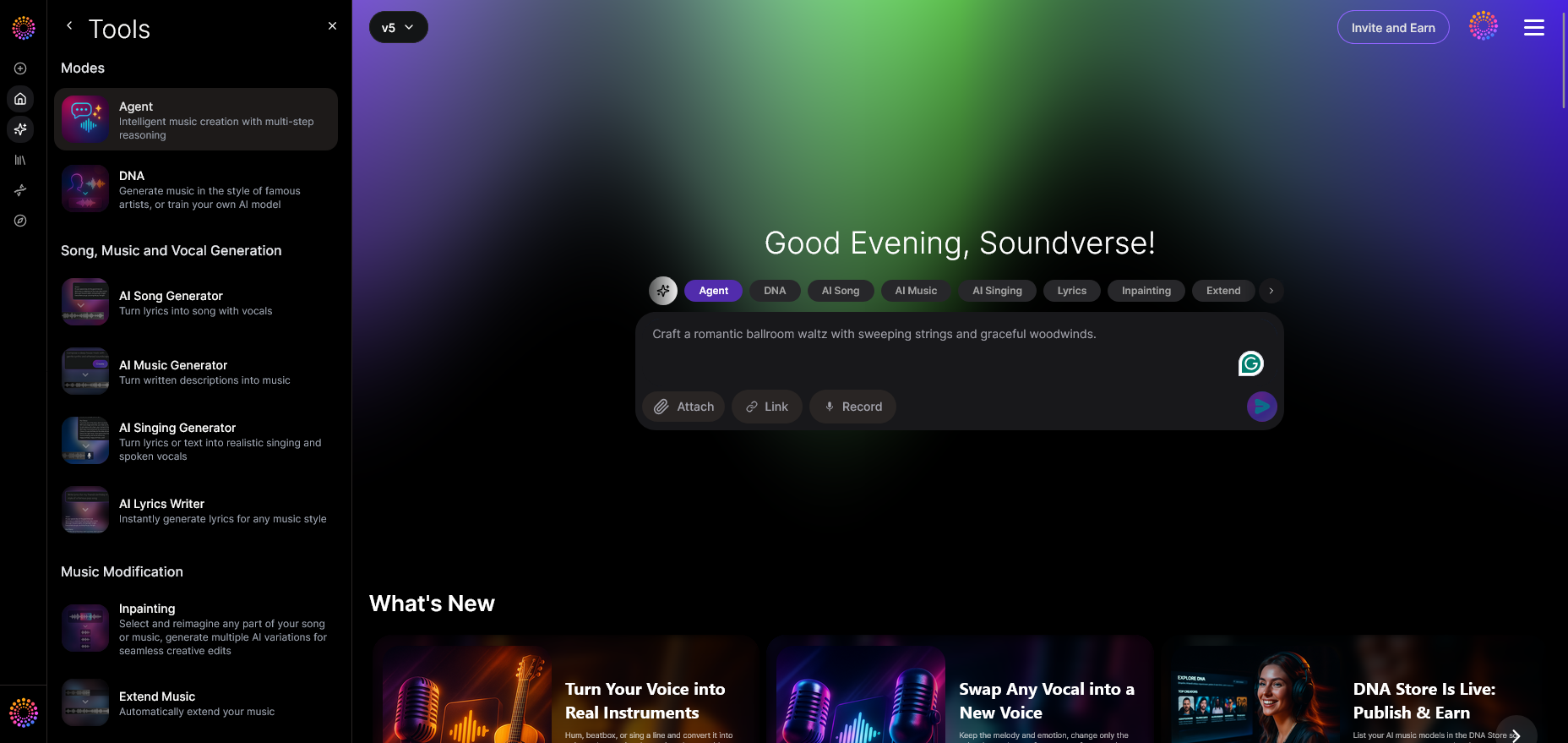
Once you access the main Agent interface, you’ll be greeted by a conversational panel where you input requests using text or voice. The Agent handles command translation — so even if you phrase things loosely (for instance, “make a jazz piece with calm piano”), it still interprets meaning precisely.
Step 2: Reference Audio
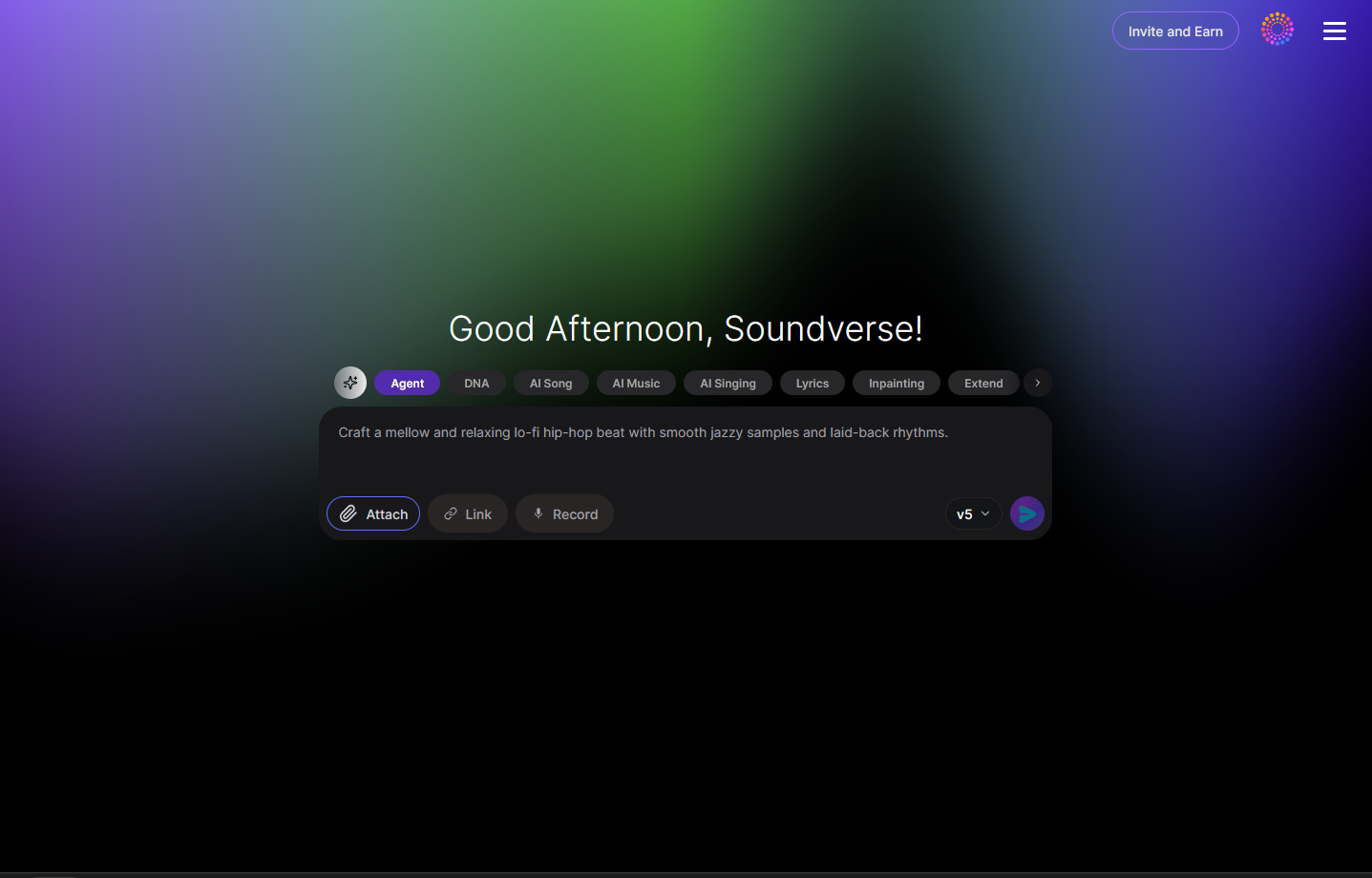
Optionally, attach reference audio files to guide output style. For beginners, this is useful when you have a song or vibe you want to emulate. The Agent identifies timbre, rhythm, and emotion cues from your file.
Step 3: Attach Button
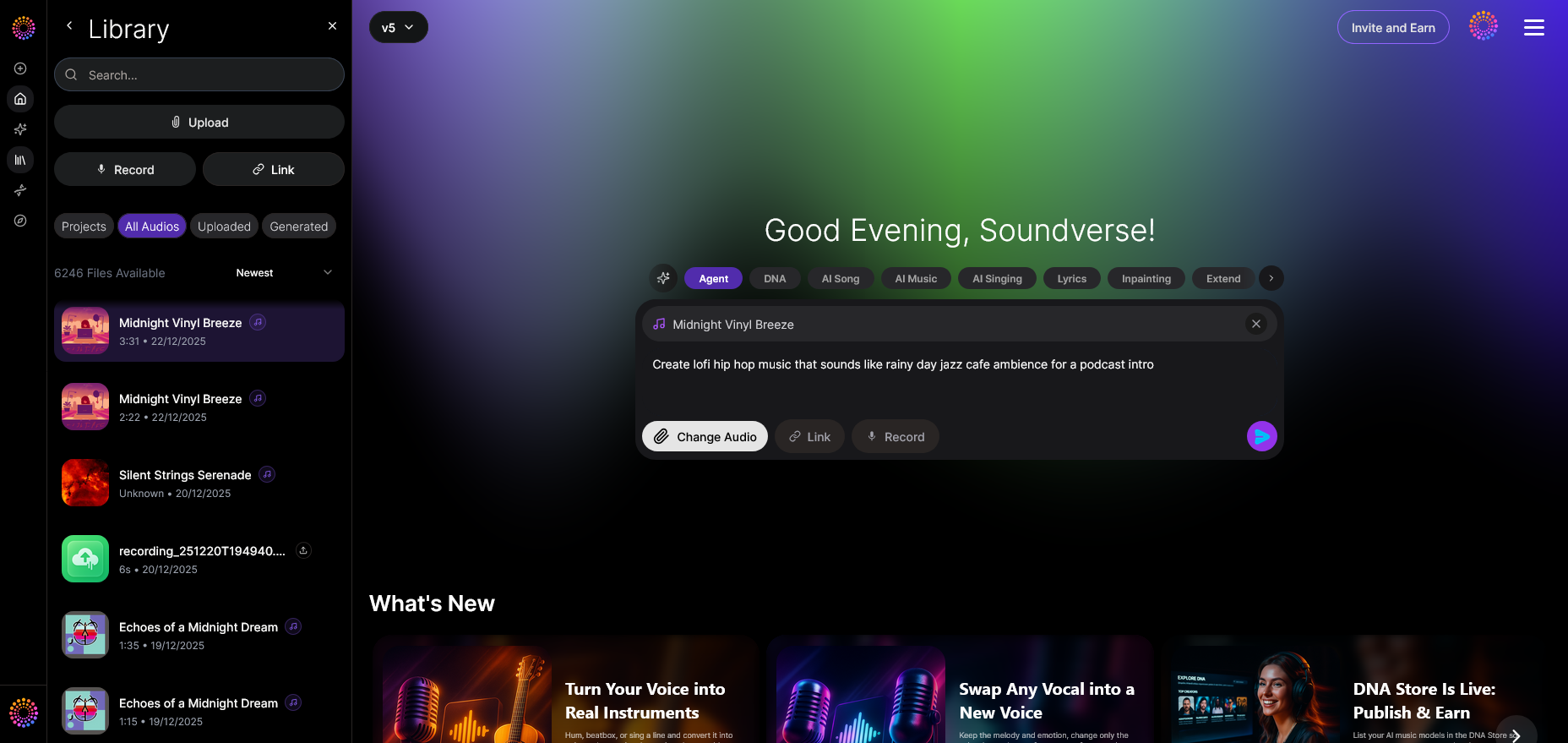
Use the “Attach File” button to upload reference tracks or stems. It supports typical formats like WAV or MP3. Beginners often upload vocal lines or idea snippets to inspire AI composition.
Step 4: Submit Request
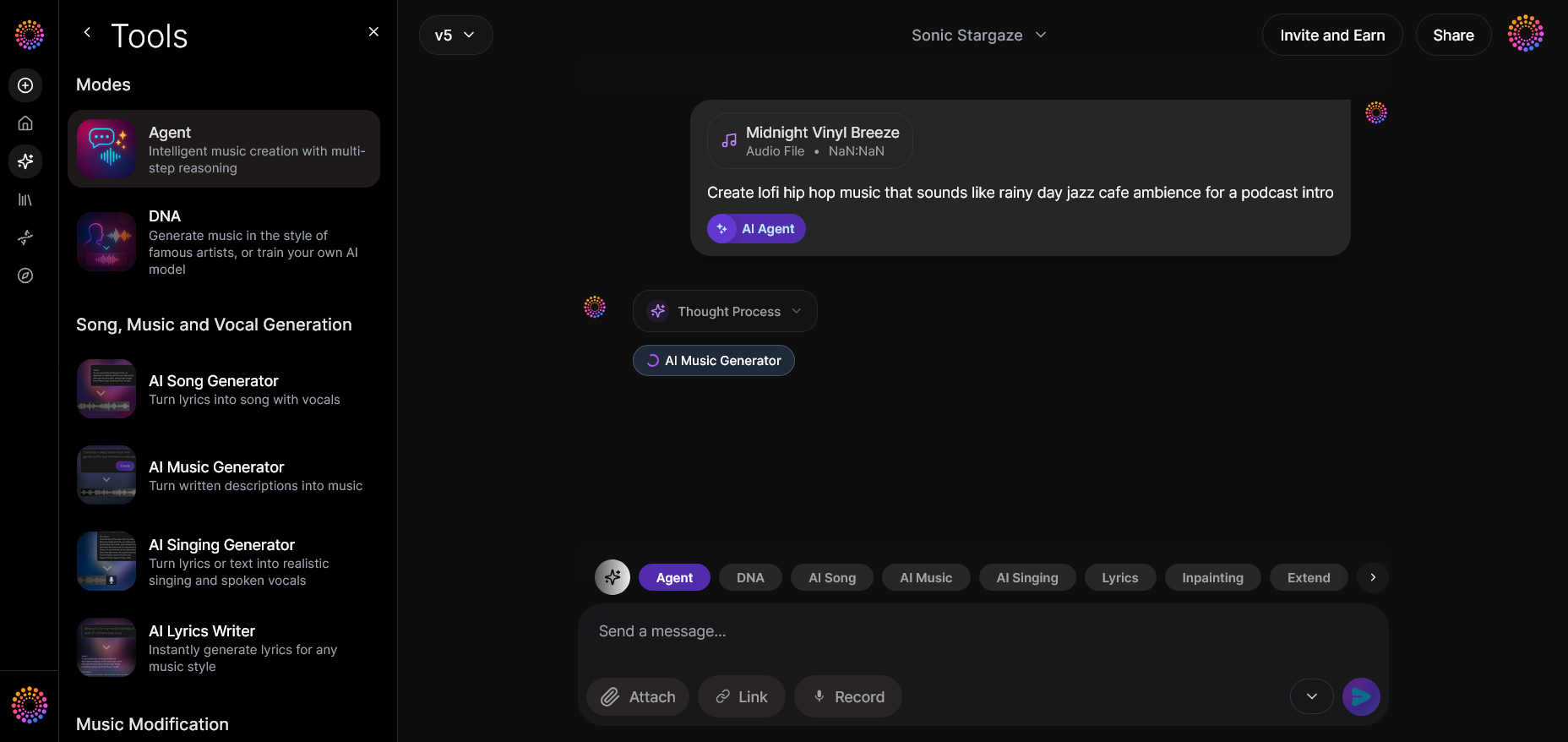
Click the “Send” icon to process your prompt. The AI orchestrates internal tools to generate lyrics, melody, and instrumentals accordingly.
Step 5: Review Output
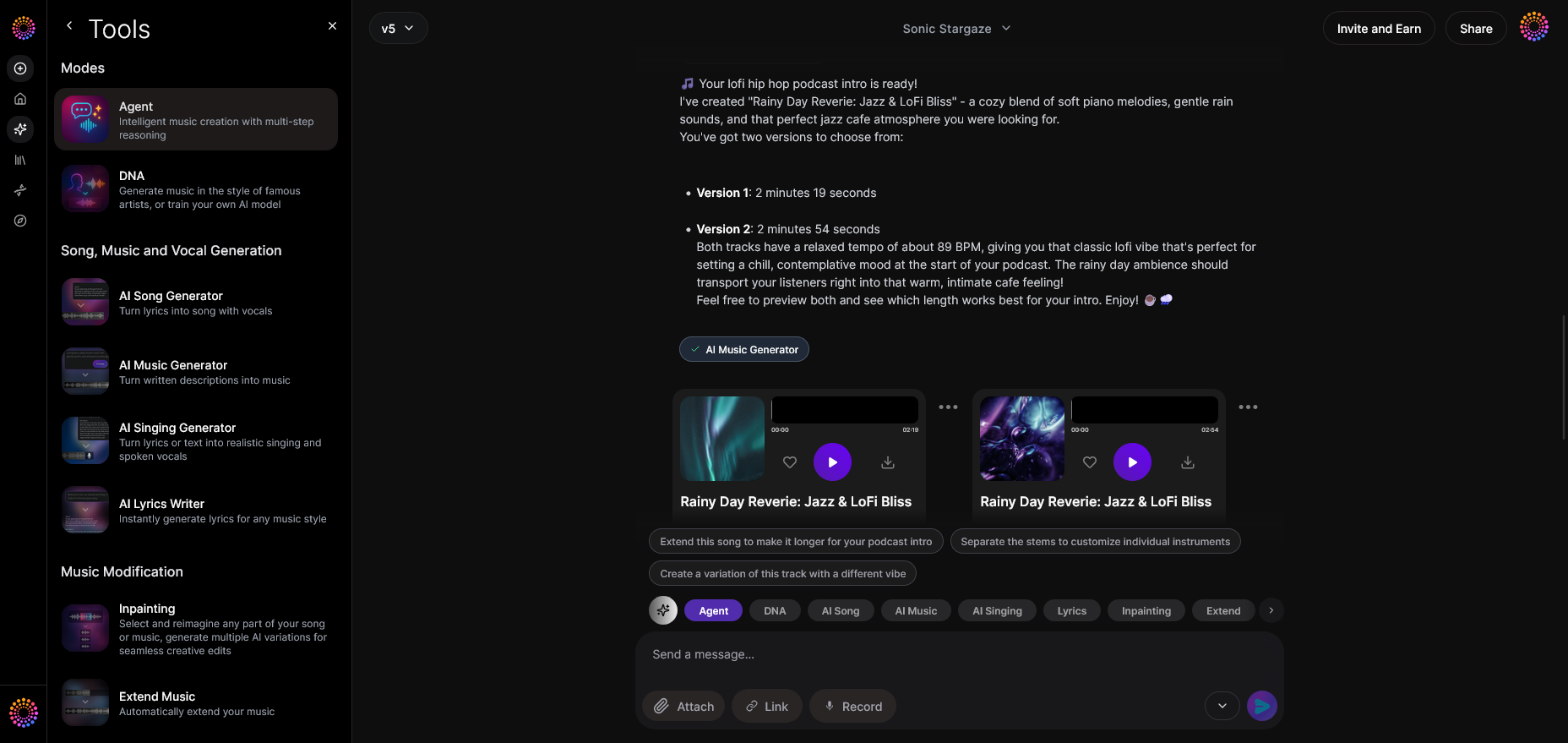
When the AI finishes processing, the generated output appears as audio cards you can play directly. The listening stage helps determine which parts you like most in the automated result.
Step 6: Refine Conversation
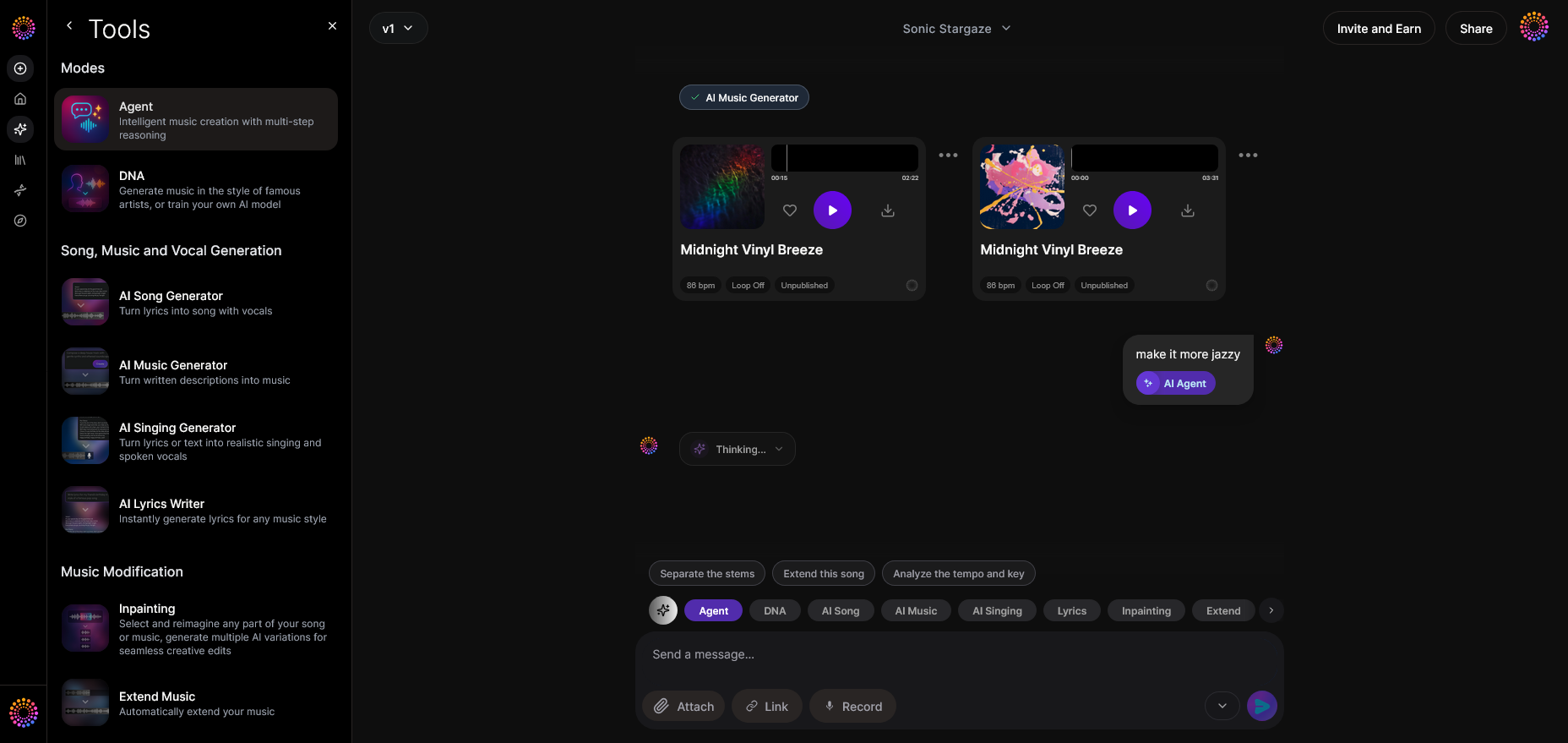
Because the Agent remembers context, you can refine results conversationally. Write “make it slower” or “add more synth textures,” and it regenerates portions accordingly. No restart necessary.
Step 7: Advanced Controls
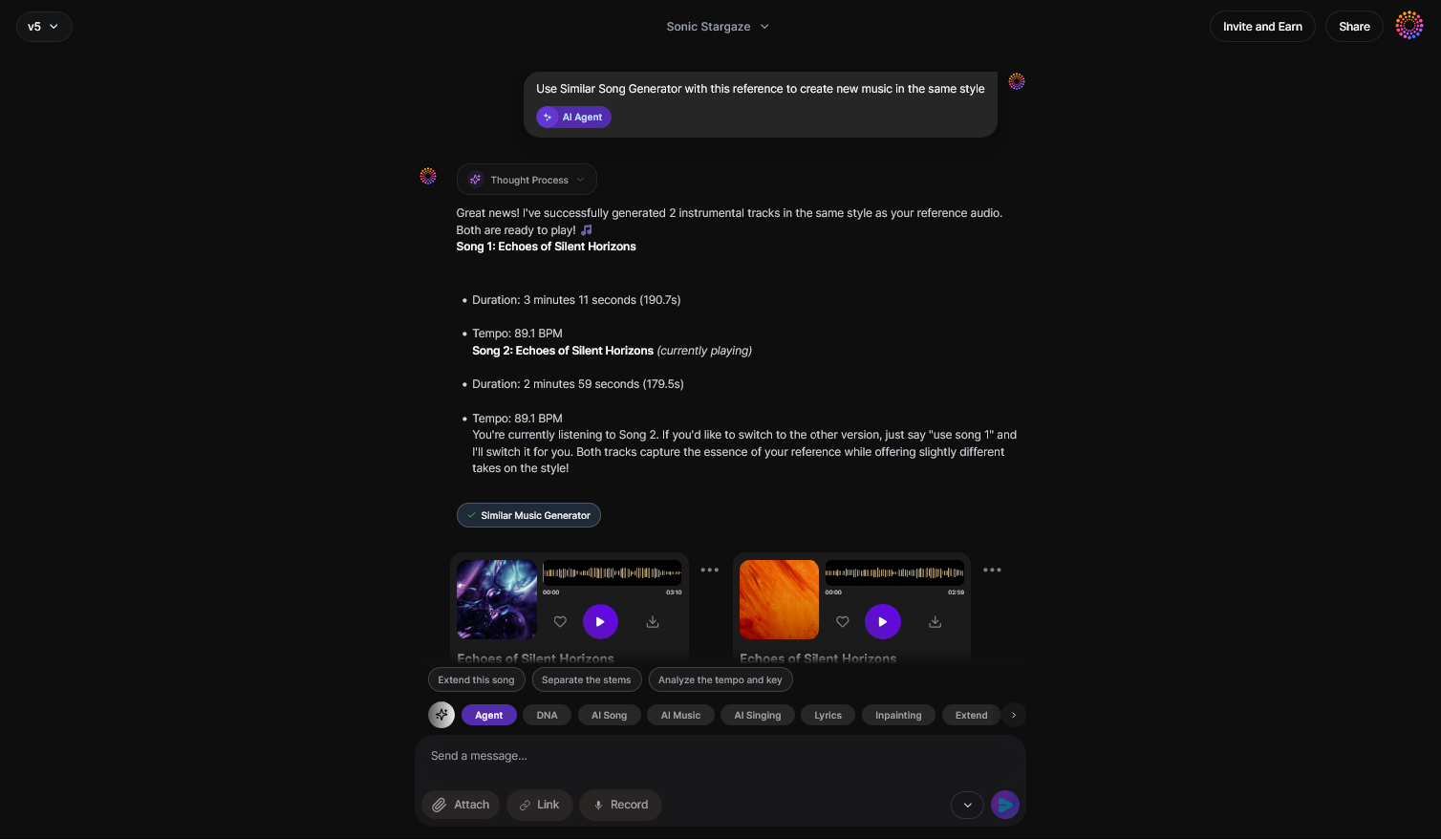
Inside the controls panel, advanced users can manually select which internal Soundverse tools to engage — such as routing melody creation to the AI Song Generator or isolating elements using Magic Tools (see Soundverse’s stem separation introduction).
Step 8: Export Options
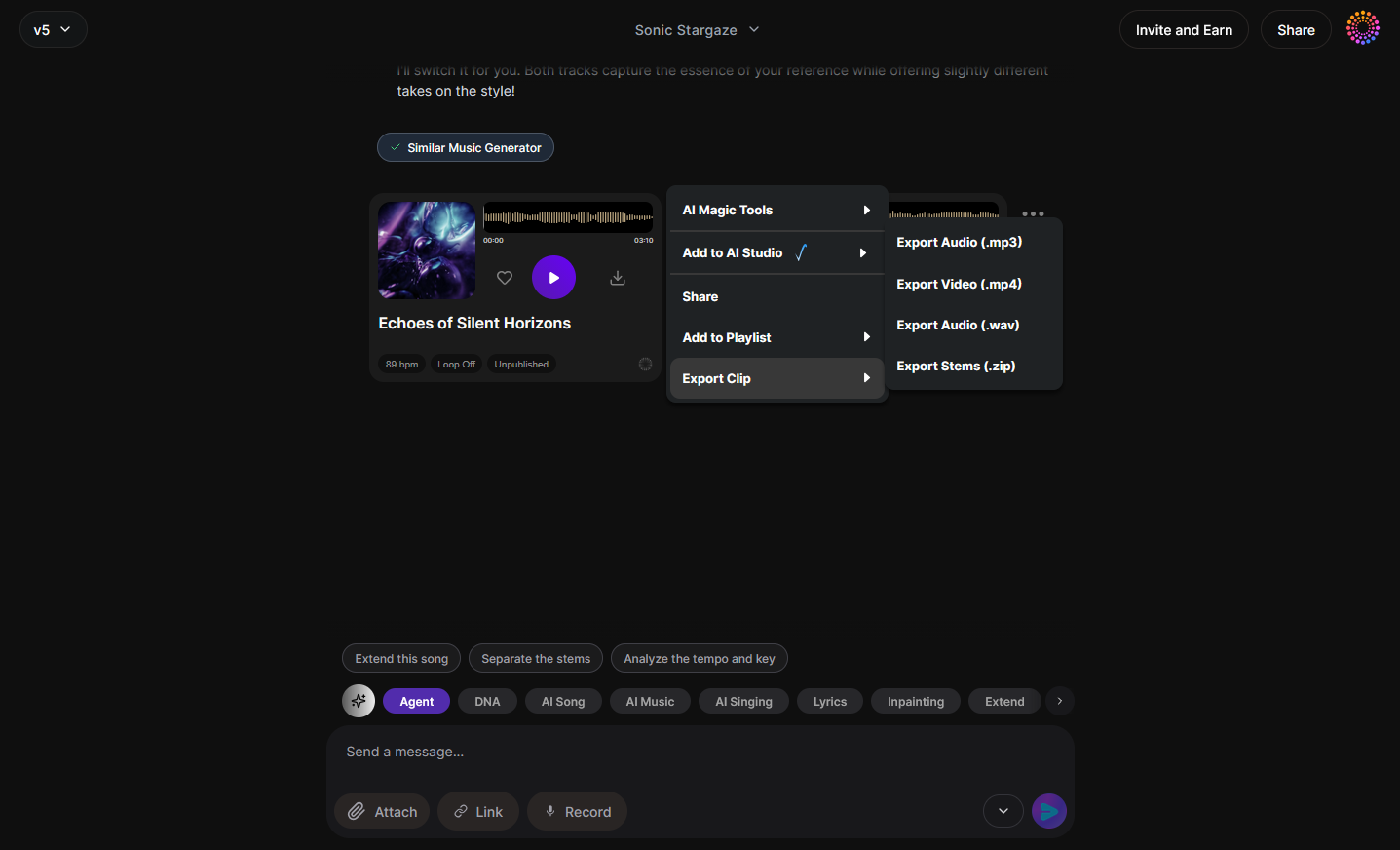
Once satisfied, select the export icon to save your project as an audio file. You can choose formats like MP3 or WAV and store it locally or in your account.
Step 9: New Conversation
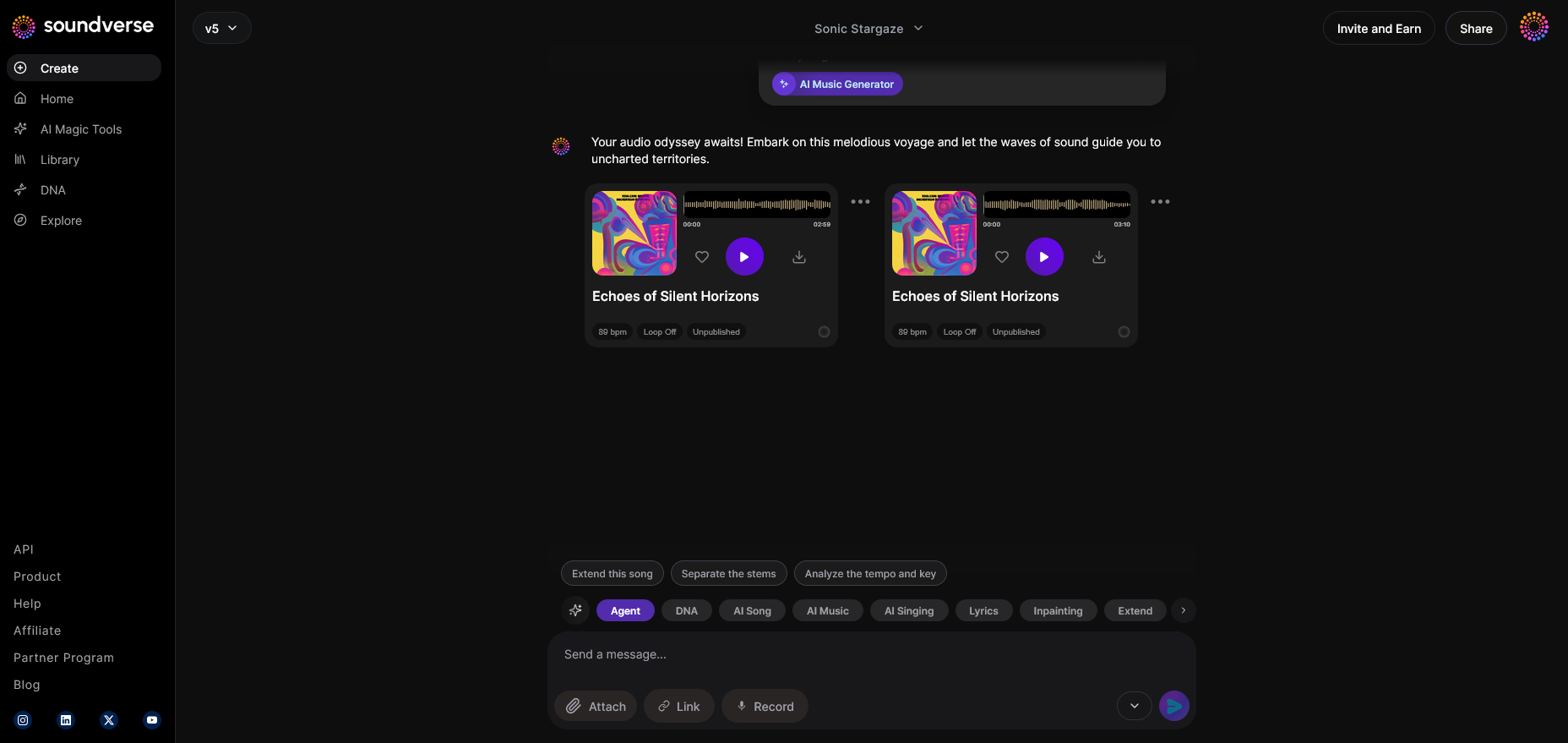
To start fresh, hit “New Project.” Your prior context saves automatically, meaning earlier creations remain available for iteration.
For a more advanced example of AI-guided genre production, see the tutorial on how to create EDM with Soundverse AI or explore our feature on how AI-generated music inspires creative fusion. For a deeper dive, watch the Soundverse Tutorial Series - 9. How to Make Music video guide for visual learners.
Pro Tips for No-Skill Music Creation
- Be Descriptive: The more vivid your prompt, the more cohesive your results. Instead of saying “make a song,” specify “a mellow acoustic track with hopeful tones.”
- Leverage Iterative Refinement: Treat the AI as a collaborator — ask it to adjust until the vibe matches your intention.
- Combine Tools: Use the AI Lyrics Writer to generate verses before passing them to the AI Song Generator.
- Study Outputs: Listen to multiple outputs to notice structure. This helps you learn arrangement automatically.
- Experiment with Genres: Try crossovers such as “pop meets electronic” to explore unexpected creativity.
The Future of AI-Assisted Beginner Music Making
By 2026, AI has established itself as the great equalizer for music creation. What required hardware studios a decade ago now fits inside browser-based platforms. Tools like Soundverse Agent continue to evolve towards faster multi-step reasoning and deeper style understanding. As the AI learns from user interactions, it becomes an intuitive co-producer instead of a simple generator.
More educators also use AI music as an introduction to rhythm and harmony, bridging art and technology. The AI-generated music tutorials found across communities empower aspiring artists to learn faster by example rather than textbooks. As such, AI music for beginners is not just a convenience — it’s becoming a creative literacy.
Start Creating Music with AI Today!
Experience effortless music creation with Soundverse — craft unique, royalty-free tracks even if you’ve never played an instrument. Join our platform and turn your ideas into music instantly.
Create Music Now
Related Articles
- Generate AI Music with Soundverse Text-to-Music: Discover how to create full songs from simple text prompts using Soundverse’s cutting-edge AI.
- Soundverse Assistant: Your AI Music Co-Producer: Learn how Soundverse Assistant guides you through the music-making process and helps shape your sound effortlessly.
- Soundverse AI Revolutionizing Music Creation for New Age Content Creators: Explore how AI tools are changing the way creators produce, edit, and share music across platforms.
- The Benefits of Composing with AI Music Generator: Uncover how AI-assisted composition enhances creativity and streamlines the music production workflow.
Here's how to make AI Music with Soundverse
Video Guide

Here’s another long walkthrough of how to use Soundverse AI.
Text Guide
- To know more about AI Magic Tools, check here.
- To know more about Soundverse Assistant, check here.
- To know more about Arrangement Studio, check here.
Soundverse is an AI Assistant that allows content creators and music makers to create original content in a flash using Generative AI.
With the help of Soundverse Assistant and AI Magic Tools, our users get an unfair advantage over other creators to create audio and music content quickly, easily and cheaply.
Soundverse Assistant is your ultimate music companion. You simply speak to the assistant to get your stuff done. The more you speak to it, the more it starts understanding you and your goals.
AI Magic Tools help convert your creative dreams into tangible music and audio. Use AI Magic Tools such as text to music, stem separation, or lyrics generation to realise your content dreams faster.
Soundverse is here to take music production to the next level. We're not just a digital audio workstation (DAW) competing with Ableton or Logic, we're building a completely new paradigm of easy and conversational content creation.
TikTok: https://www.tiktok.com/@soundverse.ai
Twitter: https://twitter.com/soundverse_ai
Instagram: https://www.instagram.com/soundverse.ai
LinkedIn: https://www.linkedin.com/company/soundverseai
Youtube: https://www.youtube.com/@SoundverseAI
Facebook: https://www.facebook.com/profile.php?id=100095674445607
Join Soundverse for Free and make Viral AI Music

We are constantly building more product experiences. Keep checking our Blog to stay updated about them!