A Creator’s Guide to Building a Personal AI Music Model With Soundverse DNA
Learn how to build a personal AI music model using Soundverse DNA for ethical, custom music creation.
A Creator’s Guide to Building a Personal AI Music Model With Soundverse DNA
Introduction
Music creators in 2026 are witnessing a remarkable evolution in how sound is designed and produced. With artificial intelligence becoming a central part of creative workflows, the opportunity to build a personal AI music model is no longer futuristic—it’s practical and empowering. Whether you are a professional producer or an aspiring digital artist, developing your own personalized AI music model lets you capture your signature sound and generate new tracks aligned with your unique sonic identity.
Soundverse DNA stands at the forefront of this revolution, providing ethical and customizable tools for musicians who want to create, license, and monetize AI-driven music safely. In this guide, we’ll walk through how you can build your own personal AI music model using Soundverse DNA to establish a dynamic, monetizable extension of your creative self.
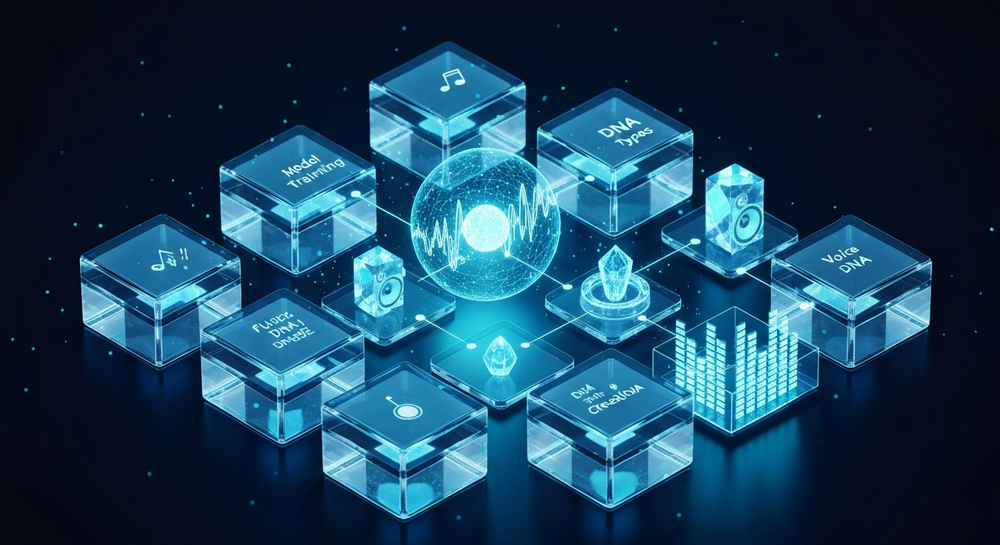
How to make a personal AI music model with Soundverse DNA
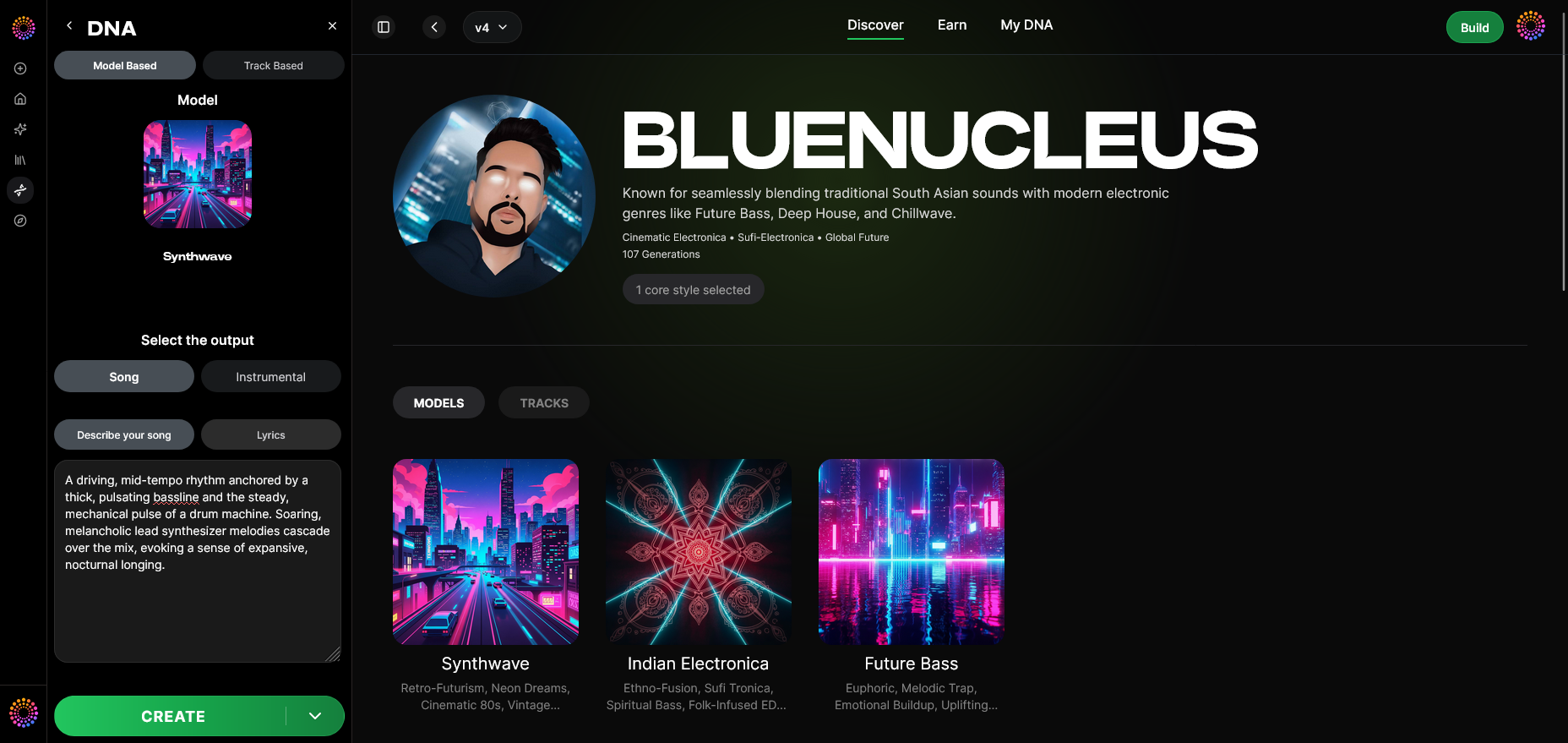
Soundverse DNA is an artist-trained AI music generation system designed to create original music based on specific sonic identities. Unlike traditional AI models that might raise questions about copyright, Soundverse DNA uses licensed catalogs and consent-based data to ensure ethical co-creation.
Its core capabilities include:
- Full DNA (Songs/Instrumentals): Enables creation of entire compositions or instrumentals trained on an artist’s body of work.
- Voice DNA: Focused on vocal timbre and singing style to reproduce unique vocal characteristics.
- DNA Marketplace: Allows creators to license their style to fans and earn royalties.
- Sensitivity Selector: Clusters catalogs into creative eras for more refined training and generation.
- Private Mode: Provides secure co-creation and protection of proprietary musical data.
Together, these features power an ethical AI music ecosystem that supports artist monetization, sonic branding, film/game scoring, and accelerated creative workflows.

Building a personal AI music model with Soundverse DNA is simpler than you might imagine. The process combines structured steps inside the Soundverse dashboard with creative decisions driven by your own music.
Step 1: Overview
In DNA mode, creators begin by understanding the foundation of their AI model. This overview explains that your Soundverse DNA will adapt to your catalog and style, whether it’s electronic, acoustic, cinematic, or vocal-driven. You’ll define your goals—do you want a generative instrument model, a vocal reproduction model, or a full artistic identity model?
Step 2: Dashboard
Access the “My DNA” management dashboard. This is where all AI models associated with your account are stored, tracked, and modified. It also serves as your hub for licensing and sensitivity adjustments. The dashboard gives you full visibility into active DNA models and their usage analytics.
Step 3: Creator Profile
Set up your creator profile to reflect your artist persona. Your profile acts as the metadata source for the DNA system, helping align model training to your musical themes. Make sure to include detailed genre, influence, and style information.
Step 4: DNA Type Selection
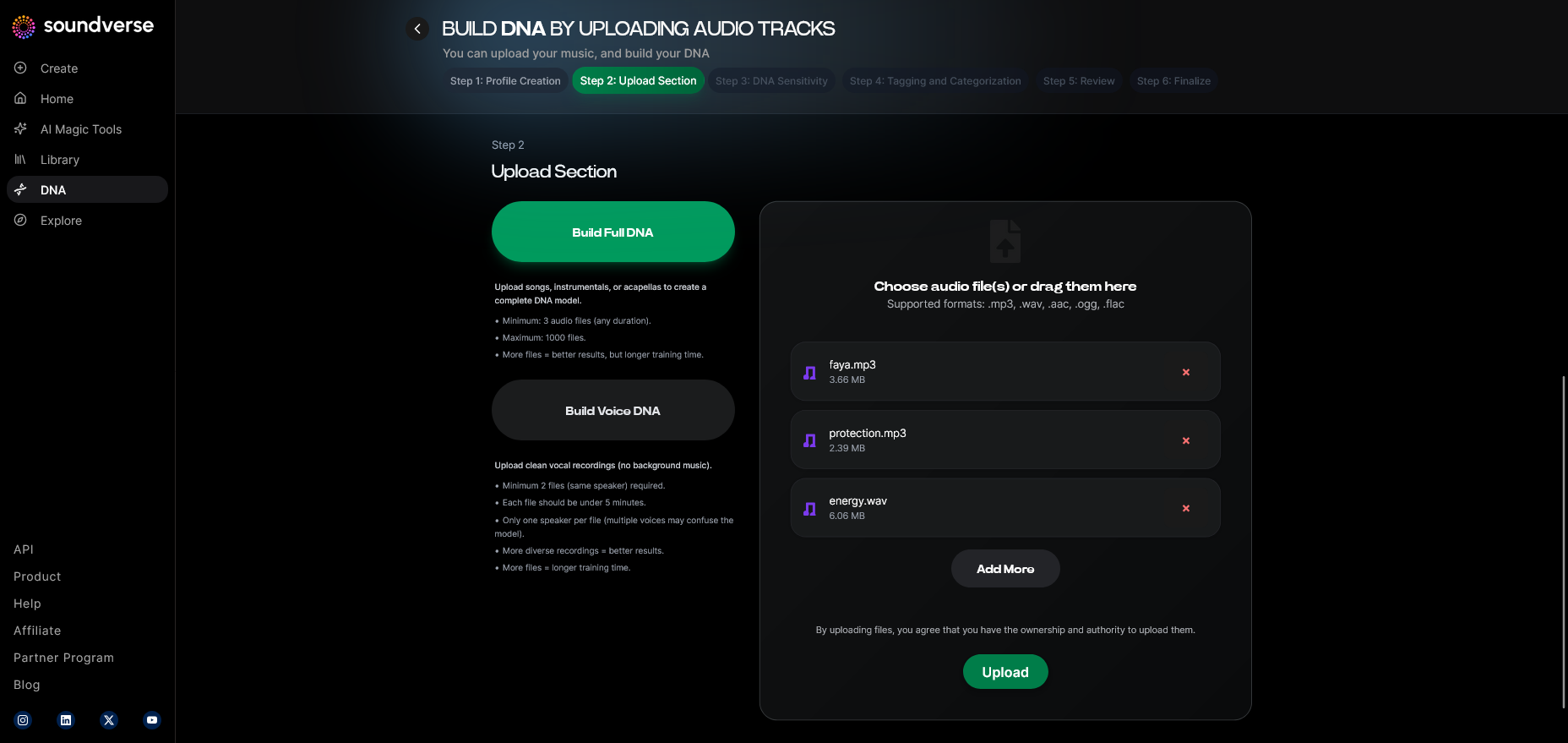
Choose whether you want to build a Full DNA or a Voice DNA. A Full DNA model represents the entire production essence—melody structures, instrumentation, rhythm, and harmony layers. A Voice DNA focuses on vocal tone, phrasing, and expressive detail.
Step 5: Upload Files
Here you’ll upload the audio files that define your sound. Soundverse processes these files asynchronously—meaning you upload or record, then allow the AI system to analyze them before generating results. Ensure the files are high-quality representations of your artistic range.
Step 6: Sensitivity Setting
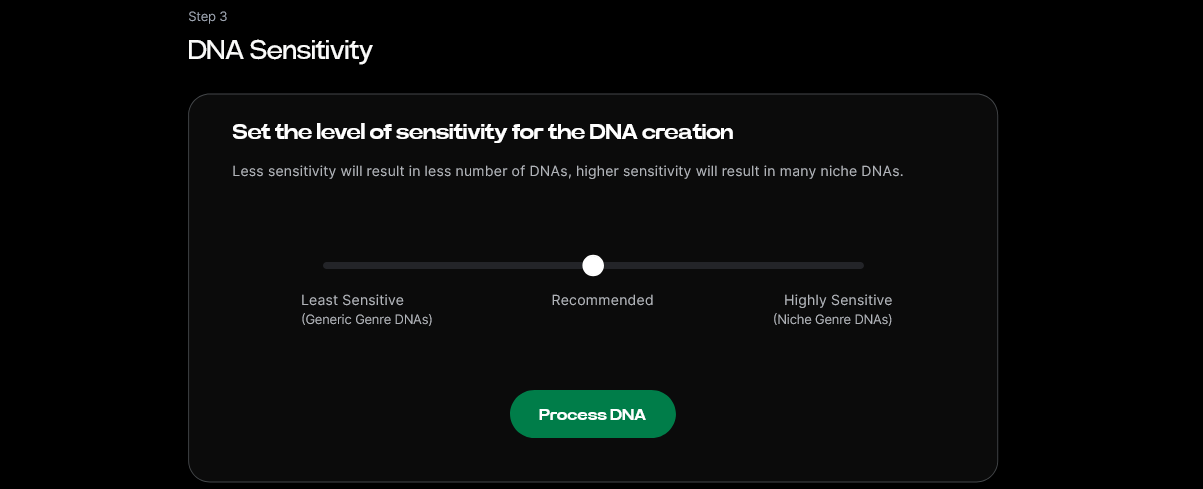
Using the Sensitivity Selector, you can cluster your catalog into creative eras. This lets you choose how closely the model adheres to specific periods of your work—for instance, an early lo-fi era or later polished studio sound.
Step 7: Auto Tagging
Soundverse automatically generates metadata tags for your uploads. These tags help the AI index patterns like mood, tempo, tone, and structure, ensuring refined generation later.
Step 8: Review & Publish
Before your DNA becomes active, review all parameters—model type, tagged data, and sensitivity levels. Publishing activates your AI music model and optionally lists it in the DNA Marketplace if you choose to monetize your style.
Step 9: Generation Panel
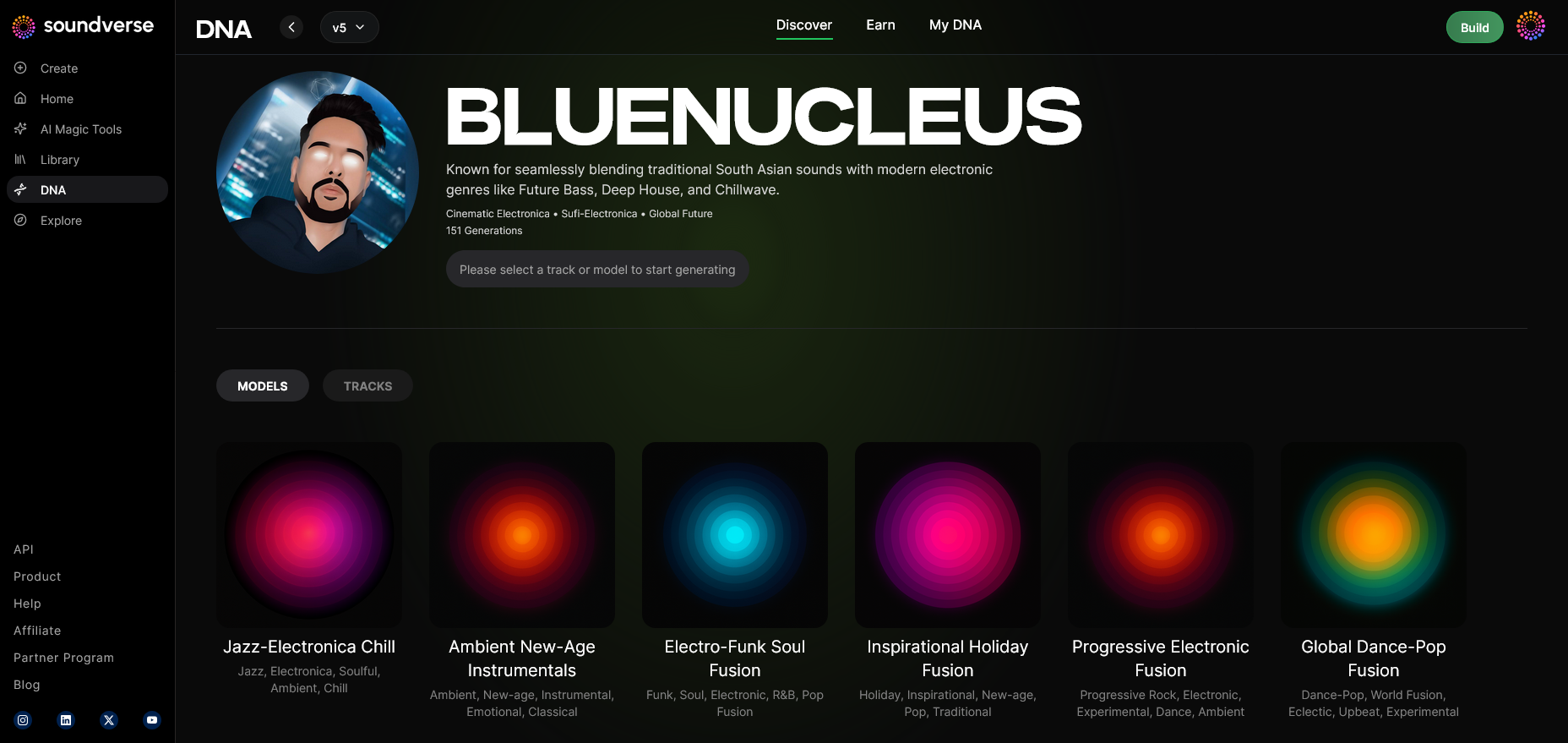
Once your model is trained and published, the Generation Panel becomes available. Here, you can initiate music creation using either text prompts or parameter-based controls. This asynchronous process generates new compositions matching your DNA’s aesthetic.
For a deeper dive, watch our guide on creating Deep House music or explore the Soundverse “How to Make Music” tutorial.
Step 10: Model-Based Mode
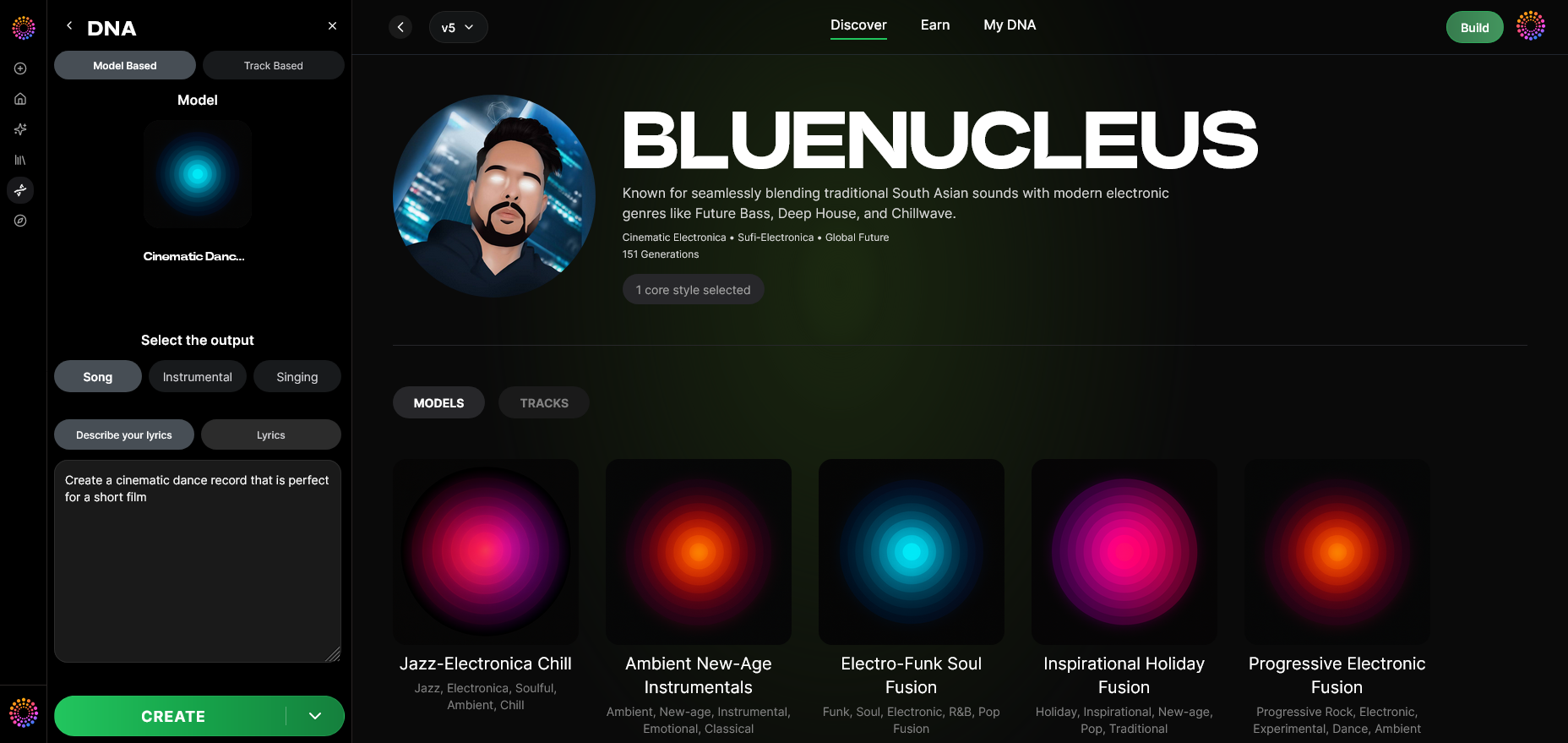
Toggle on “Model-Based Mode” to ensure generation strictly follows your trained DNA identity. This mode ensures consistent outputs true to your sound.
Step 11: Output Type
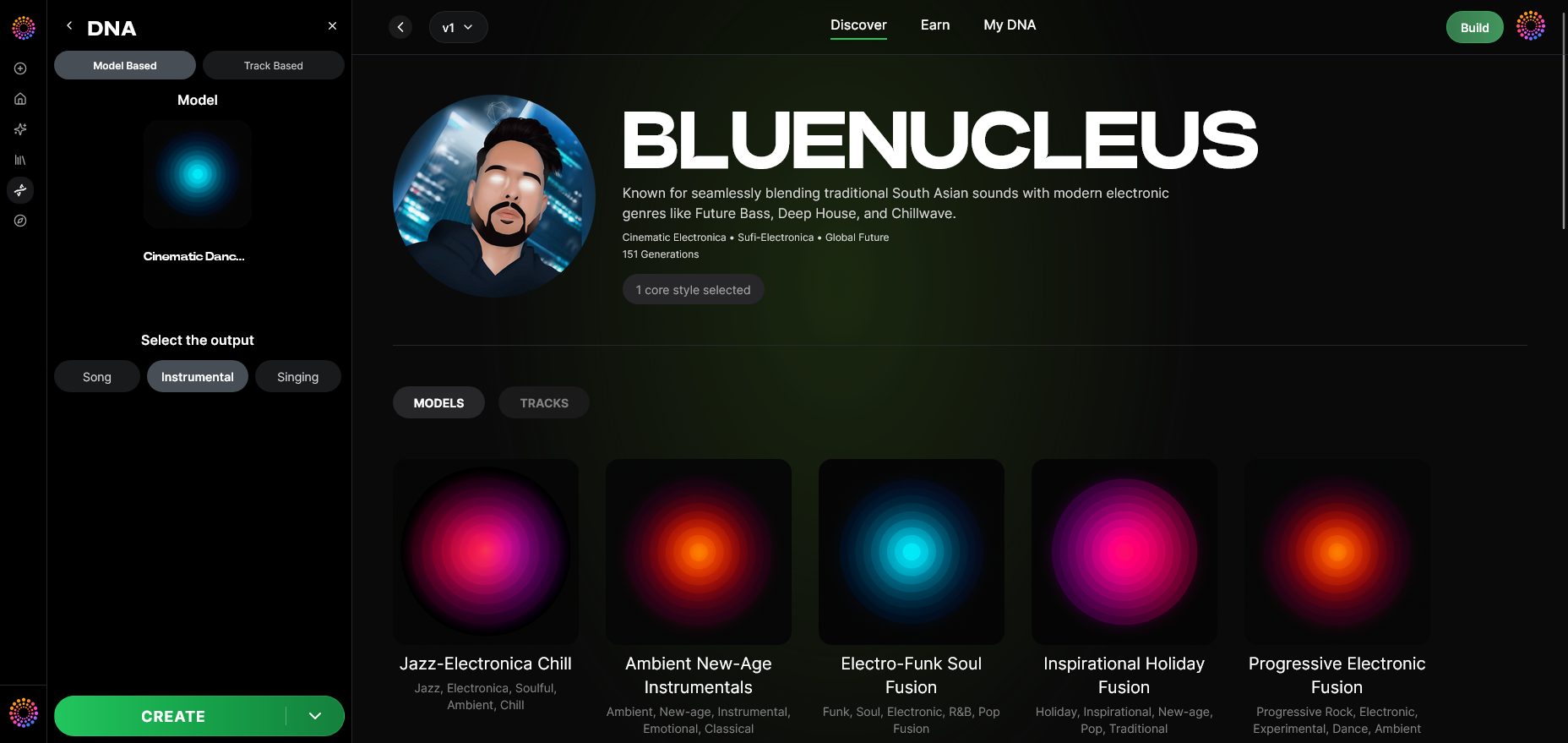
Select whether you’re generating a full Song, an Instrumental, or a Vocal Track. This versatility is perfect for expanding your catalog or creating content for films, podcasts, or social media.
Step 12: Prompt Type
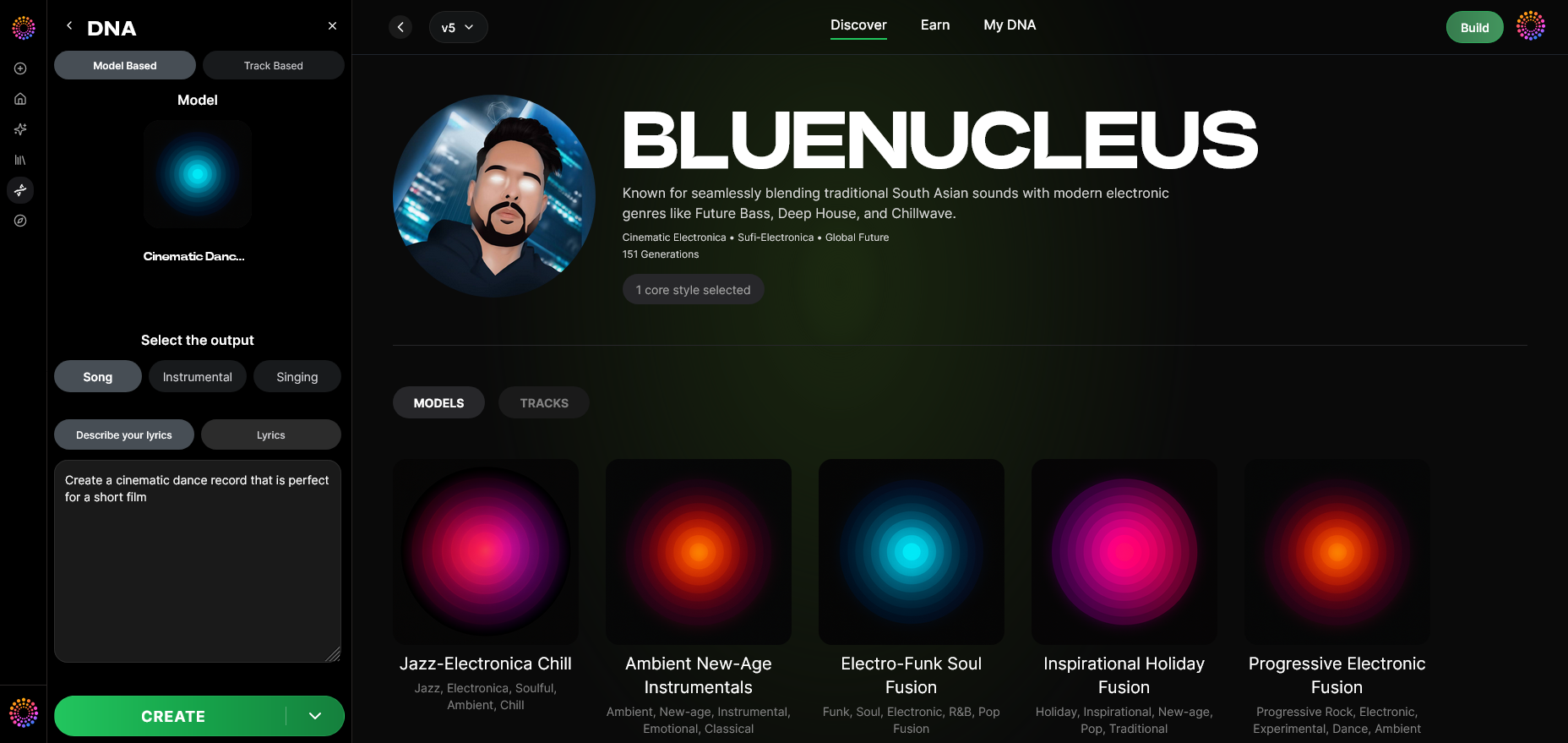
Choose how the AI interprets creative direction. Prompts can be descriptive (e.g., “ethereal ambient track with warm synths”) or structured through parameters like tempo and genre.
Step 13: Generation Complete
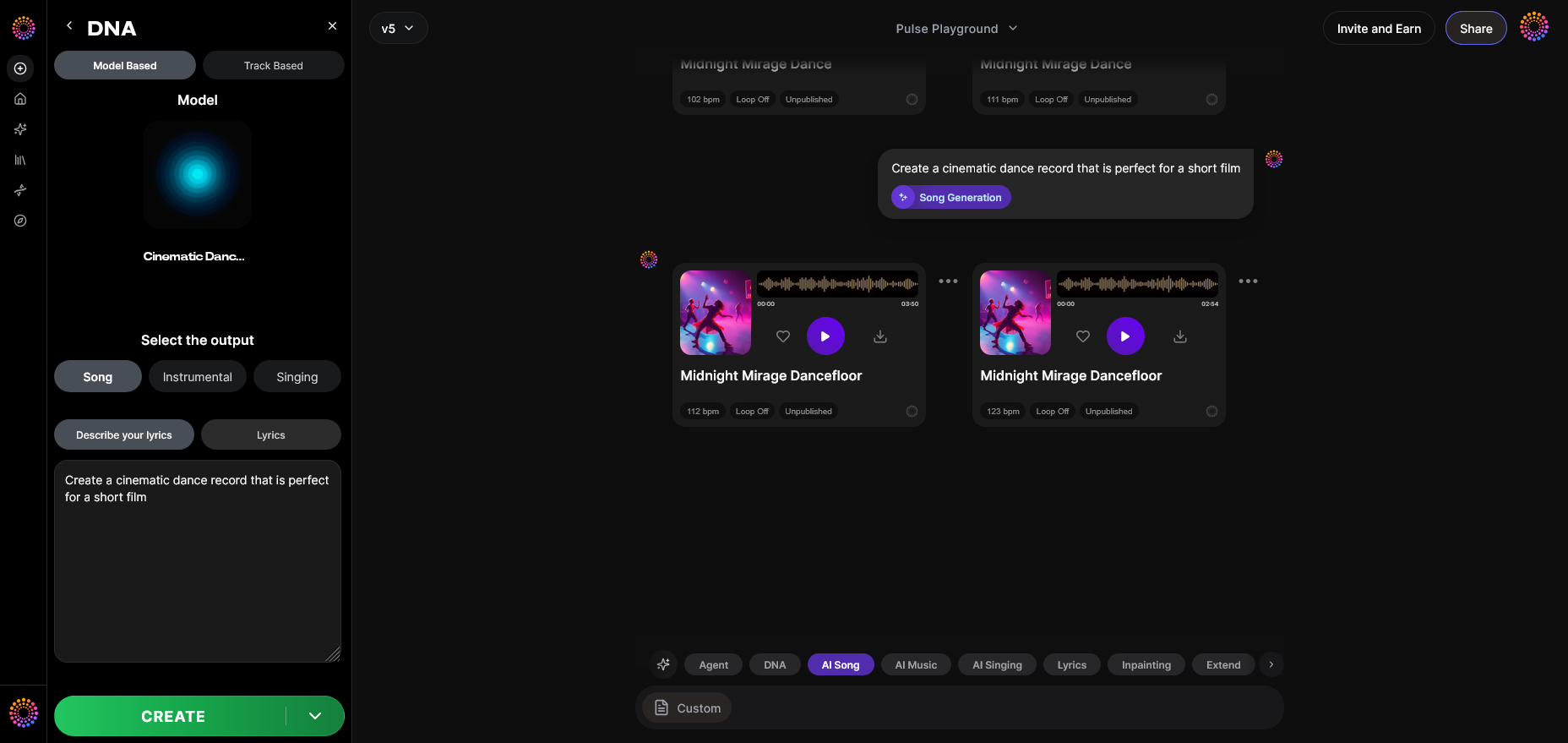
After processing, you’ll receive the completed track results. The Soundverse interface displays generated compositions ready for listening and review.
Step 14: Export Options
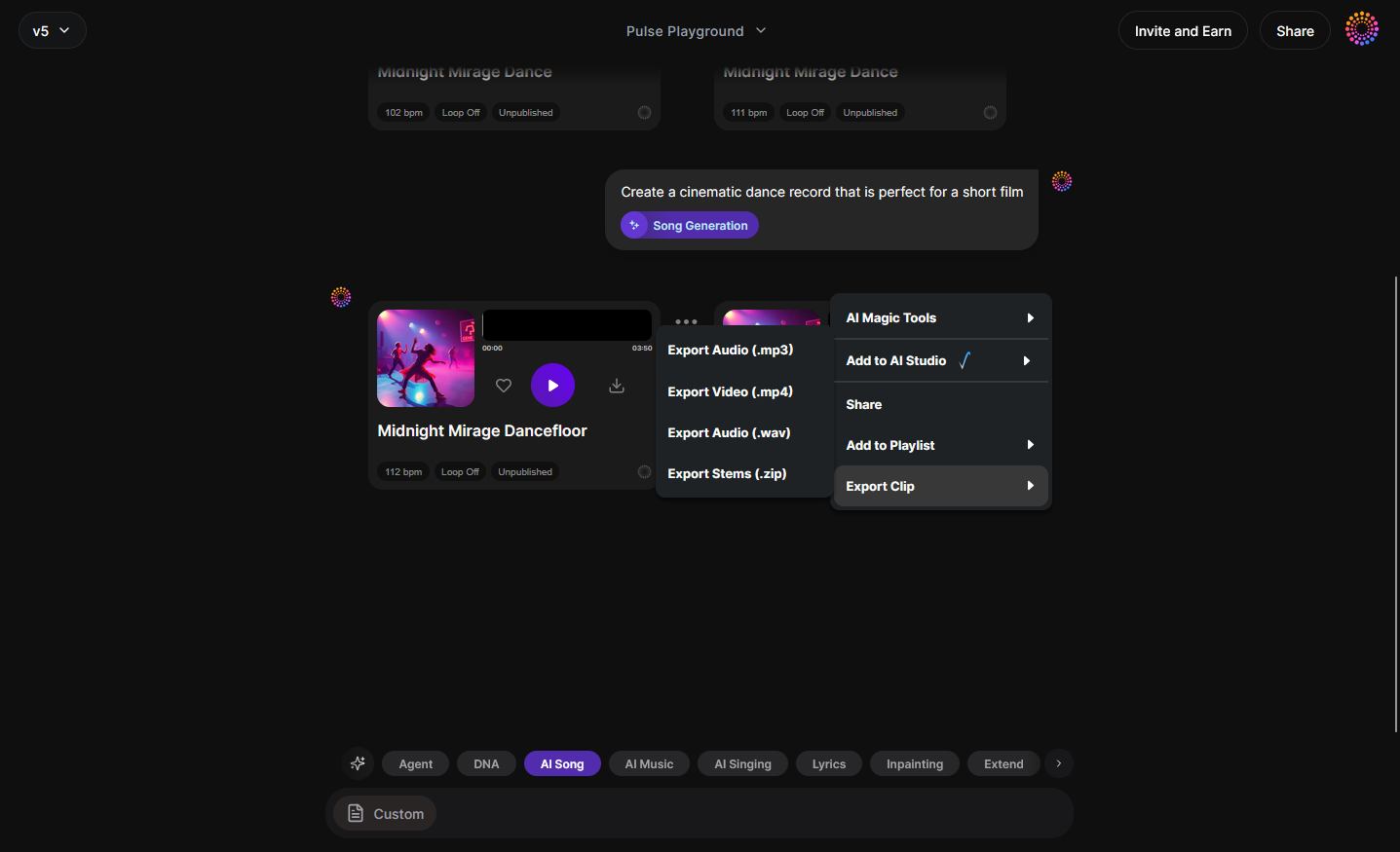
From the export menu, select how you want to distribute the track. You can export stems for remixing, full mixes for mastering, or medium-resolution versions for content preview.
Step 15–19: Extended Creation and Model Linking
For advanced users, these steps (Track-Based Mode, Style Selection, Lyrics Input, Model-Based Singing, Attach Model) allow integration with singing AI or fusion with other DNA models. You can even attach pre-trained DNAs for collaborative results.
Why build your own personal AI music model in 2026?
By 2026, music creators have realized the importance of personalization in AI music. Platforms like Soundverse are leading ethical innovation that protects creator rights and creativity. A personal AI music model helps you:
- Preserve your sonic identity across all projects.
- Accelerate production time by generating style-consistent tracks.
- Earn royalties when fans use your licensed DNA.
- Expand creative possibilities with AI-assisted composition.
- Maintain copyright compliance through licensed data sets.
This helps artists stand apart in the fast-paced digital landscape while upholding transparency and ethical innovation.
Pro Tips for Successful DNA Training
- Curate your catalog carefully: Balanced diversity ensures your model captures the full depth of your artistry.
- Use the Sensitivity Selector wisely: Too low can cause generic results; too high may overfit your sound.
- Engage the DNA Marketplace: Licensing your DNA can create passive income and strengthen brand presence.
- Update your Creator Profile regularly: Reflect new influences and developments.
- Explore Soundverse tools: Combine with features like Soundverse Stem Separation or the Soundverse Text-to-Music Generator to extend creative control.
Additional Ethical Context and Integration
Soundverse DNA operates under the Ethical AI Music Framework, which ensures consent, attribution, and fair compensation for all contributors. Through the Content Partner Program, rights-holders can contribute music for AI training with transparency and long-term royalties. The Soundverse Trace layer embeds attribution and rights protection throughout the AI lifecycle, from model creation to final export.
For creators exploring copyright-free solutions, check related topics like Navigating Royalty-Free and Copyright-Free Music or Music Industry Trends in 2026 to understand how ethical frameworks shape AI-assisted creativity.
Start Building Your Personal AI Music Model Today
Transform your creative vision into reality with Soundverse DNA. Build, train, and fine-tune your own AI music model to match your unique sound identity in minutes.
Related Articles
- Soundverse Assistant: Your AI Music Co‑Producer — Discover how Soundverse Assistant helps creators collaborate with AI to streamline the music creation process.
- Generate AI Music with Soundverse Text‑to‑Music — Learn how to turn written prompts into studio‑quality music using Soundverse’s powerful text‑to‑music generation engine.
- AI Music Generator and Human Composers: A Future Together — Explore how human creativity and AI‑driven composition are converging to redefine the future of music.
- How AI‑Generated Music Is Transforming the Music Industry — Understand the revolutionary role of AI in reshaping how music is produced, distributed, and experienced worldwide.
Here's how to make AI Music with Soundverse
Video Guide

Here’s another long walkthrough of how to use Soundverse AI.
Text Guide
- To know more about AI Magic Tools, check here.
- To know more about Soundverse Assistant, check here.
- To know more about Arrangement Studio, check here.
Soundverse is an AI Assistant that allows content creators and music makers to create original content in a flash using Generative AI. With the help of Soundverse Assistant and AI Magic Tools, our users get an unfair advantage over other creators to create audio and music content quickly, easily and cheaply. Soundverse Assistant is your ultimate music companion. You simply speak to the assistant to get your stuff done. The more you speak to it, the more it starts understanding you and your goals. AI Magic Tools help convert your creative dreams into tangible music and audio. Use AI Magic Tools such as text to music, stem separation, or lyrics generation to realise your content dreams faster. Soundverse is here to take music production to the next level. We're not just a digital audio workstation (DAW) competing with Ableton or Logic, we're building a completely new paradigm of easy and conversational content creation.
TikTok: https://www.tiktok.com/@soundverse.ai
Twitter: https://twitter.com/soundverse_ai
Instagram: https://www.instagram.com/soundverse.ai
LinkedIn: https://www.linkedin.com/company/soundverseai
Youtube: https://www.youtube.com/@SoundverseAI
Facebook: https://www.facebook.com/profile.php?id=100095674445607
Join Soundverse for Free and make Viral AI Music

We are constantly building more product experiences. Keep checking our Blog to stay updated about them!